the library
(taken in part from Lehigh
University's Intermediate Dreamweaver site)
The Library is part of the Assets Window. It allows you
to store pieces of a page and insert them anywhere on any page in your
site when you need them. For instance, you can create a 'contact me'
library item, a 'copyright' item, or 'paper guidelines' and insert
them wherever necessary.
Creating a Library Item
To access the Library area, choose 'Library' from the Window
menu.
To add a new library item, click on the right-facing triangle
in the upper right of the Assets window, and choose 'New Library
Item'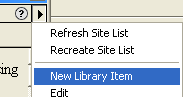 or click on the Add Library
Item icon in the lower right.
or click on the Add Library
Item icon in the lower right.
A new item will be added:  type in a name for it, such as Contact Info. (If the Name
[Untitled] becomes unselected, click on the name repeatedly until it
is selected again.)
type in a name for it, such as Contact Info. (If the Name
[Untitled] becomes unselected, click on the name repeatedly until it
is selected again.)
Then, to edit your item, either right-click on it and choose
Edit from the menu, or click on the Edit Item icon in the lower
right
A new Dreamweaver window will come up, and you can create
the library item there:
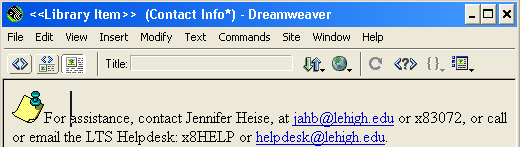
When you are finished editing, choose Save from the File
menu in the Library Item window.
The Assets window will change to display the Library item: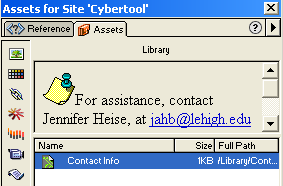
You can then close the Library Item document window.
Using a Library Item
Place your cursor the point in the document where you want
to insert the item, and selet the library item from the Library window/Assets.
Then click the 'Insert' button in the lower left of the Assets window
to insert the item.
Note: if you later edit the Library item, you will see
a window asking whether you want to update the Library item in the
pages it is already inserted in:
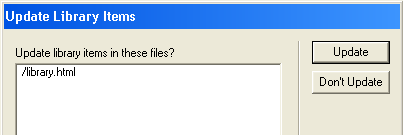
To have the changes you made applied to the files that
already have the library item in them, click Update.