|
|
|
Background
|
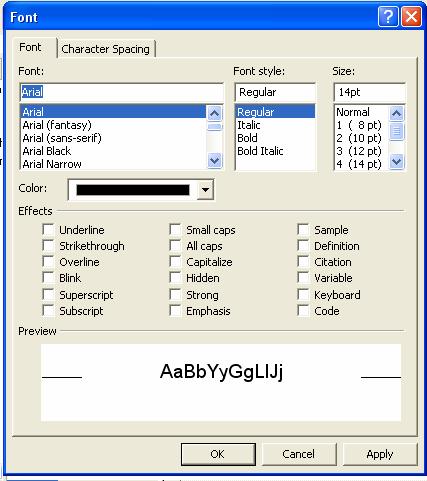
Formatting TextSelect the text you wish to format. In the Format menu, choose "Font". You may also right-click on the selected text and choose "Font" from the drop-down menu that appears.
A "Font" menu box appears. Specify basic font information, such as text size, font, and colour here. Opening the drop-down "Colour" menu gives access to a few colour choices. Choosing "More colours" in this menu opens an extended colour window with more choices.
Choose "Custom" in this window for access to the full range of colours available on your computer
The Font Properties Window |