Hot Spots
Hot Spots are images containing hyperlinks. A hotspot is
a region on an picture that has been defined as a hyperlink.
To make a
hot spot
 
In the FrontPage Editor, select the image. The picture
automatically displays when you select an image.
The Picture Toolbar

Click the Rectangle button:
Point inside the image. The pointer becomes a pencil.
Point to the first corner of the rectangle you want to
create, then click.
Drag the rectangle until it is the size you want. When
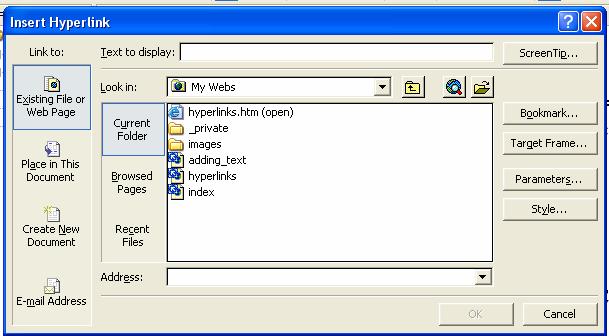
you release the mouse button, the Create Hyperlink dialog box opens.
In the Create Hyperlink window, specify the target of the
hyperlink.
The Create Hyperlink Window
To link to a bookmark on the page you selected, type the name of the
bookmark in the Bookmark field. You can create a hyperlink to a bookmark on
an open page by first selecting the page and then choosing its bookmark from
the list in the Create Hyperlink dialog box.
If you want the page that is the target of the hyperlink to appear in a
frame in a frameset, select the frame in the Target Frame field.
Click OK.
|