
13) trong tab na`y mi`nh co' the^? la`m title picture va` changeDC picture. Trong dda^y cu?ng la` cho^? dde^? mi`nh la`m entry point theo timecode cu?a chapter trong dvd.

13a) Title picture se? hie^.n le^n va` stay there for 5-10 sec khi first play on dvd player. Search tre^n net cho ca'i dvd cover ru`i save la.i, sau ddo' ba^'m le^n ca'i "open folder" icon dde^? select ca'i hi`nh ma` mi`nh save la.i.
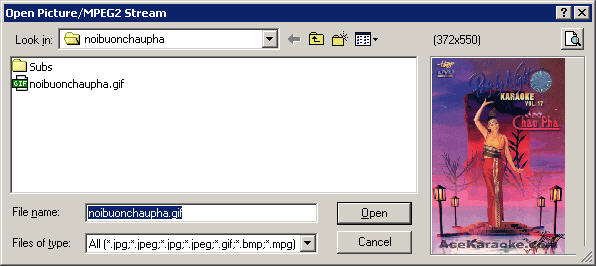
13b) Ca'i "ChangeCD pic." chi? du`ng khi mi`nh chia ca'i dvd ra tha`nh nhie^`u di?a. Ne^'u cho.n "use ChangeCD picture on all Cd's" thi` hi`nh na`y se? hie^.n le^n in all cds as well as the last cd.
The following text CT mu*o*.n tu*` ca'i guide o*? doom9.net
13c)Include movie info on CD will put a DVD2SVCD generated textfile that contains various program settings onto the CD. Include XML on CD will put the VCDXBuild XML script onto the CD.
If you have problems with the elapsed time on your player you can try checking Use Entrysvd.
If your player does not support the MPEG2 directory (default and required by the specs) but expects the movie to be in the MPEGAV (VCD standard) directory instead then check Use MPEGAV instead of MPEG2.
About chapters: Normally you want the same chapters as on the DVD. If you prefer chapters at fixed intervals check Fixed chapters instead and set the chapter interval. For DVD chapters there are 3 options: PBC Use Selections which creates a playlist using selections (don't worry about the term.. you don't really need to know what it means), PBC Use Playlist and no PBC.
Use selections is the default as this not only enables you to go forward and backward using your remote, but also select a chapter via a numerical button (pressing 5 would start playing chapter 5 for instance). Some players don't like Selections and will do strange things (sometimes you can no longer using chapter forward/backward if you press another key, or chapter selection will interfere with audio / subtitle stream selection) so you can try PBC use Playlist instead. If your player does not support PBC at all select no PBC. This will also disable the Title picture and ChanceCD picture.
CT thu*o*`ng du`ng "PBC use Playlist". Note: Nhie^`u khi dvd2svcd kho^ng bo? ddu'ng entrypoint. Ne^'u la` movie thi` who cares, nhu*ng ma` trong karaoke thi` la.i ra^'t la` quan tro.ng ta.i vi` mi`nh muo^'n khi skip forward no' se? nha?y to*'i dda^`u ba?ng ha't ke^' tie^'p. Ne^'u trong tru*o*`ng ho*.p dvd2svcd bo? entrypoint sai, thi` mi`nh fa?i la`m manually. YOU DON"T NEED TO REENCODE THE WHOLE THING AGAIN.
Finally select the authoring program. If you have I-Author and it works better for you select that, otherwise leave it at the default of VCDXBuild. If you don't need images select Don't make images.
Sau khi co' image thi` CT recommend to use daemon tools dde^? mount ca'i image va` use latest version cu?a either powerdvd or windvd dde^? play thu*? tre^n computer. Trong khi play thu*? skip forward and backward coi ca'i entrypoint set by dvd2svcd co' ddu'ng kho^ng va` ddo^?ng tho*`i thu*? switch audio 1 qua 2 dde^? ta('t tie^'ng ha't.
Conversion Tab || Misc Tab || DVD Tabs || Audio Tab || Frame Server Tab || Bitrate Tab || Encoder Tab || CD Image Tab || Entrypoint and Chapters
