
 What is IRC? Network Structure IRC Clients PIRCH98 Commands and Services Responsibilities Netiquette Security IRC "Extras" Resources Introduction (Home)
IRC Commands and Services
IRC is generally a text based medium and no matter how graphical the client's interface is, there will be some commands that will have to be learned to use IRC.
These are a few points to remember about all IRC commands:
All IRC commands begin with the forward slash, " / ". Anything else you type is considered text typed to the screen as normal conversation. All channel names begin with a pound sign, " # "There is an exception here. Some channel names will begin with a " & ", but those are few and far between and you may never see them in your travels on IRC. IRC is not case sensitive. So you can use either upper, lower, or mixed case letters if you wish in your commands.
/join #channelname :join a channel
/part #channelname :leave a channel,
/list : list channel names, this list appears in the server window,
/msg : nickname msgtext etc here, to send a private message
/me action text here: to illustrate user actions, the text will show up within the window as for example, /me does something will show up as Nickname does something
/quit optional message here :to leave the server, with an optional quit message
/whois nickname :shows where (and if) a particular user is the on the network, including public channels, the response to the command shows up in the server window
/whowas nickname :provides the same information as /whois, except for users who have left during your current IRC network session
/ignore nickname :ignores all messages from a particular user
/query nickname :opens up a separate window for private messages, within this window the /msg command is not needed
/ping nickname :a CTCP protocol that returns the lag time between the other user and yourself
/away an away message :sets up an away message to users displayed in the /whois command that lets other users know you are away from your keyboard. Typing /away another time without a message will remove the away status.
/nick newnickname :the command used to change your nickname
IRC Services
Nicknames brings up another feature some IRC Networks provide, IRC Services. IRC Services are a means of managing the registration of nicknames and channels, providing for the exclusive use for certain time periods. Shadowfire offers NickServ, ChanServ, and also Memoserv, an IRC Service that allows users to leave messages for registered users when they are offline. Please see http://www.eumel.de/irc/services.htm for basic Service commands and the descriptions provided by the help function of IRC Services.
Channel Operator Commands
Channel operator commands are specialized commands available to Channel operators, the heads or moderators of channels. PIRCH handles various op commands in the channel window when you have operator status. Through either the default selections under the channel names list or by right clicking on a particular name in the name list.
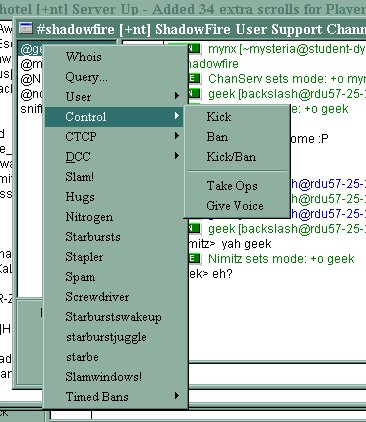
Besides these basics, PIRCH also supports /invite, /kick, /topic, /mode, /ban. Please see the command reference within PIRCH's help for more information on syntax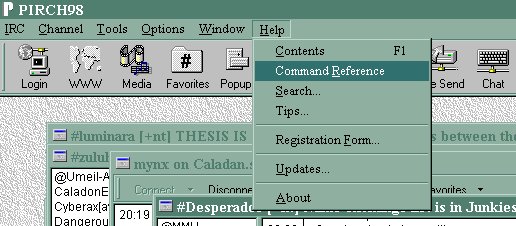
Back to the top
Designed by: mynx
Viewable with Internet Explorer 5.5 at 800x600.