 |
|
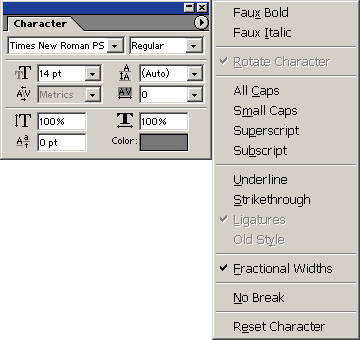
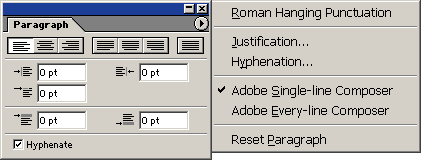
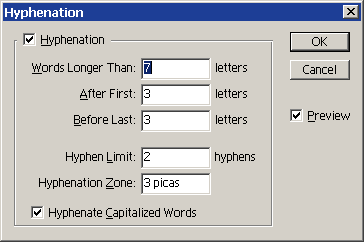
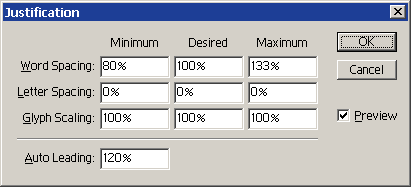
Type Palettes This is a quick summary of the options available in the character and paragraph palettes. The Character Palette Section 1: Font and Style The Character Palette Menu allows you to apply faux bold and faux italics to fonts that do not include these styles within the typeface. You cannot warp type that has Faux Bold formatting. When vertical type is selected the rotate command becomes available. The following additional styles are also offered: all caps, small caps, superscript, subscript, underline, strikethrough, ligatures, and old style. Factional Widths varies the spacing between characters to make it more readable. In some instances—such as for small type to be displayed on-screen—you may get better results by disabling this option. The Paragraph Palette Section 1: Align and Justify The Hyphenation Dialog Box The Justification Dialog Box
|
|