  |
|
       |
|
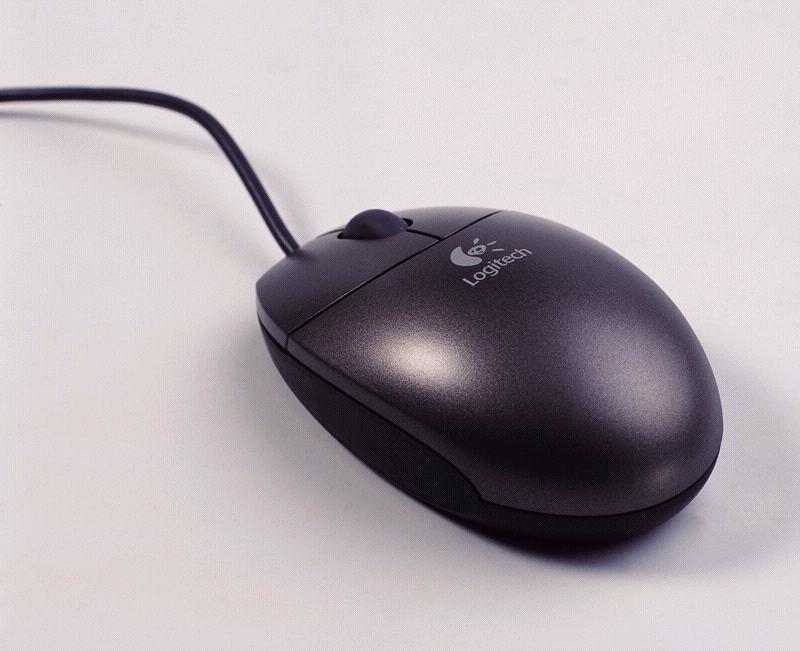
Mouse&KeyboardMouse:Mouse is a device that controls the movement of the cursor or pointer on a display screen. A mouse is a small object you can roll along a hard, flat surface. Its name is derived from its shape, which looks a bit like a mouse, its connecting wire that one can imagine to be the mouse's tail, and the fact that one must make it scurry along a surface. As you move the mouse, the pointer on the display screen moves in the same direction. Mice contain at least one button and sometimes as many as three, which have different functions depending on what program is running. Some newer mice also include a scroll wheel for scrolling through long documents. Invented by Douglas Engelbart of Stanford Research Center in 1963, and pioneered by Xerox in the 1970s, the mouse is one of the great breakthroughs in computer ergonomics because it frees the user to a large extent from using the keyboard. In particular, the mouse is important for graphical user interfaces because you can simply point to options and objects and click a mouse button. Such applications are often called point-and-click programs. The mouse is also useful for graphics programs that allow you to draw pictures by using the mouse like a pen, pencil, or paintbrush. Types of mouse:mechanical: Has a rubber or metal ball on its underside that can roll in all directions. Mechanical sensors within the mouse detect the direction the ball is rolling and move the screen pointer accordingly. optomechanical: Same as a mechanical mouse, but uses optical sensors to detect motion of the ball. optical: Uses a laser to detect the mouse's movement. You must move the mouse along a special mat with a grid so that the optical mechanism has a frame of reference. Optical mice have no mechanical moving parts. They respond more quickly and precisely than mechanical and optomechanical mice, but they are also more expensive. Ways of mouse connection:-Serial mice connect directly to an RS-232C serial port or a PS/2 port. This is the simplest type of connection. Cordless mice aren't physically connected at all. Instead they rely on infrared or radio waves to communicate with the computer. Cordless mice are more expensive than both serial and bus mice, but they do eliminate the cord, which can sometimes get in the way
Keyboard:Keyboard is the set of typewriter-like keys that enables you to enter data into a computer. Computer keyboards are similar to electric-typewriter keyboards but contain additional keys. Classification of keyboards: alphanumeric keys -- letters and numbers The standard layout of letters, numbers, and punctuation is known as a QWERTY keyboard because the first six keys on the top row of letters spell QWERTY. The QWERTY keyboard was designed in the 1800s for mechanical typewriters and was actually designed to slow typists down to avoid jamming the keys. Another keyboard design, which has letters positioned for speed typing, is the Dvorak keyboard. There is no standard computer keyboard, although many manufacturers imitate the keyboards of PCs. There are actually three different PC keyboards: the original PC keyboard, with 84 keys; the AT keyboard, also with 84 keys; and the enhanced keyboard, with 101 keys. The three differ somewhat in the placement of function keys, the Control key, the Return key, and the Shift keys. In addition to these keys, IBM keyboards contain the following keys: Page Up, Page Down, Home, End, Insert, Pause, Num Lock, Scroll Lock, Break, Caps Lock, Print Screen.
|
|