  |
|
       |
|
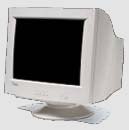
MonitorMonitor is the component that displays the visual output from your computer as generated by the video card. It is different from most of the other components of the PC due to its passive nature; it isn't responsible for doing any real computing, but rather for showing the results of computing. In this way, the monitor is in many respects more similar to your printer than to anything else in the PC, although of course most people don't think in these terms. Monitors are important not because of their impact on performance, but rather their impact on the usability of the PC. A poor quality monitor can hamper the use of an otherwise very good PC, because a monitor that is hard to look at can make the PC hard to use. Despite the fact that they don't have a direct impact on performance, many people spend almost as much on their monitor when buying a new PC as they do on the PC system itself. The roles of monitor:Comfort and Ergonomics: Working with your video card, your monitor determines the quality of the image you see when you use your PC. This has an important impact on how comfortable the PC is to use. Poor quality monitors lead directly to eyestrain and other problems, and can ruin the computing experience. Software and Video Mode Support: Use of advanced, high-resolution or high-color-depth video modes requires support for these modes from the monitor. A video card that can drive high resolutions in true color at high refresh rates is useless without a monitor that can handle them as well. Upgradability: Since most monitors are interchangeable with each other and can be used on any similar PC, they are naturals to carry over to a new machine or to use after upgrading. Since they hold their value, a frequent upgrader with a good monitor can use it for many years and through many changes of processors, memory, motherboards and other components that become dated quite quickly. Types of MonitorsCRTs On the down side, they hog a lot of room and weigh more than several sacks of potatoes. You can get more compact CRTs called short-depth or short-neck monitors which are a couple of inches shallower than regular CRTs. Unless space is a primary consideration, most people buy a CRT display because they offer good performance at an affordable price. LCDs In the screen of a LCD monitor, each pixel is produced by a tiny cell which contains a thin layer of liquid crystals. These rod-shaped molecules bend light in response to an electric current. It's the same display technology that resides in your digital watch but more sophisticated. LCDs tend to be clearer than CRTs which can suffer from convergence or focus difficulties. Their improved clarity means that even small LCDs can display higher resolutions than the corresponding sized CRT. They also make small text easier to read. Unlike CRTs, LCD monitors have only one optimal resolution. At lower resolutions, the screen is redrawn as a smaller area or all the pixels in the image are blown-up to fill the screen. The latter solution can make images look jagged and blocky so be sure the resolution of the LCD is the resolution you want to use.
|
|