
Home |
Section One |
Section Two |
Section Three |
Section Four |
Section Five |
Glossary |
There are four basic pairs of tags that any basic HTML student needs to learn and understand. Those are the <html> tag, the <head> tag, the <body> tag, and the <title> tag.
To understand each one of these tags you have to look at the basic structure of every HTML tag. This structure is a less than (<) symbol, followed by the tag, and ended with a greater than (>) symbol. That entire object is actually only one half of a full, complete tag. To make a complete tag you must have a closing tag on the opposite side. To close the tag or make a closing tag you put a backslash (/) after the less than (<) in the tag.
The hierarchy of a website is not that difficult to remember; the order of tags is as follows: <html>, <head>, <title>, </title>, </head>, <body>, </body>, and finally the </html> tag.
An example is shown below:

First, we will look at the <html> tag. The <html> tag is the tag that cannot be left out of any website based on the World Wide Web Consortium (W3C) syntax of HTML. The <html> tag is how the browser or parser knows what language you are programming in and when to start reading HTML as compared to any other language. For our purposes you will always start with an <html> tag. Now on the total opposite end of the website's source code is the </html>, which if you haven't guessed already tells the browser or parser when to stop reading or translating the code.
Next, we will look at the <head> tag in more detail. The <head> tag governs the rest of the website. It does this by executing first the code that must be used prior to the body of the website. It is also the "container" of the <title> tag. The <title> tag controls what is displayed on the title bar on the top of the browser window. As you can see, our title is "HTML Tutorial: Section One." The title is written between the <title> and </title> tags, which is located between the <head> and </head> tags. So, you can safely assume that anything that you put in the <title> tag will be the title of your website until you change it.
An example of how to set up a title is shown below:
 An Example in Notepad |
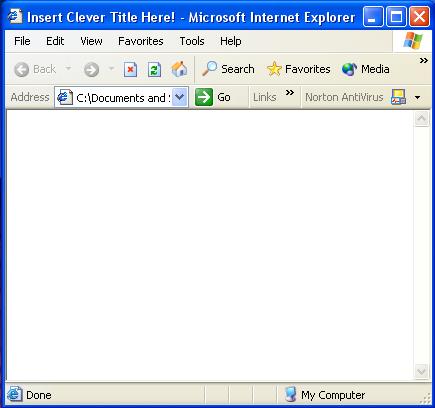 Its Equivalent in Internet Explorer |
Top |
Home |
Section One |
Section Two |
Section Three |
Section Four |
Section Five |
Glossary |

