| Munky's Crosshair 
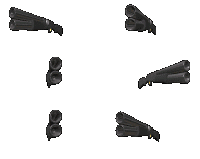
| This is the crosshair that I made and use. It is two circles, one inside the other. I works rather well for me both in close counters and far off. |
| LawMaker | LawMaker is Outlaws map making editor. It is loads of fun to make maps, even though it can become frustrating sometime. Check out the maps I've made in the Maps section. |
| LawMaker Tutor | This is the tutor for LawMaker. It is a huge help when your just starting to make maps. If your new to LawMaker this is a must have download. |
| NWX Editor | With the NWX editor, you can make your own crosshairs, objects, and even characters. I've never made anything but crosshairs, but the NWX editor is a great little tool for anyone wanting to make there very own, custom NWX. |
| Outlaws Manager | Outlaws Manager is a very useful tool to have. Outlaws can only hold 100 maps at one time. With this tool u can manage your maps by removing, adding, and deleting them as needed. |
| Roger Wilco | Roger Wilco is a neat little tool that lets you talk to your friends while playing Outlaws or any other game. One of you just host a room in RW and send out your IP address. It's easy to use and is much more useful and faster than typing. |
| Direct 3D Update | This is the Direct 3D Update for Outlaws. What is that you say? Well D3D is another way to get more of a 3D look while playing Outlaws. If your video card doesn't support Gilde, then D3D is the next best thing for that same look if you don't like Direct Draw or MGL |
| MGL Drivers | This driver can be found on the first Outlaws CD through Microsoft Explorer, but I put it on here for easy access. This makes Outlaws look like it does in Direct Draw, but improves fps significantly. If you can't use Glide or the D3D Update doesn't work for you, use MGL. |

 Munky's File Collection