|
Pokémon Info
Game Info
The Anime
Pictures
Fan Pages
Contests
Fun Stuff
Insanity!!
Other
Affiliates:
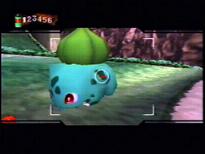
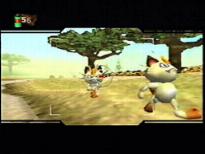
| Pokémon SnapPokémon Snap is now out on N64!! Pokémon Snap is an Pokémon game for N64. In this game you go though Pokémon Island, taking pictures of the many Pokémon.Prof. Oak has sent you a letter asking you to take pictures at Pokémon Island for his Pokémon Report. The ZERO-ONE vehicle Prof. Oak has created the ZERO-ONE vehicle for you to ride in at Pokémon Island. This vehicle can drive on the ground, fly, and go in water. It includes a safety feature which applies the brakes when you are about to collide with a Pokémon. If you look behind you, the ZERO-ONE will move at a slower pace. How To Take Pictures Use the control stick to look around the island for a Pokémon to take a picture of. Hold down the Z button, when you see a Pokémon, to grab your camara. Then press the A button to click, and take the picture. How The Game Works Pokémon Island has seprite courses which you go to one at a time. To get to some of the courses you will need to find secret paths, or collect a number of different Pokémon Pictures to advance to the next course. In each course the ZERO-ONE will head to the gate at the end of the course which leads back to the lab. Once you go though the gate you will get to pick what pictures you want to show Prof. Oak. Prof. Oak will judge your shots on the size, the poze, and the technice. You will get more points for the shot if there are other Pokémon, the same as the focused Pokémon, in the picture. Items When you get a sertin amount of points for the pictures you take, you will get an item from Prof. Oak to help you take better pictures of Pokémon. The first item you get is Pokémon Food. The Pokémon food is apple shaped. You can make Pokémon really happy by throwing it beside them. To use this item when you get it, press the A button when you aren't focusing your cammra. The second items are Pester Balls. Pester Balls have bug-repellent spray in them. You can use them to force Pokémon that are hiding, out into the open. To use this item when you get it, press the B button when you aren't focusing your cammra. The third item is the Poké Flute. Each time you press the C down button, you can play a different song on the pokéflute. Some Pokémon will respond to the songs, giving you a great photo opportunity. TIP: If you use items in suspicious looking places, the Pokémon may do unexpected things. Signs After you've been to all the courses Prof. Oak will ask you to take pictures of Pokémon signs. There will be pictures of the Pokémon signs that you have to find and take pictures of in the Pokémon Report. Once you collect pictures of all the Pokémon signs you will be able to go to the course called Rainbow Cloud, where you will be able to take pictures of Mew!
|