|
|
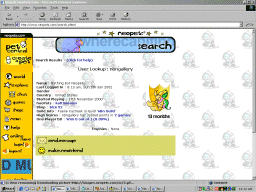
Introduction | Fonts | Backgrounds | User Lookup | Free Host and Counters | Shop To make changes to your user lookup go to NeoChat. All your user lookup decoration codes go in the "About Me" field. In addition, any other HTML tags you wish to add to your profile should be added in the same text box. You can mix and match special effects such as having a border, changing fonts and mirror imaging you profile at the same time. Try it out and have fun! IMPORTANT If you try to make changes to your User Lookup Profile without updating the Default neoHTML field (also on the same page), it will default a value of 'none' in that text field and when you try to update your user lookup again, you'll get a neoHTML error:
The best thing to do is just enter some default neoHTML code into the Default neoHTML field like this... [font c=blue s=3 f=arial][b]neoHTML[/b][/font] and doing this will prevent getting that neoHTML error ever again when doing any future updates to your user lookup..
Fonts | Backgrounds | Images | Cursor | Special Effects How do I make the font in my look up non-italics? How do I change the fonts in my look up?
Options: Change Verdana to the font of your choice (Eg. Times New Roman, Comic Sans MS). You can also change the font size and font color as you wish. The tags after P, body, TD will change the text fonts. The tags after A:link, A:hover and A:visited will affect the font display of links when displayed normally, when hovered over with the cursor and after it is visited respectively. How do I change the way the link looks?
Options: Try out different link decorations by replacing the text-decoration: none part in the tag to any of these.
Once you have the URL of the background you want to use, place the URL in the following code.
How can I change the cursor to something other than the normal arrow?
Options: Try out different cursors by replacing the cursor:"s-resize" part in the tag to any of these.
How do I add an image to my profile?
Options: Enter the URL of the picture you would like. You will also need to change the width and height accordingly. How do I get rid of the white around the images in my user lookup? How do I make my images look glowing? Options: You can change the color and strength of the glow to your desired color and glow strength. How do I get rid of the white around the images in my user lookup? How do I make my images look faded? Options: Opacity can be between 0 and 100. Style=1 is for a right hand side fade. Style=2 is for circular fade. Style=3 is for rectangular fade. If you want to keep the yellow color remove xray. How do I add an image or blinkie where my name is? To add an image to your user lookup in your name field you will need to change your full name in your user info to Then you need to add the following code to your chat profile Make sure you change the height and width values to match the height and width of your image How can I make the tool bar on the left so that you can see my background through it? This will make the tool bar on the left transparent.
Fonts | Backgrounds | Images | Cursor | Special Effects Introduction | Fonts | Backgrounds | User Lookup | Free Host and Counters | Shop
|
|||||||||

 ERROR: If you are trying to set a default neoHTML tag, please make sure you
include the word neoHTML in there somewhere - ie [glow]neoHTML[/glow],
it won't work otherwise :)
ERROR: If you are trying to set a default neoHTML tag, please make sure you
include the word neoHTML in there somewhere - ie [glow]neoHTML[/glow],
it won't work otherwise :)