
Click anywhere in the white text area and you will see your cursor (a blinking verticle line) blinking on the page and type your name.
To save the document go to File, in the main menu then select Save As as shown in Figure 4.
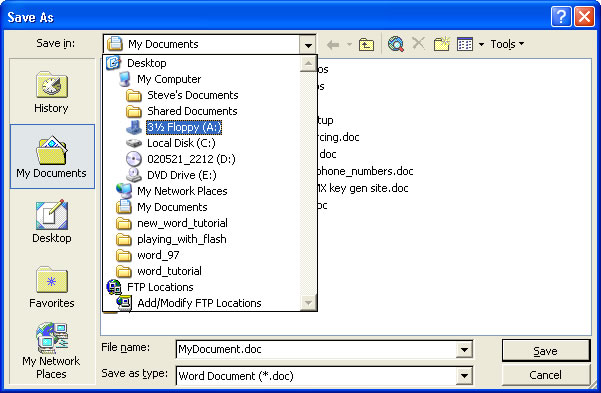
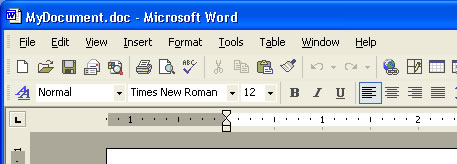
By default the Save As location is in My Documents. Select the down arrow and choose 3 1/2 Floppy and In the File Name key in MyDocument as shown in Figure 4 Then select Save from the bottom right of the Save As dialog box. Make sure you have a Floppy disk in the Floppy drive before you save. Notice that the name of your documnet in now diplayed in the top left of the screen (Figure 5) and in the Windows toolbar (Figure 6). Do not confuse the Windows toolbar with Word titlebar.

Click HERE for a detailed discription of the Word Screen. Study and use this document to help you pass the quiz you will take at the end of this section.
[Back] [Next]
