
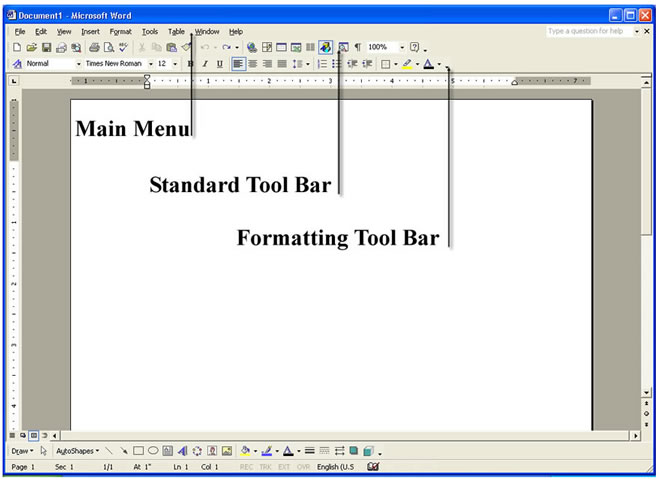
It is good practice to keep your workspace uniform. Figure 2 shows a common way to organize your tool bars. Notice the Main Menu is on top, the Standard toolbar is in the middle and the Formatting toolbar is on the bottom.
If either of these three tool bars is not open you can open them by going to View then Toolbars as shown in Figure 3
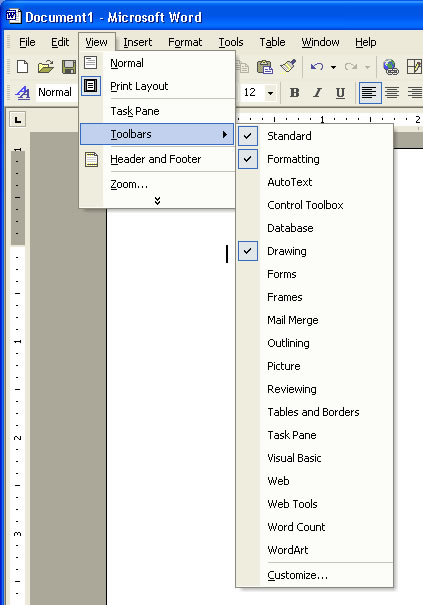
Any Toolbars that are open will have a check next to them. If your Standard Toolbar is not visable select it from this menu by left clicking the toolbar you want and the toolbar selected will open. Toolbars can also be docked and undocked. To view a demostration on docking and undocking toolbars click HERE.
[BACK] [NEXT]
