
How to make popup groups
1. Type in a name for the group as if you are naming the popup,
but without the colon.
2. The line underneath that will be your first popup for that
group.
3. Put a period in front of the popup name, (not the group name)
and a colon : after it then paste
the popup you copied to that and click on the
4. Highlight a name from the list and right click
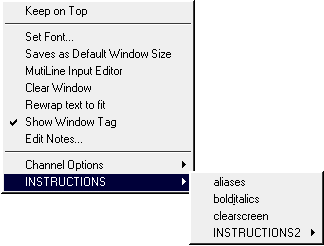
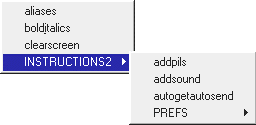
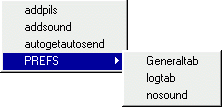
5. You will see the Group name with an arrow pointing to the
right on the list. Highlight it, then you will see the name of
the popup in that group.
Left click on the popup you want to display.
You can make many different groups, each one can have a maximum
of 28 or 29 popups.
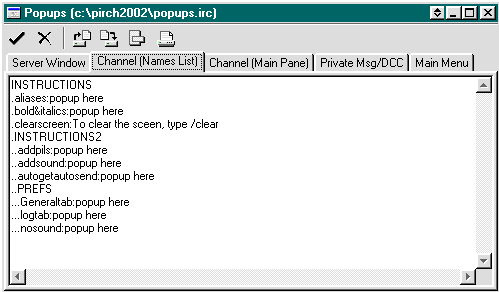
Example:
 |
 |
Downloading and Installing
Next Step Logging On
Setting prefs Page One
Setting Prefs Page Two
How to Copy & Paste
Aliases and Popups
How to make Events
How to load aliases from
another file
How to load popups from
another file
How to Add a Pil
Combining popups and
aliases
How to add Networks and
their servers
Adding Server addresses
