|
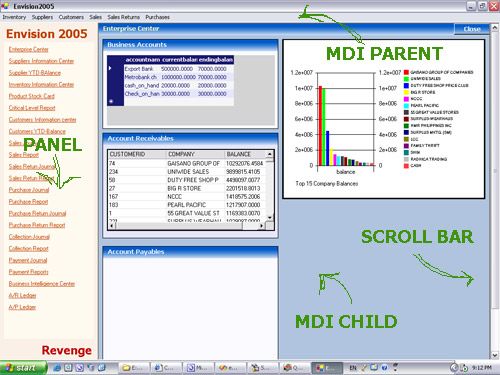
I first used SQL Server 2000 with Envision 2 - an inventory
and accounting system that I have developed several years
ago. It was the first time I’ve migrated my application to
SQL Server databases. Before then, my applications were used
to be using MS Access database. MS Access has it own feature
of Shrinking its database which is the “compact database”
utility. So when I’ve migrated I was expecting that these
features would be present in the Giant database server.
There are several things that I’ve discovered when I
migrated to SQL server. Unlike access, SQL server databases
can be composed of two or more files and these files can be
categorized into three types – a single primary file, an
optional secondary file - which can be as many as you wish
,to your hearts content, and one or many log files.
After several months of deploying Envision 2, my program
has been working well . There were several times though that
some employees of that company will bug me, not because my
program was not working but because they clicked on the
Local Are Network Connection Icon and disabled it and then
give me a ring and says “I cant connect to the server.
There can be something wrong with the program”
I’ve been going to the deployment site from time to time
because of those silly reasons but that give me an
opportunity to observe how SQL Server 2000 is performing.
After seven months, my data has grown to 1.2 GB. That has
been very far from my expected data of only around 12 MB. I
calculated my data and I was only expecting 2MB of pure text
data per month.
I’ve examined every files in the database. My data files
(primary and secondary files) were actually below my
expected size of 12MB. The culprit for reaching 1.2 GB was
Transaction Log or the .LDF file. I’ve started shrinking
both the data files and the T-Logs. Fortunately, The data
files shrunk. Unfortunately, the T-logs did not.
I’ve backed-up my transaction log for me to be able to trim
the inactive portion of the log using the DBCC Shrinkfile
command. But still, it wont shrink. It is still of gigabytes
size. I’ve use the undocumented command “DBCC Log” to show
me what was there.
After a thorough analysis, it shows that my longest running
transaction was Six months old. I don’t remember any of my
codes to engage into a transaction with a very long
duration.
The reason for that long running transaction puzzled me. I
have to recall what I have done six months ago. I remember
I go out for a date. Ah… never mind. Well, I remember
though what I’ve done six months before that. I did an
experiment on “Replication” and that was the reason for that
six-month T-logs.
To cut the story short, I have switch to simple recovery
mode and the logs were gone automatically. Then I switch it
back to full recovery mode
|