-->
Site hosted by Angelfire.com: Build your free website today!
x         
   

 ENVISION 2005


Enterprise Inventory and Accounting System

Desktop Edition 2005

         
  .
 Menu
 Initial Snapshots
 The Login Module
 The Enterprise Center
 The Suppliers Info Center
 Suppliers YTD balance report
 The Inventory Info Center
 The inventory report module
 The stock card
 The customer info module
 Customer YTD balance rpt
 Sales Journal
 Sales Reports
 Purchase Journal
 Purchase report
 Sales return journal
 Purchase Return journal
 Transfer from
 Transfer from reports
 Transfer to
 Transfer to reports
 Collection Journal
 Collection report
 A/R ledger
 Payment Journal
 Payment report
 A/P ledger
 Accounts information center
 accounts report
Contacts
 Email me
   Network.admin@mailcity.com
 mobile:
  (063)0919-6783818
 
 
.
.


The Login Module

.

(Initial Snapshot)

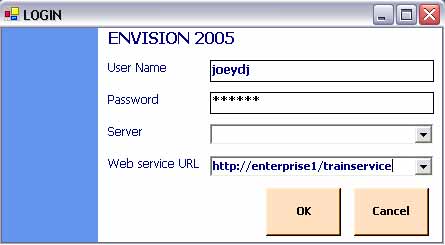
    The Login module allows you to choose which server you are going to connect.  Each server is actually a business partition which can be a site, a warehouse or a store, or it can be an inventory year.   Envision also includes a training server which is provided for  training your employees.

      A server can be within your business site or it can be located on a different location.  Envision can connect to these server using VPN or via wide area network.

    However to simplify the need to connect to remote server, Envision 2005 allows you to connect to remote server through  XML web services.  XML web services  allows you to pass your data through firewalls providing you a more secure infrastructure than VPN and Wide Area network


  Envision (TM) 2005  

 Web design by Joeydj..