
15) Open VCDeasy:

make sure vcdtype la` svcd 1.0 va` type in the name of the cd in volume label. Ct muo^'n preview tru*o*'c khi burn cho ne^n Ct cho.n "no cd writer selected" in cd writer
15a) convert still picture like the dvdcover or the changecd picture from jpg to mpg by click on the "tools" icon and "Mpeg Stills" tab
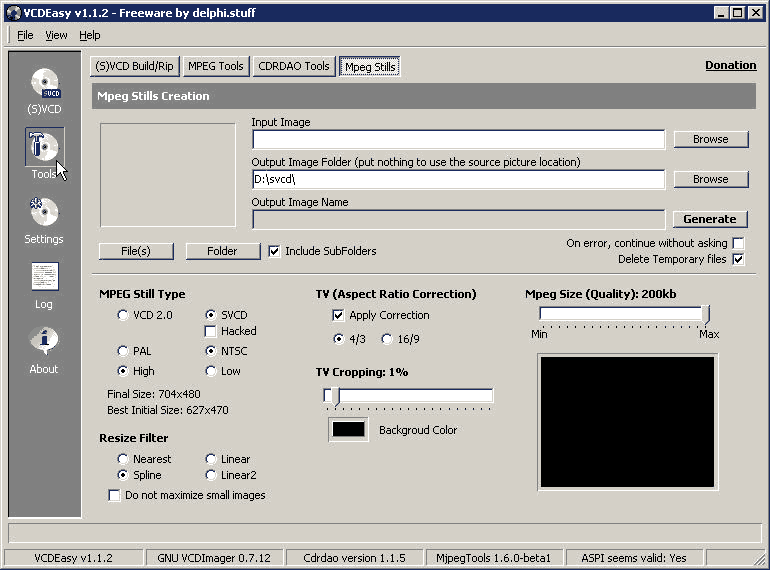
15b) click on browse trong
input image va` open ca'i dvdcover
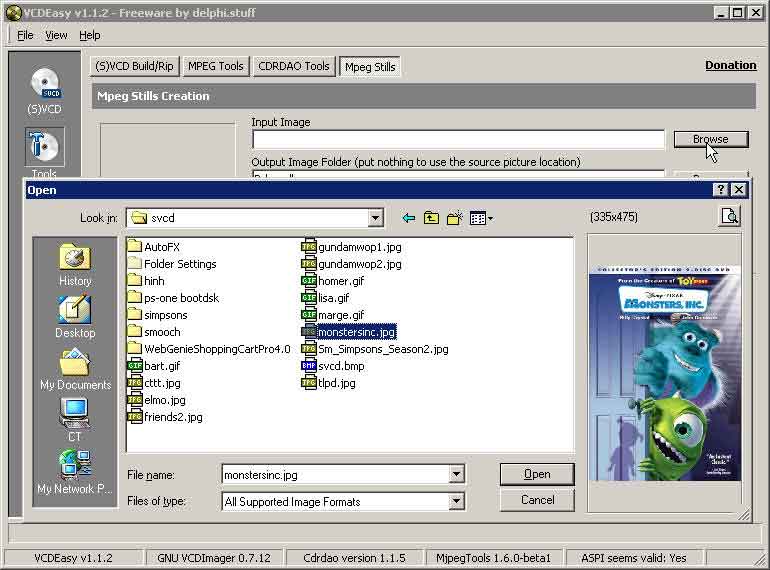
15c) ba.n co' the^? du`ng mi' ca'i setting CT set trong hi`nh step15b or ba.n co' the^?
experiment with the setting to find what works for you.
15d) ddo^?i changecd image to mpg gio^'ng nhu* step 15b
Open IFO || VCDEasy || SVCD Main Tab || SVCD Option Tab || SVCD Chapters Tab || SVCD Interactive Tab || Go to DVD2SVCD Tutorial
