Now you'll have to cut your model out, using your lasso tool. Carefully go around her body until she's completely selected. Then copy and paste her onto a New Canvas in your paint program. This means getting rid of all the background, and only having your model on your new canvas. On mine, you will note that I have taken off a lot of the hair. I do this so that I can make her head a basic shape. It's up to you whether you do it or not.
 Next you need to select your skin colors. I use several different shades when making a base. You may use the palette below, if you wish, as an example of different skin colors. I have selected 4 shades from Darkest to Lightest here that I will be using.
 Select your model using the magic wand and get the little ants crawling all around her body. Make sure to Invert your selections.....Selections...Invert. Now add a new raster layer on your model, (I named mine Flood Fill)
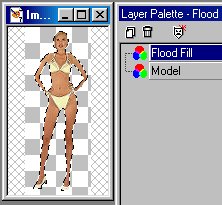 And then select your third color choice and flood fill this selection with it.
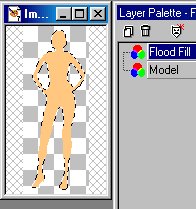 Now we will add a little shading. To do this you need to see the model's outline clearly, so lower the opacity on the layer you just flood filled until you can see the model through your color. And then add another raster layer. Name it "shading". Pick your darkest color and the Line Drawing Tool. (Set at 1, antialias and create as vector unchecked.)

|