Searching the Internet (Continued)
To search for websites or information, you need
to use a search engine. There are many different search engines
online, but my favorite is Google.
I will give you a list of search engines at the end of this tutorial.
Once you have selected the search engine of your
choice, all you have to do is type in the topic or web site you
are searching for, then hit the enter key, or click on Go. For example,
if I were to search for "search engine basics", I would
simply type it in the search box. If you want to make sure that
each of these words is on the page that you are searching for simply
place a "+" before each word, ex. "+Search +Engine
+Basics"
One important thing to keep in mind when using
a search engine, is to be specific in your request. The more specific
you can be, the less "garbage" or "extras" you
need to surf through to find what you are looking for.
Let's run through some examples first: Let's say
you want to look for information on buying a new car. You would
begin by opening the search engine of your choice, in this case
I will use Google.
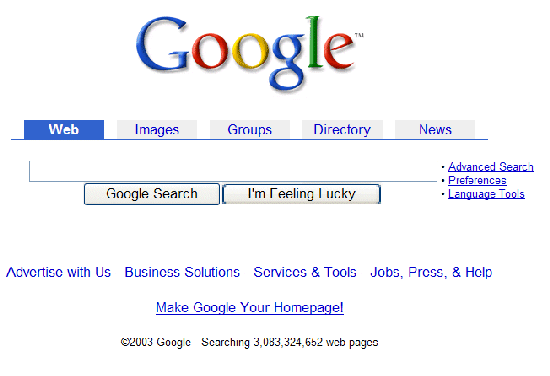
Next we will enter the text in the Search bar for
your topic:
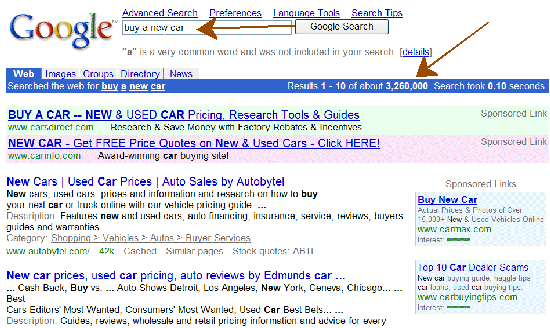
WOW! 3,260,000 hits. Now if you can't find what
you're looking for, then something is wrong here. But how long will
it take you? I don't know about you, but I know it would take me
about 3 days or so to sort through all of them.
Let's see if we can't narrow this down a little
bit. Say you are looking for a Toyota. Now let's try "buy a
new toyota" in the search bar.
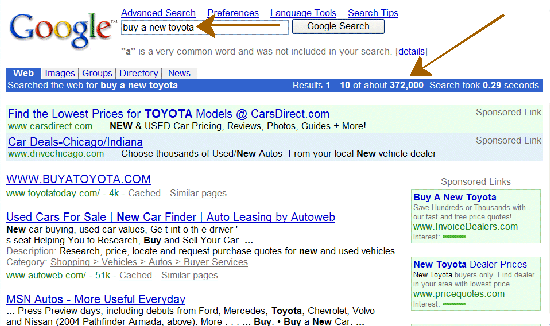
Well at least we are getting somewhere now. We
only have 372,000 hits this time. Maybe if we are even more specific
we can narrow this down even further. Say you are looking for a
2003 Toyota Camry. Let's use a few tricks to do it as well: "2003
toyota camry" notice I am typing this inside of quotes.
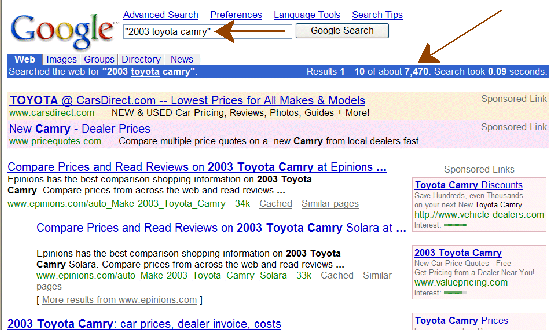
By George I think we've got it, only 7,470 hits
this time. But I bet we can still narrow it down even further. This
time let's make sure that the sites we are searching for is a Dealer,
and in our state, (you can even go as far as a specific city by
following these rules). Let's type in this: "2003 toyota camry"
+dealer +ohio
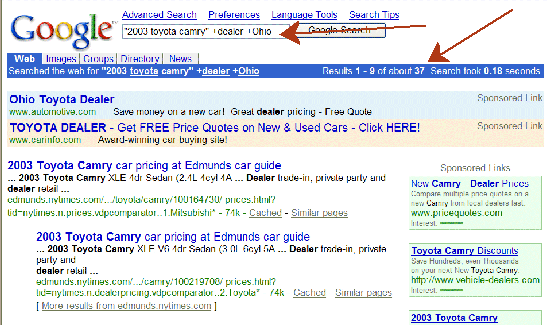
Great!! We have now narrowed it down to only 37
hits. I think you can manage that in no time.
You can click on any of these images to go to that
search automatically. This may help you to see the images clearer.
Remember theses images are current as of the time of this writing,
the numbers and links may be slightly different.
Here is a good site to surf through to gain more
experience and knowledge about how to use search engines. Click
here to check it out. |



