
You will now open the document you created and saved
to your 3 1/2 floppy.
Open Microsoft Word.
Then from File in the Main Menu select Open as shown below
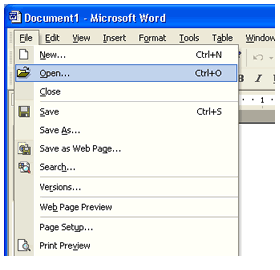
Because you have just saved your document to your 3 1/2 floppy
the Open dialog box is already looking in the right place for your file.
If you had just turned your computer on the Open dialog box would look
in My Documents first. You would then have to browse to the 3 1/2 floppy
as you did when you first saved the document to the disk.
The image below is the Open dialog box. Select the down arrow in the
Look in field and select the 3 1/2 floppy.
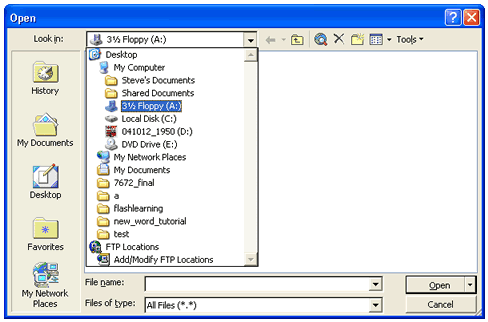
Then you may either double left click the MyDocument file to open it or single left click the MyDocument file and then select Open at the bottom right of the Open Dialog Box.
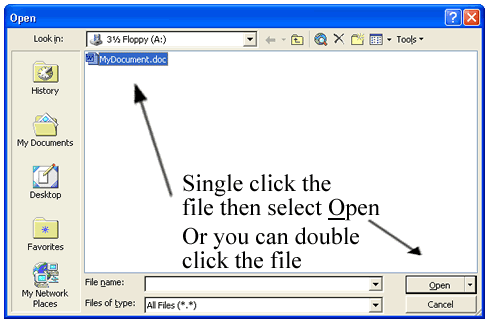
Your document should now be open with your name on it.
[Back] [Next]
