Site hosted by Angelfire.com: Build your free website today!

PDAsite Selection Tips


Useful Handheld Websites for Health Professionals


Selecting a handheld computer can be a tough decision. There are multiple considerations, including cost, the type of operating system, software availability, and memory requirements. Below are some suggestions to these and other common questions.


Tips for Selecting a Handheld Computer

[Back to main page] [Downloads]
[Handheld News & Reviews] [Website Design]

Define your expectations.
Decide on an operating system.
Allow room to grow.
How much internal memory do I need?
Shop around!
Should I wait to buy a handheld / Is my current handheld obsolete?
OK, so what handheld should I get?

Define your expectations.

What will you use it for? Probably the most common application used is the drug reference. There are several available for free, and many more for purchase. You will probably also want to have a Five Minute Clinical Consult, no matter what your specialty. Some sites market annual subscriptions to vast libraries of medical texts. You can even get UpToDate on your handheld, if you are willing to fork out the dough. Special features such as built-in cameras so you can take a picture of that unusual rash on your dermatology rotation or the nasty laceration in the ED are available. Other goodies include MP3 players, audio output, Bluetooth and 802.11b wireless (WLAN) capability, and special expansion slots for potential add-ons (phones, GPS, etc.). My advice is, if this is going to be your first handheld, you may want to keep it simple (and under $300)!

Decide on an operating system.

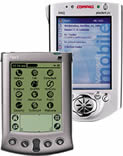
This may be your toughest decision, or your easiest one. There are currently two popular operating systems used for handhelds in the United States: the Palm OS (Handspring, SONY, Palm, HandEra) and the Pocket PC (Compaq, Dell, Casio, ViewSonic). Historically, given the simplicity of the operating system, most medical software developers opted to start out by supporting the Palm OS. Perhaps because of this, Palm OS devices captured the largest market share among health professionals, and it continues to be the most popular choice within the majority of the medical community.

So the decision should be simple, right? Well, not exactly. Pocket PC devices have always had appeal because their operating system was designed by Microsoft, allowing for seamless operation of many of the Microsoft desktop applications (i.e., Pocket Word and Excel). More importantly, as demand for medical software has grown, the number of developers marketing products compatible with both the Palm OS and Pocket PC platforms has increased.

I recommend asking around to find out what your colleagues' favorite programs are, and if they have any bias with regards to the operating system. You may want to spend some time on the Internet reading reviews and researching what software you are likely to use. If you are interested in direct data sharing through infra-red beaming, be aware that this function is limited between the two operating systems. Programs are usually designed to be operating system-specific. The exceptions to this include contact lists, memos, and .pdb files (read by the iSilo reader). This may impact your decision, as might issues of tech support from your colleagues or institution.

Allow room to grow.

In other words, get a handheld with a memory expansion slot! You may not need the memory now, but you might find out later that the internal storage capacity of your device really isn’t meeting your needs. This holds true for both the Palm OS and Pocket PC handhelds.

How much internal memory do I need?

This will of course depend on what software you plan on putting on your handheld. If you decide to get a Palm OS device, I recommend a minimum of 16 MB of internal memory (RAM). This may sound like a lot, but if you consider that a typical drug reference takes up 2 MB, the Five Minute Clinical Consult uses 2.5 MB, and The Merck Manual requires over 4 MB, you have already used up more than half of your storage capacity. It is less of an issue with the Pocket PC devices, which usually have 32-64 MB RAM.

Of course, if you purchase an expansion card, you can keep most of your texts as external memory (ROM). Even so, I would still go for the 16 MB of internal RAM. As a general rule, applications stored on your card have to be “read only” - in other words, if it is a program which you alter or put data into (i.e., calculators, memos, notepads, and programs which are updated on HotSync), it will need to be in your RAM. Programs stored in RAM tend to open a lot quicker, too.

Shop around!

Sometimes you can get a good deal on the manufacturer’s website, but a major retailer like Circuit City is actually more likely to have a good price. Also, you have the added peace-of-mind of knowing that if something goes wrong, or if it isn’t quite what you want, you can exchange it or get a refund (individual store policy may vary, check with retailer). Trying to send stuff back that you have bought on the Internet can be a hassle.

Should I wait to buy a handheld / Is my current handheld obsolete?

Putting off purchasing a handheld just because you are waiting for “something better” to come out may not be the best strategy. The technology is already quite good, and prices have come down so much over the last year that even the fancier color devices have become very affordable.

No matter when you buy, the dilemma will remain: from that point on, every time you go to the store, some manufacturer will be marketing a handheld with more RAM, an updated operating system, or some kind of new built-in gadget. The important thing to remember will be that you don’t need the fanciest or fastest PDA out there. As long as your handheld does what you need it to do, it will continue to be good enough!

OK, so what handheld should I get?

Again, this decision will have to be based on your expectations and price range, among other criteria (see above). For the Palm OS, I recommend looking at the SONY SJ-22. For a Palm OS device with a digital camera, probably your best bet would be the Zire 71. Among the Pocket PC devices, the ViewSonic V35 stands out. These handhelds are reasonably priced, have a large amount of internal memory, are equipped with expansion slots, and feature high-quality color screens. They are also three of the most compact devices on the market today.

Remember, these are only suggestions, and you should definitely ask around and check out some reviews before you make your final decision.



[Back to top] [Back to main page]

This Website maintained by Stan Jack, D.O.
Resident Physician at Exempla Saint Joseph Hospital in Denver, CO
Comments and Suggestions Welcome
Last update 10/03

URL Provided By: