Copying links and pasting them into a browser
Lets say your already into a conversation with someone on yahoo and they
send you a link.
You may need to copy and paste this link into a browser.
A link normally starts of with http:// and is underlined.
Ok you have been sent a link in your message box here is what it will look
like.
See picture below.
 Place your mouse pointer over the link and left click on it.
You will see a drop down menu .
bring mouse pointer down to copy and left click on it.
See picture below.

Now what you need to do is minimize the message window.
See picture below.

Now you need to open your browser.
to do this find the icon that is called Internet Explorer and left click
on it to open.
See picture below
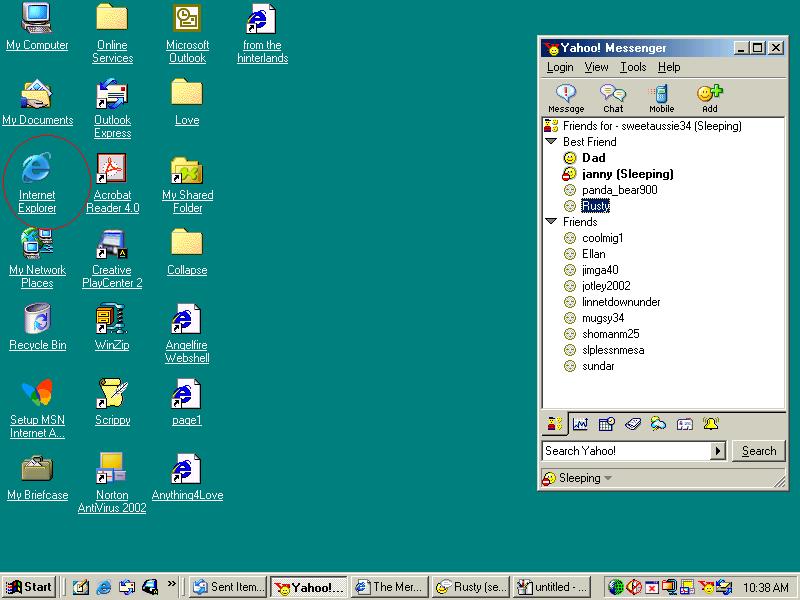
Once you have the browser window open you need to paste the short cut.
To do this you need to take your mouse pointer up to the address bar and
left click in it once.
the writing in there should turn blue.
See picture below.
 Now that it is blue i want you to hold your mouse pointer over the highlighted
words and left click on it.
Now that it is blue i want you to hold your mouse pointer over the highlighted
words and left click on it.
You will now see a drop down menu.
Bring your mouse pointer down to the word paste and left click on it.
See picture below.
 Now you will see it has changed to the link you copied from yahoo message.
See picture below.
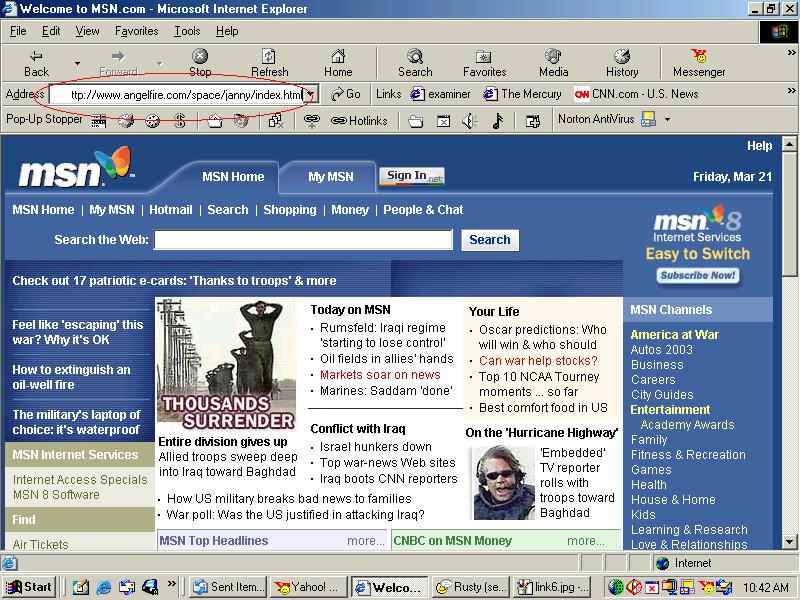 Now press the enter or return key on your keyboard.
It will load up that page that you copied.
See picture below.
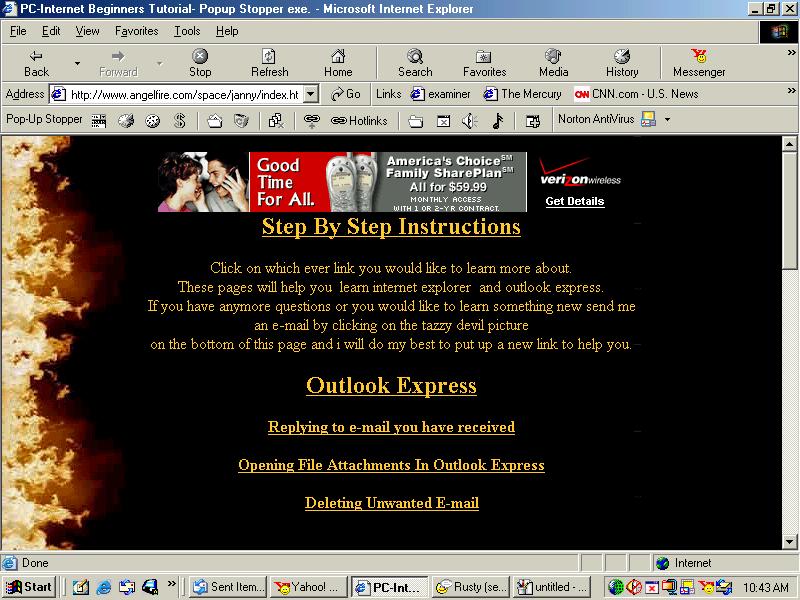 That's all there is to copying and pasting a link.
Good Luck.
To make a shortcut to your desktop
for this page click here.
OR
Return to main page

