Creating a short cut to your desktop
Lets make a short cut to your desk top.
The main reason one does this is it is easier to find without having to open
up browser first.
You can just click onto the short cut and it will open it up into the browser.
To make a short cut you need to have a browser open with the page you want
to create a short cut to.
See picture below.
 Take your mouse pointer up to the top left hand side of the browser window
to the word file.
Take your mouse pointer up to the top left hand side of the browser window
to the word file.
See picture below.
 Left click on the word file and a drop down menu will open.
See picture below.
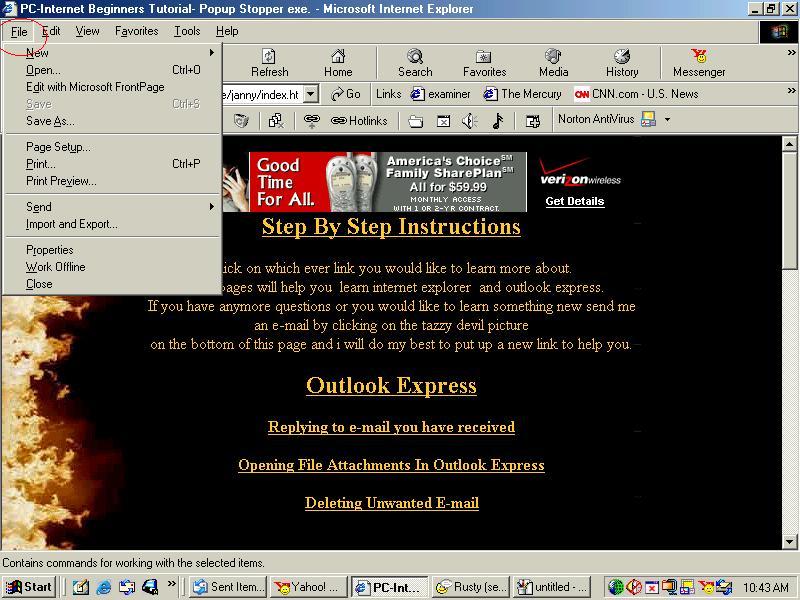 Move your mouse pointer down to the word send.
See picture below.
 Move mouse pointer over to the words shortcut to desktop and left click
on it.
Move mouse pointer over to the words shortcut to desktop and left click
on it.
See picture below.
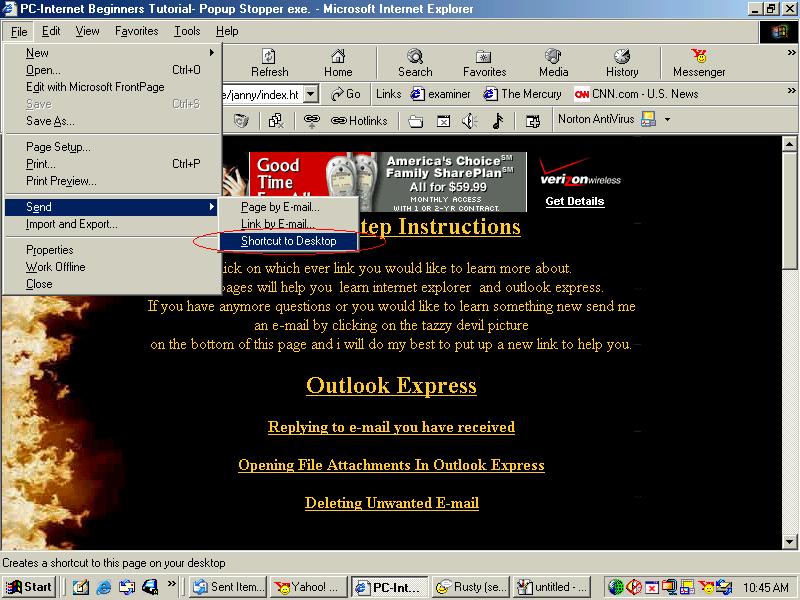 The shortcut has now been created to your desktop.
Now lets go and see if you did it right.
Go to the top right hand corner to the minimize stroke and left click on
it.
See picture below.
 Look on your desktop to find the shortcut you created it should look something
like this.
Look on your desktop to find the shortcut you created it should look something
like this.
See picture below.
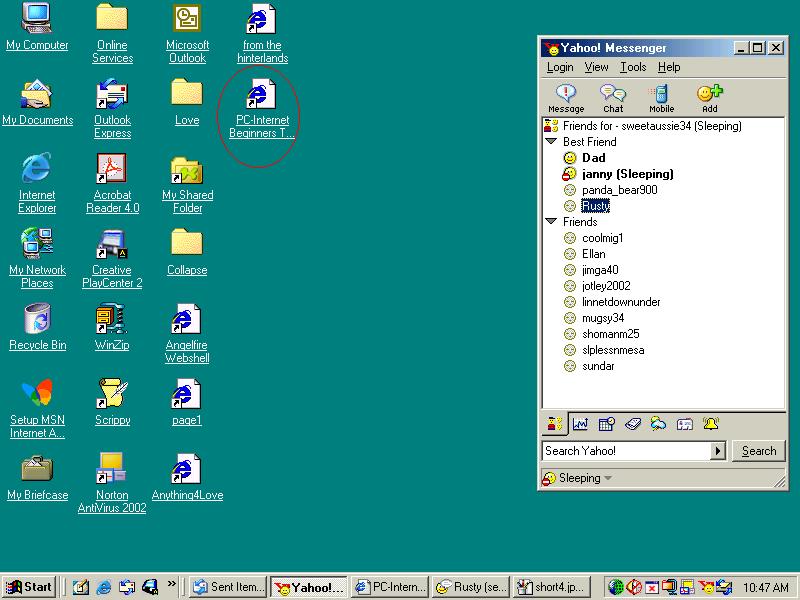
That is called a shortcut.
Now when you need to go back to that page just take your mouse pointer up
to that shortcut and left click on it.
It will open up to that page.
Return to main page.

