The Use of a Computer for
Language Arts classes
The Use of a Computer for
Language Arts classes
This page is recommended for 6th graders. Teaching them the basics of computer skills that they will use later in school. I will be including examples of everything I discuss on this page, with step by step instructions.
This fits in with the 6th Grade California Standards for Research and Technology for Language Arts.
Here is the link: 6th Grade Standards
Steps to using a computer:
1. Learning how to turn on a computer.
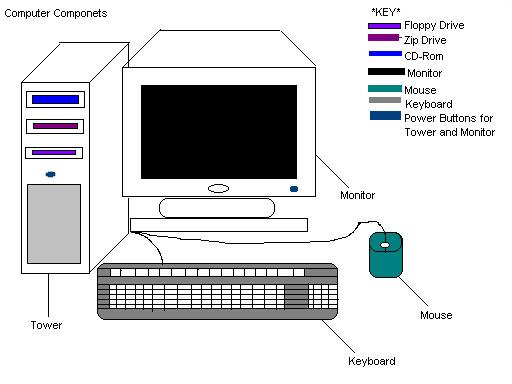
Step one: Locate where the On/Off switches (Power Buttons) are on the computer.
Step two: If your schools has passwords for each user (yourself) then type in your password when windows has finished loading.
2. Learning how to shut down the computer:
Step one: Close all programs
Step two: Go to start and click on Shut Down.
Step three: Then Click Ok. The computer will then shut down and all you have to do is turn off the monitor.
3. Learning how to use Microsoft Word for writing papers for Language Arts.
Microsoft Word
- Go to Start, then to Programs. From programs you would go to Microsoft Word.

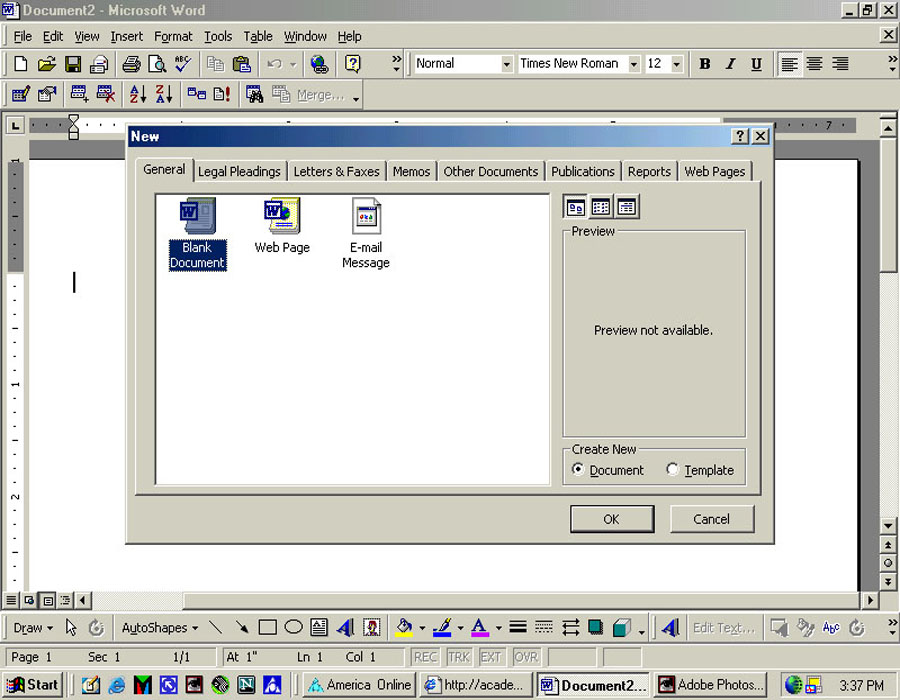
- Go to File then New in Microsoft Word.
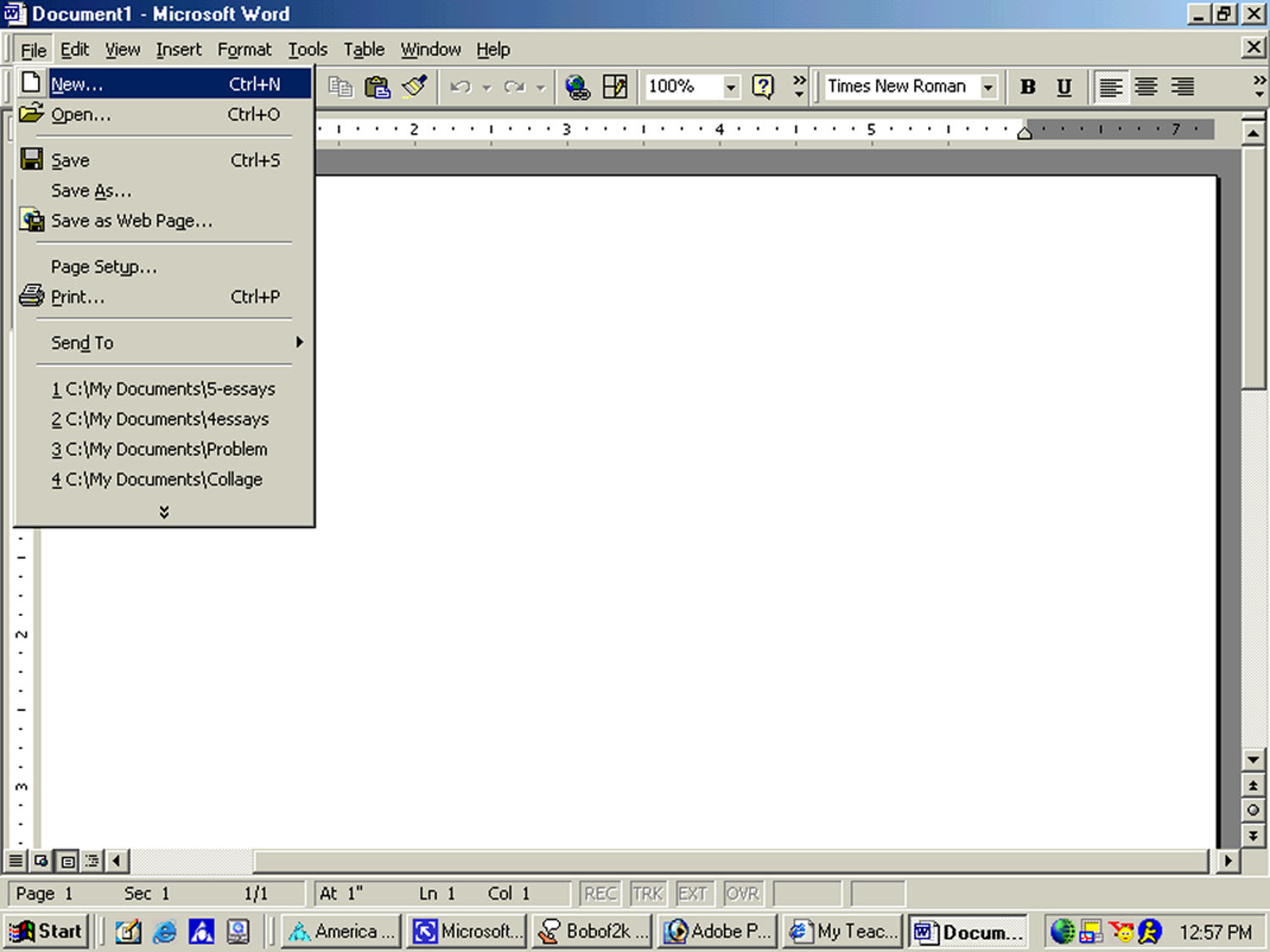
- Click Blank Document when the screen pops up to ask you
whether you want a blank document or web page. Then click Ok.
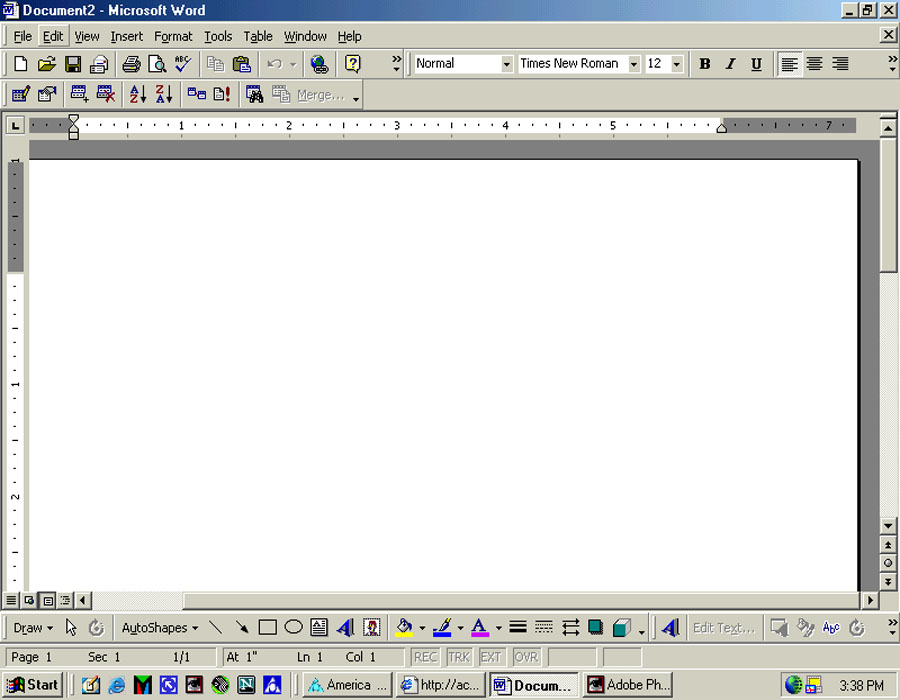
-Once you have clicked on Ok a new screen will appear and it will
show a new document.
- Ask your teacher about what options she would like you to use on your paper.
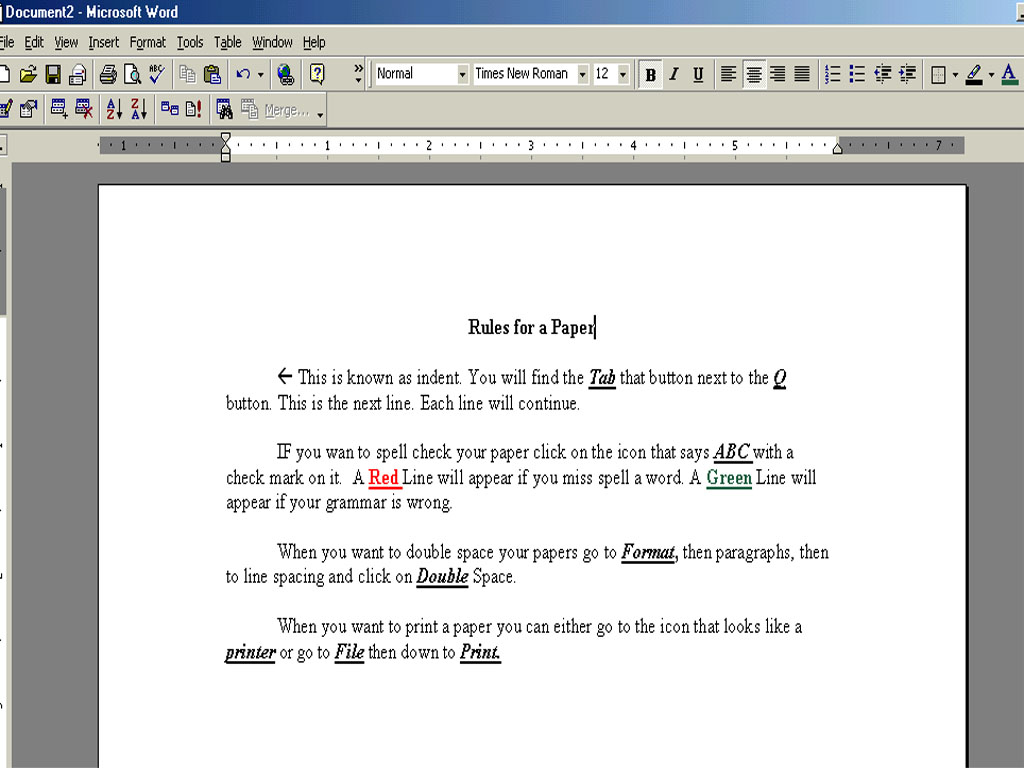
- How to start the paper:
Note: Do not always believe the grammar check that is on the computer. If you
are unclear have your teacher read over your paper.
For Teacher Use:
Teachers This page will help you with explaining how to type
your students papers.
Home Lesson
Plans Page
Table of Contents
Created By Courtney Redfern
Created in 2002 and updated in 2005