

HOW TO CHECK IF A FILE WAS UPLOADED CORRECTLY:
1.) Once logged into processclaims left click “claim center” located on the top left of the screen.
2.) Once the page has loaded it will display a list of all your assignments on the right directly beneath where it says “search”. Locate the assignment in question and left click the button that says “DOCS”. (if it does not have a docs button then nothing was uploaded to this assignment).
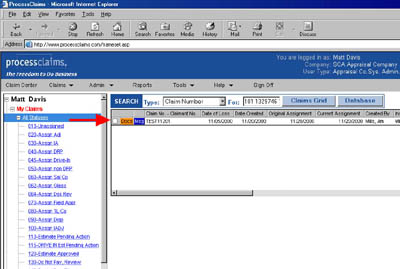
3.) This will display all the items uploaded in a white box located beneath the list of your assignments. If you see “estimate” and “pictures” then your file was uploaded correctly.

4.) If the file was not uploaded but you think it should have been click here to read the processclaims frequently asked questions page.
