Topic: Website
I thought I'd write an entry about the process each tab goes through before it's posted on the website. The idea, of course, is to try to catch as many playing errors and tabbing typos as possible -- and correct them -- before sending my tabs out into the big bad world. Here's a rundown of that process:
Step 1:
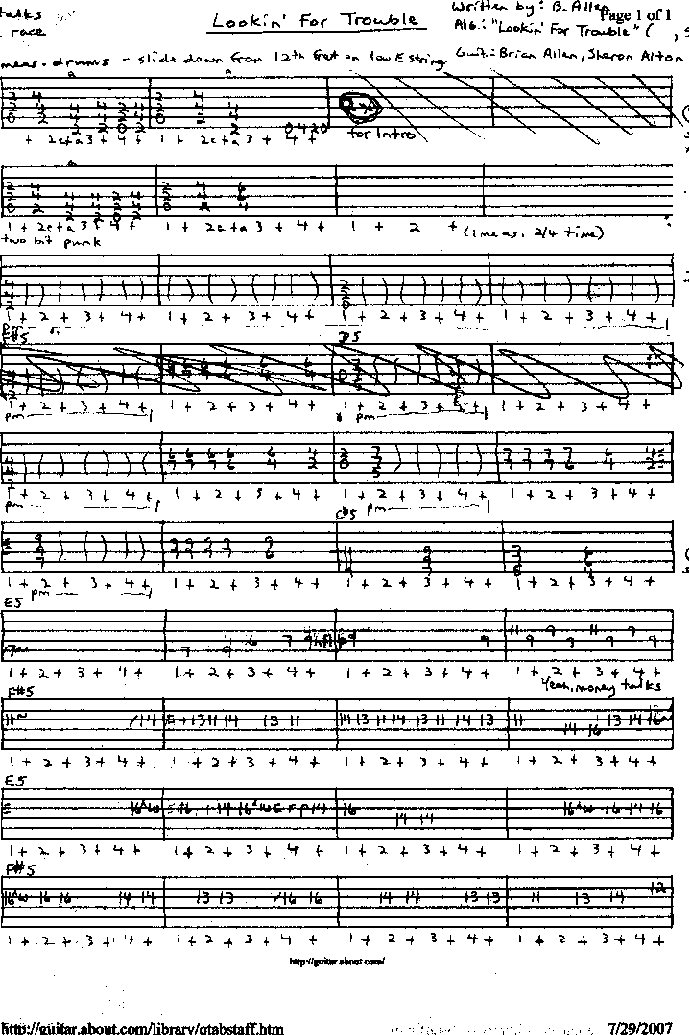
I tab the song out on paper first. I'll generally end up with scribblings that look much like this: https://www.angelfire.com/planet/zerofret/annesblog/tortab.jpg
If you mouse over that "document", you'll get an icon that will allow you to enlarge it...if you really want to see it any closer. 
Step 2:
I do the tab on computer using a tab generator. I use the Gootar Text Tab Generator: http://www.gootar.com/tabber.html It's low tech, easy to use, and it works great for me. And you don't have to buy it. It's an online generator that can be used by anyone.
Step 3:
I print the tab for final checking.
Step 4:
Final checking is a two step process, first without the recording, then with it. First I play through the above the staff chord changes of the song to make sure they're right. Then I play through the tab, checking for "tab typos", for example, a note that's on the right fret but I've mistakenly put the number on the wrong string (maybe one string up or down from where it should be). That happens all the time, it's a matter of trying to catch them before posting.
Then I go through the tab again with the recording, section by section, catching errors and correcting them, and trying to clean up bits that have been troublesome. I mark on the printed tab things that need changing or correcting. And I decide what needs to go into the end comments.
Step 5:
The marked corrections on the printed tab are made on the computer tab. I do a final proof read of all the written text (lyrics, credits, and end notes). Then I go over the music staff part of the tab visually one more time, playing through the song in my head, just to make sure everything's in order.
Step 6:
The completed tab is uploaded and posted on the website.
The finished product of the example in Step 1: https://www.angelfire.com/planet/zerofret/cantab/toronto-lookinfortrouble.txt
All in six easy ( ) steps!
Updated: Thursday, September 13, 2007 3:18 AM EDT
Post Comment | View Comments (2) | Permalink | Share This Post
 lyrical
 accident prone
 silly
silly a-ok
a-ok bright
 incredulous
 quizzical