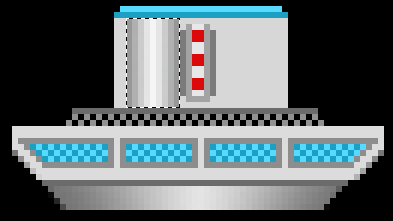
|
| |
|
|
| |
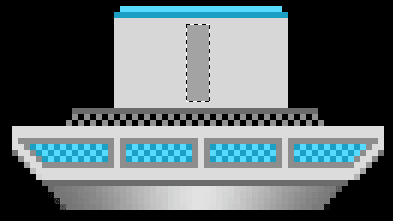
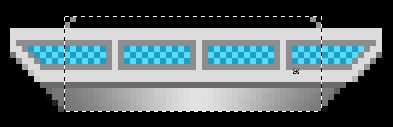
Create a selection, as shown below and use
the Pencil Tool to create a similar effect you did
with the blue glass, but with grey this time. |
|
| |
 |
|
| |
 |
|
|
|
|
| |
|
|
| |
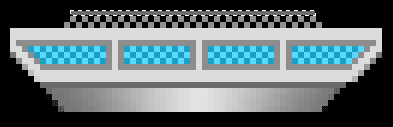
You should have something like this now.
Create a darker thin line above the grey glass. |
|
| |
|
|
| |
|
|
|
|
|
| |
|
|
| |
Now create a rectangle with a light grey.
This is going to be the main part of the middle of the space
ship. |
|
| |
|
|
| |
|
|
|
|
|
| |
|
|
| |
Make some more thing lines, using blue,
above the large grey rectangle and then create a smaller dark grey
one in the middle. |
|
| |
|
|
| |
|
|
|
|
|
| |
|
|
| |
And then 2 thin dark grey lines either
side. |
|
| |
|
|
| |
|
|
|
|
|
| |
|
|
| |
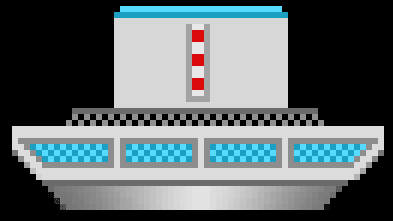
Now we're going to use the
Reflected Gradient tool to create some tubes. First
create a new layer and name it tube. . |
|
| |
|
|
| |
|
|
|
|
|
| |
|
|
| |
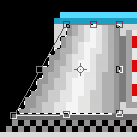
Make a selection, as shown below and then
create the gradient by dragging form the middle of the selection to
the right edge of it. Again, you'll need to have a dark grey as the
background color and light as the foreground. |
|
| |
|
|
| |
|
|
|
|
|
| |
|
|
| |
Select Edit > Transform >
Distort and then drag the bottom left corner towards the
left |
|
| |
|
|
| |
|
|
|
|
|
| |
|
|
| |
Similarly drag the right hand corner in the
same direction. You should have something like the following.
|
|
| |
|
|
| |
|
|
|
|
|
| |
|
|
| |
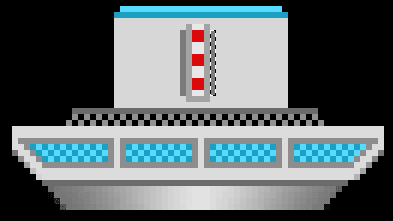
Duplicate the tube layer and then flip it
by going to Edit > Transform Flip >
Horizontal. Move it over to the right. Now we want to
create some shading to provide some depth. From 2 nd ffrom top of
the Tool bar, select the Polygonal Lasso Tool. With
the tool, make shape, as seen below, and then create a new layer.
Fill the selection, duplicate it the layer and then flip it. Move it
over to the right, so that we now have a shadow for both sides.
|
|
| |
|
|
| |
|
|
|
|
|
| |
|
|
| |
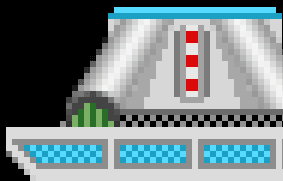
Now we're going to make the hole for the
tube. Using the Elliptical Marquee tool create a
circle and then a new layer. Fill the selection with a dark grey.
|
|
| |
|
|
| |
|
|
|
|
|
| |
|
|
| |
Using the Rectangular Marquees
Tool, make a selection to delete half of the hole.
|
|
| |
|
|
| |
|
|
|
|
|
| |
|
|
| |
Now use the Pencil Tool to
create some wires. |
|
| |
|
|
| |
|
|
|
|
|
|
 |