1. Basic Information on Spy Cameras.
Spy cameras originally referred to the miniature James Bond
style cameras that could be concealed in a pen or a tie. Although the term
still can be applied to those kind of cameras, more and more people are
using "spy cameras" to mean hidden video surveillance cameras such as nanny
cams. This article only deals with video surveillance types of spy cameras,
although the goal for all these devices is the same: videotaping or photographing
an area or a subject with a hidden camera that cannot be seen.
Many people are starting to use video surveillance as part of
a home security plan. Spy cameras alone aren't enough to keep burglars
out, but they can be used in conjunction with 1) solid doors and windows
with updated locks 2) window and door sensors 3) an alarm system turned
on via a control panel or remote. If you can afford it, a system monitored
by a remote security monitoring company is also a good idea. Now, if you
have all that stuff, you may be asking, why do I need spy cameras?
Many people choose to employ these tiny cameras in order to guard
against theft from known visitors (repair men, child care providers, etc.).
You may also be interested in watching someone who is caring for your children
or an elderly relative to ensure the care is up to snuff. Also, it's an
extra bit of piece of mind; If for some reason a burglar makes it past
your home security system, they may not notice the hidden camera that is
triggered to start recording when it senses motion in the room...
Right now, it's a little iffy as to whether or not spy camera
footage is allowed as evidence in a court of law, but advances in technology
that are improving the accuracy and detail of these mini spy cameras will
probably start giving them greater credibility as evidence.
Improvements to technology over the last 10 years have helped
decrease the size of spy cameras even as the resolution and accuracy of
their footage has increased. Today's spy cameras can be hidden in almost
any household item, though it's best to use something that already has
a power cord, such as a clock radio, so it can piggy back off the existing
device's power. That way, you can keep the camera running 24/7 without
interruption. It's also easy for you to move the camera from location to
location without having to drill holes into the wall and run power cords
from the camera to the outlet. This is typically a better way to go than
putting a spy camera in a teddy bear or other stuffed animal as it would
either need to be battery operated (which means a constant need to recharge)
or you would be limited by the places you could tuck the teddy bear spy
camera where it could access an outlet without the cord being visible to
everyone. (Keep in mind, even wireless spy cameras need to be plugged in.
They are only wireless in that they don't need to be physically connected
to your computer or recorder in order to transmit the footage.)
The cost of spy cameras has also come down significantly. While
once video surveillance was only something big business or wealthy consumers
could afford, today it is affordable to just about everyone. A spy camera
system can be setup with as little as a webcam and a home PC. CWS
HOME SECURITY offers the X10 wireless cameras which can
be mounted in artificial trees, flower pots or on any wall surface in or
outside of your home. CWS HOME SECURITY
also sells SVAT 's wireless camera hidden in plush teddy bear which
broadcasts it's signal to a receiver 300 feet away so you can monitor you
baby whether you are home or when your baby is with a sitter. CWS
HOME SECURITY offers other small spy/covert cameras for
any type of situation.

2. Buying a safe
Buying a safe is a wise investment for those with easily portable valuables.
Items like jewellery coin collections, furs, and cameras are easy for thieves
to fence, thus making appealing targets. Experienced burglars know where
to look for these things too, so your favourite hiding place might not
be as secure as you think. A bank safe deposit box is the most secure place
to store your valuables, but these tend to be small, only able to hold
a few items.
Home safes are another option. Before you buy a safe, make sure you
understand the different levels of protection. All good safes will have
Underwriters Laboratories, or UL, ratings. These ratings determined how
fire-resistant a safe is and fall into the following categories:
1. Class C Safe -- Protects paper documents for up to
1 hour at temperatures up to 1700°F
2. Class B Safe -- Protects paper documents for up to 2 hours
at temperatures up to 1850°F
3. Class A Safe -- Protects paper documents for up to 4 hours
at 2000°F.
Under most circumstances, a class B or C safe is fine for adequately protecting
irreplaceable papers. There are specialized safes available to protect
data storage devices and computer disks.
A good safe should also protect against damage caused by a collapsing
building.
If you don't feel that you need something as big and bulky as a safe,
you may consider a money chest. Money chests are usually secured to your
house's structure. They are typically smaller than safes, but they are
also more expensive. Since they are smaller, they can potentially be pried
from a frame wall and carried off by the thief for later cracking. This
is why, if you are considering a money chest, you should get one that can
be secured into a masonry floor or wall.
Combination safes, which are often featured on television, are popular
choices. These safes are made up of two parts: a sturdy money chest inside
an equally sturdy fire-resistant safe. They have a thick steel door and
walls, along with a combination lock that includes a relocking device.
They can be bolted to your floor or set in concrete, thus ensuring a burglar
cannot move them
3-i How to Choose A Home Security Company
If you're planning to buy a continually monitored home security system,
you need to be careful selecting a security company. Many of them require
leases, so it may be difficult to get out of a signed contract if it doesn't
turn out to be what you expected. Leases are fine, as long as you know
what you're getting into.
In order to select a home security company that is dependable and fair,
consider asking some of the following questions to any perspective company
before you sign anything:
1. How long have they been in business?
Try to find a home security company that's been around for at least
five years, thus suggesting they won't fold up and disappear anytime soon.
2. Is the company bonded and insured?
They should be responsible for repairs if any damage occurs on your
property when they are installing your home security system.
3. Find out if they do background checks when hiring employees.
4. Does the home security company own their own monitoring service
and where is it located? Is it local?
5. Is the home security monitoring service listed with the Underwriters
Laboratories?
6. Would you be required to lease their home security system or do
they sell them outright?
Both options have pros and cons, and it is important you know what
you're committing to.
7. How long is the warranty good for and what does it cover?
CWS HOME SECURITY warranty is one
(1) year from date of purchase.
8. How much does the monthly monitoring service cost in addition
to sales and installation cost?
Is it a set price or do the fees increase periodically? CWS
HOME SECURITY has both a monitoring fee and the DS7000 which
calls four (4) pre-selected telephone numbers that you have selected. You
may also listen in on the phone line and listen for sounds that should
not be there. Make a decision and phone the police to dispatch a car.
These are just some questions you should consider when purchasing
from a home security company. When it comes down to selecting an alarm
system, listen to what the salesman has to recommend. He or she should
know the products extremely well. But remember, they are usually working
on commission, so don't get suckered into buying a lot of unnecessary extras.
If you don't know where to start looking for a home security company,
check the yellow pages for a list of companies in your area. Or just contact
CWS
HOME SECURITY at 519-919-2506, Fax 519-736-7626 or contact
them on the web at info@cwshomesecurity.com
. Try asking friends or neighbours for referrals of home security companies
in your area. Your insurance agent may also be able to recommend someone.
3-ii HOW TO CHOOSE AN OBSERVATION SYSTEM?
Do I get a Colour or B/W camera and monitor?
1. This decision depends on two factors what will be the light conditions
in the area to be viewed?
1. Answer. If the lighting conditions will be in low light
areas such as outdoors, dim restaurants, and dim factories, then
we suggest you use B/W. If the viewing areas are well lit, then colour
would be acceptable. The reason is that B/W cameras can produce image in
low light condition and colour cameras need more light for a good image.
B/W cameras can also utilize the addition of Infrared Illuminators
to help them see in low light conditions. Colour camera cannot use infrared
illuminators.
2. Does the positive identification of colour objects (people,
cloths, and cars) have a significant impact on the primary use of the video?
2. Answer. If you need to see that a customer is at a counter,
but you are not concerned about the colour of his outfit then a B/W system
would be adequate. If you are concerned that this same person needs to
be positively identified and that could mean knowing the colour of his
outfit, then a colour system should be used.
How big should the screen size of the monitor be?
Answer. The bigger the
monitor size - the better it will be to view image details. If you only
want to know about events that occur, then a 5. B/W monitor would be OK,
but if you want to view more details and want better potential for identification,
then choose a larger monitor that is at least 12. or more.
Do I need a Quad Monitor or a Sequential Switcher Monitor?
Answer. The answer to this
depends on what you want to see and how many cameras are connected to a
system. If you only need to view one camera at a time, then a switcher
model could be adequate, and the monitor could switch back and forth between
the cameras. If you have four cameras and you want to be able to see all
the images at the same time, then it would be best to get a quad splitter
or monitor. The quad splitter or monitor splits the screen into 4 squares
which will let you see all cameras at different locations at the same time
CWS Home Security offers a Quad
splitter that turns any home television into a split screen monitor showing
4 cameras at once. It may also be switched to a sequential monitor viewing
one camera at a time with adjustable viewing time for each camera. CWS
Home Security Special Price is $109.99 in stock at Market Square.
How many cameras will I need?
Answer. If you want to
view more than one area, and you will need at least one camera per area.
In some cases you may require two or more cameras in an area. A general
rule of thumb would be that each camera should cover an area of no more
than 30 ft if good identification is required. CWS
Home Security sells systems that have 16 cameras.
How far can the cameras be from the monitor?
Answer. Cameras usually
come with cable that is about 63 ft. But the cable length can be extended
to go further to 300-400 feet with approved extension cables. Extension
cable may be purchased separately. Please note that the IP56 Camera that
CWS
Home Security sells come complete with 80 feet of cable.
Do I use .wired. or wireless video cameras?
Answer. Where ever possible
.wired video. should be the first consideration as it produces a clearer
image and it is more reliable with less chance of interference. Wireless
has its. advantages in situations when Video Observation is only needed
on a temporary basis or when the prospects of getting a wire between two
points is next to impossible. Wireless is also excellent for simple observation
applications when high definition is not criteria and when low cost solutions
are the objective. CWS Home Security X10
cameras are available as wired or wireless.
What is the PIR Motion Sensor on the top of the camera and
when is it used?
Answer. The small item
mounted to the top of the camera is a PIR (Passive Infrared Sensor). It
is a sensor that looks for, and detects the movement of objects by sensing
heat sources. The PIR detection feature is a user option. When the feature
is active the sensor will detect anything moving in front of the camera
and the monitor will chime and bring that camera to full screen while at
the same time triggering an output relay that can activate a professional
VCR to start recording. This feature is great if you want notification
and a recording of activity in front of any camera. Typical applications
include unmanned lobby areas, receiving doors, back doors, restricted areas,
and at times when the business is closed.
When is a Dome Camera or a Bullet Camera used?
Answer. Dome cameras are
commonly used when there is a need to mount cameras to the ceiling. The
benefit of the Dome camera is that you cannot see where the internal camera
is facing and as such, it provides an illusion of increased surveillance.
Domes are less obtrusive and generally accepted in any environment. Bullet
cameras (commonly called Tube Camera or Lipstick Cameras) are smaller and
less noticeable but they are visually directional in their viewing and
they are weather resistant for outdoor applications.
Why should I use a Time Lapse VCR?
Answer. Video surveillance
is only as beneficial as the person watching it is or the recording of
the video for review at a latter time is. Watching an event take place
on a monitor will not be a benefit if you wish to enforce, prove or demonstrate
anything unless it is recorded. We recommend a Time Lapse VCR that can
record video over long extended periods of time without the need to change
tapes and manage the recorder. Professional Time Lapse Recorders are not
the same as consumer VCRs. Consumer VCRs are not designed to operate over
long extended periods of time required for video surveillance. Time Lapse
recorders can be set-up to record in different modes that can capture up
to 1280 hours of video before a tape change is required. CWS
Home Security has a special Price of $329.99 for a Time lapse
video. See specifications below.
What are the issues concerning Audio?
Answer. Some observation
systems have .Two Way Audio.. This means that you can communicate with
cameras in the system. To communicate it is .Push to Talk - Release to
Listen. function with any one camera at a time. Its function is very similar
to an intercom system and the user benefits can be significant when used
effectively. Care and discretion must be considered when using audio surveillance
equipment especially when there is perceived privacy. You should inquire
regarding federal, state and/or local regulations applicable to the lawful
installation of video and or audio recording or surveillance. Party consent
may be required.
Because the products that are sold by CWS Home
Security are subject to continuous improvement, CWS
Home Security reserves the right, for our suppliers, to modify
product design and specifications without notice and without incurring
any obligation.
CWS Home Security has a special
Camera System available by special order for the homeowner or small business
owner.
The system consists of:
a) 1 - QS-22 Real Time Black and White Quad Processor with
power supply
b) 1 - 12. Black and White Monitor.
c) 1 - 1280 Hour Time Lapse VCR. Real Time Recording of 40 hours.
* On screen programming.
* Alarm, Panic, Repeat and Timer Control.
* Endless Loop Recording.
* 1 Year Warranty.
d) 4 - MD-7 Black and White Mini Dome Cameras (with 100. of video/power
cable and power supply OR 4 - IP56 Black and White Indoor/Outdoor Cameras
(With Night Vision and built-in Microphone and 80 ft. of audio/video/power
cable and power supplies).
YOU MAY HAVE ANY COMBINATION OF
BLACK AND WHITE CAMERAS FOR A TOTAL OF 4
All of the above for only $699.99
Because of this special price this system must be ordered in on a special
order. When order is placed a fifty- (50) % Deposit is required.
3-iii Make Your Home Secure
The following list offers some inexpensive ways to make your home
secure.
Do not leave a ladder outside your home. A thief could easily use it to
gain entrance to a second story window.
Always ask for ID when service men come to your home, and do not be afraid
to call the company for verification.
Do not keep excess cash around the house; keep it in a savings or checking
account.
Take pictures of your heirlooms and personal items for later identification.
Mark all electronic equipment with a permanent etching of your name and
driver's license number or social security number. This helps to identify
property and makes it hard for the thief to sell.
Never leave notes on the door announcing your absence. You are letting
the thief know exactly how much time he has to ransack your home before
you return.
If you notice a strange vehicle parked on your street, make a note of the
license plate number. If you seen strangers sitting inside the vehicle,
notify the police.
Purchase a timer that will turn on your lights automatically and light
up your house while you are away.
If you are going on vacation, or plan to be away for a long period of time,
arrange to have your lawn mowed, leaves raked, and snow shoveled.
Have the post office hold your mail until you return. Leave your furnace
or central air on low so that the motor can still be heard. This tells
the burglar that you will not be gone long.
If you arrive home, only to find that the door is open, DO NOT go inside.
Instead go to a neighbour's house and immediately call the police. There
is a chance that the intruder is still inside the house, and you do not
want to put yourself in danger.
3-iv Home Invasion Protection/Prevention
Home invasion robberies are scary and most of the victims have been
seniors.
Being CANADIANS we may think we are safe and secure in our own home.
Whether you live in the city or rural area. That you live in a house or
an apartment. The chance of HOME INVASION still exists. The crime itself
threatens our belief that we are safest in our homes. This short article
may will help you:
1. Improve the safety of your home and neighborhood.
2. Give a better sense of security.
3. May even save your life and that of your loved ones
If you need more information on home invasion robbery prevention
call your local police. They will be glad to help.
Criminals generally look for opportunities that require the least effort
and offer low risk and high gain. Here's how you can make your home and
neighborhood less attractive to home invasion robbery.
Home invasion Protection Begins At Your Front Door
1. Never automatically open your front door. Make sure you
know your caller's identity before opening the door and admitting him /her.
2. If the person at your door is a stranger, ask for identification
to be passed under the door. If he is unable to do this, do not admit him/her.
If you do, you are asking for a home invasion robbery.
3. It is advisable to have a wide-angle viewer (peephole) in the door
so that you can check a person's identity without unlocking your door.
Or even better an IP-56 Surveillance Camera as sold by CWS
Home Security, observing the individual.
Home Invasion Safety
1. All doors in your home leading to the outside should have
dead bolt locks. A must for robbery prevention.
2. When away at night, leave a light burning.
3. Do not leave a key over a door or under a mat.
4. The single lock on a garage door is inadequate to keep home invaders
from prying up the opposite side and crawling in. Use a padlock. But never
leave it unlocked. This is an invitation to have the padlock removed
so that a key can be made, and the lock returned to its position. Later,
the burglar returns when no one is home and enters at his leisure, using
"his" key.
5. Mark your valuables and keep an accurate record of all your most
valuable possessions. So if ever stolen so that you can identify them with
you own unique mark that you personally applied. NEVER,
NEVER use your Social Insurance Number as to protect yourself
against IDENTITY THEFT
6. When leaving on a trip:
A. Stop all deliveries.
B. Connect a light to a timer.
C. Notify the police and have a neighbor check your home periodically.
D. Have someone maintain your lawn.
E. Install X10.s .PROTECTOR PLUS. a .DO - IT - YOURSELF. wireless
alarm system that you program who it calls. It will call your cell phone
first, after programming your cell number, then you elect whether to call
the Police or not. You pay no monitoring fees. If you ever move you can
take it with you.
Contact CWS HOME SECURITY
at (519) 919-2506 or Fax (519) 736-7626 or visit our website at www.cwshomesecurity.com
then click on X10 Products.
7. Be a concerned neighbor. If you see a suspicious person, car or truck,
(REMEMBER to try and get the license plate number, colour, make and model,
if possible or the vehicle) or situation, contact the police. Let the POLICE
decide on what to do. You have done all you can do, Let the PROS do their
job.
Personal Home Safety For The Apartment
1. If you live in an apartment building with an intercom system
to the front door, make sure the landlord keeps it in operating order.
2. Never admit anyone unless you are expecting him/her or know him/her.
3. Never admit anyone to the building who is there to see another tenant
or to deliver something to another apartment.
4. Anyone asking admission so that he/she can do some work for another
tenant should not be admitted, but should be referred to the building's
manager.
5. If you see someone in your building who looks out of place or is
acting suspiciously, contact the police immediately
If you are a victim of a home invasion robbery remember the following:
1. STAY calm.
2. COOPERATE. No amount of cash or property is worth Getting hurt over.
3. DON'T fight back. Instead, concentrate on getting information so
you can be an effective witness.
4. LOOK carefully at the intruders, even if they are Masked. Is there
something unique about them such as scars, tattoos, large nose any distinguishing
marks or features? What are they wearing? Listen to everything they say,
and how they say it. Catch any distinguishing odors such as tobacco, alcohol,
or after- shave. Personal home safety means: Taking charge of your security
at home and in the community. Involve your whole family in creating a personal
home safety plan that fits your family needs. Get to know your neighbours
and work with them to keep your neighborhood safe. The police are committed
to making your city a safer place to live. But they can't do it alone.
To keep our communities safe, we all have to work together.
This is not all the information and suggestions available for this
topic.
CWS HOME SECURITY urges you the
property owner or head of the household do all you can to investigate,
learn and protect your loved ones and property against the threat of HOME
INVASION. This Information is compliments of: CWS
HOME SECURITY.
4. Guard Dogs
(Check your House Insurance for Coverage and Liability)
Guard dogs are a popular choice amongst animal lovers looking to add
some extra security to your home. While a dog may not completely replace
the benefits of a home security system and plan, training guard dogs can
be help keep not only your house safe, but your family safe when you're
out with the dog.
According to The Personal Security Handbook: The Ultimate Guide to Protecting
Your Home and Family (Paperback available through Amazon.com), the best
guard dogs are Chow Chows, Doberman Pinschers, Rhodesian Ridgeback, Bull
Mastiffs, Rottweilers, and German Shepherds. The reason these dogs are
superior choices is because they have built-in instincts for guarding the
home. Their size and deep resonant barks make a great burglar deterrent.
Training of Your Guard Dog
Since guard dogs are potentially dangerous animals, they need
special training. Breeds that make the best guard dogs have a strong self-preservation
instinct, which makes them likely to attack if they feel they are being
confronted. They aren't as tolerant of teasing or abuse as other breeds.
For this reason, your guard dog should have professional training. Ultimately,
you want an animal that you can easily control but that is territorial
about your property.
Start at the beginning by buying a puppy from a breeder with a good
reputation. Gender doesn't matter. Both male and female dogs can be trained
to make good guard dogs. You'll want to start socializing the dog early
on, both with other people and with other dogs. They should also become
accustomed to traffic and the noises of your neighbourhood. Regular walks
will take care of that.
Trainers usually prefer to work with dogs that are 6 to 12 months old,
though older dogs can still learn new tricks, despite the old adage. The
first training a dog should receive is basic obedience training. Here,
the dog learns to obey your basic hand and voice signals, and to walk at
your side on and off lease. For guard dogs, there is additional training
called Controlled Aggression Training which will 3 to 6 months. This is
where the dog learns to attack on command and its instincts to protect
your home are honed.
It is important to remember that owning a trained guard dog is just
like having a weapon. You must take responsibility for it. Make sure friends
and relatives don't come over unannounced, and if strangers are coming
over to work on the house, you'll want to warn them of the dog's temperament.
One must always remember liability for such an animal and make sure a rider
is placed on your Home Insurance Policy as a safeguard.
5. Home Insurance A Necessity: How to Take
a Home Inventory
In the event of a burglary or other accident, your homeowner's insurance
will probably give you money to repurchase your material belongings (for
more information on what kind of home insurance is best, read Types of
Homeowner's Insurance). In order to get a dime, though, you should have
to record your valuable belongings before the event, and your home insurance
agent must have record on file. It is recommended this list be updated
yearly.
The best time to take a home inventory is right when you move in. It's
much easier when all of your belongings are out and in your thoughts rather
than later when they are stuffed away into closets.
Ways to Take a Home Inventory
There are a number of ways you can go about taking a home inventory.
Pick whatever suits you. Here are a few options:
Photo inventory:
Grab a camera and start taking pictures of your home and your
belongings. Be thorough and pay attention to details such as hardware and
fixtures as well as your belongings.
Video inventory:
It seems like every family has a video guru these days. Put
him or her to work recording the details around your home. Take advantage
of the voice option to add commentary about the items such as the price
and where they were purchased.
Written inventory:
Ask your insurance company for an inventory booklet, then go
through your house and document everything thoroughly. Note price and where
you bought the item.
Software inventory:
Today home inventory software is available to help you satisfy
your insurance company's requirements easily. Fill-in-the-blank forms,
and the ability to export data to your personal-finance programs, makes
the process relatively painless.
Suggested Items to Record on Your Home Inventory List
Kitchen/dining room:
table & chairs,
cabinets,
appliances Fridge, Stove, Microwave (as well as small appliances) dishes
& utensils
china cabinet,
Living/family room:
electronics, including serial numbers Computer & Accessories,
sofas & chairs, antique furniture,
artwork,
desks & tables,
DVDs, CDs, VHS tapes etc..
lamps & fixtures,
Bedrooms:
furniture (how many pieces)
electronics (include serial numbers
jewellery,
clothing
Bathroom:
appliances
hamper,
linens
Garage/storage:
lawnmower and other gas powered tools
luggage,
outdoor furniture,
tools electric and hand,
sports equipment
yard tools
Miscellaneous:
such as home entertainment,
Alarm & Camera System,
Home Automation
CWS Home Security recommends
that you read all of your Insurance Policies (Home, Car and Life) and fully
understand it and all riders attached. Have your agent brief you on it.
Make sure you are covered for what you wish to be covered for and make
sure you read and fully understand all small print in all of your Insurance
Policies.
6. Home Security: Apartments & Condos
Home security isn't just for people who own houses. Just because you
have a security guard at the entrance to your building, don't assume your
apartment or condominium is entirely secure. Your safety is up to you.
It's a good idea to make sure the apartment and surrounding grounds look
secure before you sign a lease (since you're limited to the kind of improvements
you can make yourself).
Here are some home security tips for those who live in apartments
or condos:
1. Have the apartment's locks changed when you move in. (The
maintenance crew can simply swap lock cylinders with a random vacant apartment,
a project that is free and takes only a few minutes.)
2. Depending on the neighbourhood, you may also feel more secure if
you have a deadbolt lock. Apartment renters, make sure to get permission
first.
3. Use your peephole, and don't open the door for strangers. Demand
identification from package delivery services, even if they're in uniform
(uniforms can be stolen).
4. Even if you're home, don't leave the door to your apartment unlocked.
5. Make sure the building's public areas aren't threatening, i.e. lights
out in the parking lots, laundry room, or hallways.
6. Get to know your neighbours, and watch for suspicious people on the
premises.
7. Home security alarms are available for apartment and condo dwellers
as well; look into portable door/window alarms or a wireless home security
system (things that can move with you when it's time to find a new home).
8. Don't leave your windows open, and make sure they all have secure
locking mechanisms.
9. Likewise, don't leave a sliding glass balcony door open, even on
upper floors. (Balconies can make a handy ladder for burglars to climb
to upper stories.) These kind of doors should have not only a lock but
also a Charley bar (or at least a wood board in the runners to keep the
door from being forced).
10. Just use your last name, or if necessary last name and first initial,
on your door or mailbox. This keeps strangers from knowing your gender
or how many people live in your apartment.
11. Lastly, protect your assets, by getting a renter's insurance policy
to protect your belongings!
7. Home Security Doesn't Stop at the Driveway
Home security is important for protecting your family, your business,
and your belongings when you are at home, but protecting yourself and your
home doesn't stop when you walk out the door (or when you set the alarm
and throw the lock). You should be aware of the dangers out there that
can follow you home or strike simply because the opportunity is there.
Therefore, it is important not only to make sure your home is physically
secure the to make sure your behaviour is not going to attract thieves.
Here's a summary of some of the personal security steps based on a list
in Tom Patire's Personal Protection Handbook (it's a good read that covers
a variety of topics from home security, personal security, what to do in
disasters, and how effective martial arts are). CWS
Home Security strongly recommends this as a “must read” book.
Available at Amazon.com. Or request your local Library Branch, Windsor
or Essex County to obtain a copy for you.
How to Burglar-proof Your Behaviour:
You should never leave valuables where they can be seen
through a window. This tempts people who might not otherwise think
of robbing a house -- most crimes are crimes of opportunity. Someone sees
a quick way to make away with valuables by just forcing a lock or shattering
a window and takes off. This is known as “smash and grab”. The perpetrator
does not care the amount of damage he/she causes to a person, home, business
or car as long as they can easily obtain the item for “easy pickin"
Do not let strangers in your home, even to use the phone (they
may simply be scooping out your house for a later return). If you're expecting
a serviceperson, know that you have the right to ask the company for the
name and description of the person they will be sending. You can also ask
how long they've been with the company. When the serviceperson comes to
your door, asked to see their identification even if they drive up in a
van and are wearing the appropriate work clothes (these things can be stolen
as well).
Vary your routine. If you come home every day at the same time
via the same route, you make yourself a predictable target. Someone can
watch from a distance for a few days, get your pattern, and easily schedule
a break-in, knowing that you will not be at home.
Do not give away personal information to a "wrong number." Likewise,
don't give out your credit card number to a telemarketer or anyone else
unless you initiated the call. (This can be all someone needs to steal
your identity.)
When you're out and about, do not brag about your finances or
your belongings, and don't show off that you have a lot of money or credit
cards on you.
Also, when you're out at the club or the gym or someplace public, do
not talk loudly about your personal information to a friend, and definitely
don't volunteer information to strangers. You never want to let strangers
know where you live, for example.
8. Home Security Information
Home security should be important to everyone whether you live
in a house or an apartment. Knowing your home is protected provides peace
of mind both when you are away and when you are home. Home security is
important even if you have outstanding public safety agencies (police,
fire, private security patrols, etc.) in your area. There are far more
homes than there are police officers, not to mention an overabundance of
skilled thieves, so it's important for you to do everything possible to
make your home secure rather than just relying on others.
When people think of protecting their homes, they often think of fancy
expensive security systems with lots of bells and whistles. That is certainly
an option, but there are measures you can take that won't break the bank,
too. Also, depending on your home and neighbourhood, you may not need the
most expensive system. CWS Home Security
sells the X10’s DS7000, North America’s #1 wireless home and small
business alarm system for a very reasonable price. Contact CWS
Home Security at 519-919-2506 for further information
Home security isn't just about your own home, either. A lot of determining
whether or not you're a significant risk involves taking stock of your
neighbourhood including public safety facilities like police and fire stations.
Though incidents can happen to anyone, some neighbourhoods are certainly
more at risk than others. Installing a home security system can certainly
help make you less of a target, but the best strategy may be to start a
Neighbour
Watch.
Home security is also about you and your habits. If you have a large
family where someone is almost always home, you may be less at risk than
someone who lives alone and is frequently away on business trips. The value
of your home and your possessions is also a factor, although thieves can
also be tempted by less valuable items if they believe they will be easy
to fence.
When you think home security, you'll also want to think of personal
safety and security of things that are important to you but might not necessarily
be located in your home, such as your car. Motion-sensing lights and driveway
alerts may deter thieves from breaking into your car when you are at home,
but what about when you are at work? Or out on the town? Try CWS
Home Security X10’s ROBO DOG for added home protection.
It is like having a hundred and fifty pound Rottweiller guarding your home.
To keep your family safe, you should also include an accident prevention
and fire safety plan. These types of dangers can put you and your family
at risk as well as threatening to destroy your personal belongings. Forethought
and preventative measures go a long way in this area. Think about it!
9. Home Security: Creating a Risk Assessment
for Your Home
What Is a Risk Assessment?
A risk assessment is a sort of an investigation that helps you take
a hard look at yourself, your home, and your neighbourhood to determine
what kind of crimes or accidents you're most likely to encounter.
You should do a risk assessment before you consider purchasing any kind
of home security system. This will help you determine what kind of protection
you need. A risk assessment can keep you from spending unnecessary money
on a super complex home security system that you might not need. Instead,
it shows you exactly what would be a good idea for your home.
Steps to a Doing a Risk Assessment
Step 1: Gather Facts
In this step, you're going to talk with the pros (police, fire, and
insurers can often give you detailed statistics on crimes that have occurred
in your area along with accidents such as fire and natural disasters).
You'll also want to talk to your neighbours, especially if they have lived
in the area longer than you, in order to find out what sort of crimes or
vandalism they've noticed or been victim to. This could be anything from
burglars breaking into homes to kids spray painting on walls.
Don't rule yourself out as a source. When you're working on your risk
assessment, you'll want to write down your observations on the condition
of your house and neighbourhood and how far away you are from police and
fire stations. Also note personal habits--predictable routines can make
you easier for criminals to target.
Step 2: Analysis
In this stage, you're going to want to look at the facts you recorded
in step 1 and rank problem areas depending on how likely you believe you
are to fall victim to them. A book like The Complete Idiot's Guide to Home
Security by Tom Davidson and Lorna Gentry (Paperback available through
Amazon.com) or in Essex County at your local library FREE) can really help
in this stage because it shows you how to rank things and even provides
some worksheets.
Step 3: Identifying Your Weaknesses
At this point in your risk assessment you should know what kind of
security problems (not just crimes but accidents like fire) that are most
likely to trouble you. You should also have a basic idea of how likely
these things are to happen and how bad they'll be (i.e. if there's a fire
station down the block, it's very likely you'll be serviced quickly in
the event of an emergency).
Some risks you can probably live with (i.e. having your mailbox vandalized),
but some risks are intolerable (i.e. injury or worse) and you must work
at eliminating those kind of risks completely. What will it take to eliminate
that risk? These are the kinds of things you need to think about when shopping
for home security systems and taking measures to make your house is as
fire- and accident-proof as possible.
Note: Detailed Risk Assessments Can Lower Home Insurance Costs
Performing a detailed risk assessment of your home and neighbourhood
may actually help you reduce your insurance rates. Such careful planning
shows your insurance company that you're serious about protecting your
home and assets. Write down your risk assessment and also a security plan
detailing what you have done to make your house more secure, then ask for
a meeting with your insurance agent. If he or she brushes you off (won't
consider reducing your rate), let them know you'll be looking for an insurer
who can.
10. Home Security Glossary
Here you'll find some common home security terms defined.
1. Breaking and Entering
When someone enters your house illegally with the intention
of theft or assault.
2. Cat Burglar
A thief that enters your house at night to steal easily-accessible
valuables while you sleep such as jewellery, credit cards, and money.
3. Continually Monitored Alarm
This is a home security system that is monitored 24-7 by a
security monitoring service.
4. Criminal Offense
Generally, a Criminal Offense is a crime punishable by a prison
sentence as well as a fine. The definition remains the same whether in
Provincial or Federal Courts. A crime may be considered a Criminal Offense
if a Constable from a police force or a Justice Of The Peace decides to
charge the individual with the proof he/she has. It is a possibility that
monies can be recouped when on the dollar amount of the goods destroyed
or stolen is under $5000.00 through Small Claims Court of Ontario. It is
strongly recommended that you contact your lawyer or paralegal for all
information in regard to this situation
5. Door/Window Alarms (Magnetic and Battery operated)
Small inexpensive alarms. Usually under $5.00 each (Depending
on quality) One piece is attached to the door or window and the other piece
of the alarm (with on/off switch) are attached to the window or door frame
6. Home Security System
CWS Home Security sells
X10’s
DS7000 North America’s #1 wireless, basic, system for $169.99. NOTE: This
is much less then the local Big Box stores sell for. A home security system
can be anything undertaken to protect your home from accidents and crime.
7. Motion Detectors
These sensors are part of a home security system. They act
as triggers when motion is detected, although today infrared motion detectors
are becoming more common (triggered by body heat).
8. Risk Assessment
An analysis of the threats in your neighbourhood and to your
property.
9. Temperature-Sensor Alarms
Falling and rising temperatures trigger these alarms; they
are usually used to warn homeowners when the temperature drops below freezing
near water pipes.
10. Wedge Alarms
Wedge alarms are relatively cheap, battery-powered, and fit
under your door like a doorstop; they go off if somebody tries to open
the door.
11. Information on Driveway Alarms
Driveway alarms are remote alarm systems that are triggered when someone
enters your driveway via vehicle, foot, and bicycle or into your garden.
Driveway alarms are relatively simple to install, and you can probably
find one for less than $100. They are battery-operated and use motion detection
technology to send a signal to the receiver, usually located inside your
home, when somebody walks onto your driveway or the walkway leading up
to your house. Inside, the alarm will issue chimes or some sort of audible
signal when someone is approaching. The receiver is typically not battery-operated,
relying instead on a nearby outlet, but some models have a battery backup
in case of a power outage.
The range on driveway alarms will vary depending on which model you
buy. Expect at least 100 feet; more expensive alarms will be able to send
signals a greater distance. Before you go shopping, you may want to measure
the distance between the location where you will place your alarm and the
indoor location where your receiver will be placed.
Simple driveway alarms typically only come with one transmitter and
one receiver. More complex models may come with multiple transmitters so
you can put alarms on multiple driveways or walkways leading up to your
house.
Sensors on driveway alarms are usually designed to withstand different
kinds of weather, but should still be placed in a relatively protective
area. Most driveway alarms will be designed to be waterproof, able to withstand
snow and rain, but sunlight can sometimes disturb their effectiveness.
Most driveway alarms are programmed not to be triggered when small animals
(for example, under 40 pounds) fly or walk past. However, blowing branches
and shrubs may trigger the alarm, so it is recommended that you place it
where branches will not be blown into the detection zone on a windy day
(or night--you don't want your alarm waking you up unless there's really
an intruder in your driveway).
Make sure you read the user's manual that accompanies the driveway alarm
you purchase; this will help you place your alarm in an optimal position.
Contact CWS Home Security at 519-919-2506
for ways to camouflage your outside unit so it will not be seen by an intruder.
Also other useful hints for the unit
CWS HOME SECURITY offers a wireless
Driveway
Patrol or Alert System for only $64.99 that has a transmission range
of 400 feet. This detector detects cars, people, and all animals over 3
feet high (depending on mounting height). Some of our customers have placed
the detector in their mailbox, which is located 300 feet from their home.
Other customers have used it for a second purpose, a vacation car alarm,
when used properly. Contact CWS HOME SECURITY
at 519-919-2506 or email your request to info@cwshomesecurity.com
as how to do this. Works on your front walkway. Works on your driveway.
Works as a door-way alarm for your business. Come in and talk to one of
our security advisors about other applications of this versatile unit..
12. Identity Theft Prevention Information
More and more, you hear about identity theft. It seems that thieves
are becoming more of a threat all the time. Of course, there are always
people willing to capitalize on your fear. You've probably noticed an increase
in the number of commercials saying such and such credit card can protect
you from identity theft. Maybe they can, and maybe they're just trying
to make a buck. There are however some simple things you can do to protect
yourself from identity theft (without spending any extra money).
How to Protect Yourself from Identity Theft:
CWS Home Security strongly recommends the following:
1. Shred all documents containing your personal information
before you throw them away.
2. Do not carry your Social Insurance Number, passport, or unnecessary
credit cards with you on a regular basis.
3. Get a copy of your credit report every year and inspect it thoroughly.
4. Never leave your credit cards in your car or other unsecured places.
5. Do not put your Social Insurance Number on your checks.
6. Every month, review your credit card statements. If there are any
suspicious purchases, call the issuing bank.
7. Do not give out your personal information over the phone unless you
initiated the call and are 100% positive who's on the other end.
8. When ordering things over the Internet, only order from sites that
offer secure transactions (if you're not sure, ask); never put your Social
Insurance Number or credit card information in an e-mail.
Source: The Complete Idiots Guide to Home Security by Tom
Davidson and Lorna Gentry is available through Amazon.com for purchase.
NOTE: CWS Home Security
wishes to inform the Residences of Essex County that this book also appears
in the Essex County Library System for FREE
13. Introduction to Home Automation
Automating your home can be as simple as controlling a porch light or
outdoor lamp from a key-chain remote as you approach your house, or installing
a motion sensor so that a chime will sound inside the house when someone
nears the front door or driveway, or putting lights on a timer for convenience,
safety or to give your house a lived-in look when you're away.
Home Automation needn't be intimidating or overly complex. In fact many
of the automation products available through CWS
Home Security site to X10 Products are extremely simple
to install. Most automation products communicate either wirelessly (Radio
Frequency), or by using the existing electrical wiring in your home. That
means that automating your home is as simple as plugging in modules or
replacing outlets and switches with automated products without the need
for costly rewiring. On home over 2000 square feet CWS
Home Security recommends an inexpensive X10 repeater,
which amplifies the signal and makes the signal stronger for further reception.
Contact CWS Home Security at 519-919-2506
for a full explanation of this and all the products offered. CWS
Home Security is the Licensed Installer for X10 Products
in the Windsor and Essex County Areas including Leamington and Tilbury.
Communicating over the power-line is known as Power-line Carrier (P.L.C.)
transmission. The oldest and most common method for communicating over
the house wiring is by using a standard known as X10 Power-line
Carrier (P.L.C) technology.
A P.L.C system is comprised of transmitters and receivers. Transmitters
are devices such as tabletop controllers, timers, remotes, in-wall keypads
or computer controllers. They send a command such as on, off, bright or
dim to the receivers.
With X10, each receiver is programmed with its own unique ID
known as a house and unit code, either by dials on the receiver, or by
learning it's ID during set-up. There can be up to 256 combinations of
X10
house and unit codes so each device in the house can be controlled separately.
In addition to manual transmitters or plug-in timers, P.L.C devices
can be controlled by intelligent controllers that are programmed to turn
lights and appliances on, off or dimmed based on the time of day, dusk
or dawn, motion events, alarm conditions, etc. There are also programs
available that run on a computer that’s left running 24hrs a day to provide
even more advanced control over your home controlled over the Internet.
CWS
Home Security offers a complete line of X10 Products
to fully automate your home.
There are a couple of things to take note of when installing P.L.C products.
The electricity in North American homes enters as 220V and is split into
two 110V "phases" or "legs at the electrical panel. Depending on the location
of the transmitters and receivers in the home, it may be necessary for
the P.L.C signal to travel from a transmitter on one leg, out to the street
transformer and back to a receiver on the other leg. Especially in larger
homes, this may cause the signal to be too week to reach all parts of the
house. In this case, a "phase coupler", another fine product of X10,
may need to be installed. These devices create a bridge between the two
legs of the household wiring so that the signal can travel more easily
between the legs. In homes over 2000 square feet, a repeater may be required
to not only couple the two phases, but to also boost the signal. These
products can either be hard wired at the breaker panel, or plugged into
a 220V outlet. An X10 coupler or repeater should be considered a
standard item for larger houses and/or more complex installations. If you
find that some areas of the home can't be controlled reliably, one quick
test to try is to turn on a 220V stove or dryer. If reliability improves
you need a coupler or repeater.
P.L.C devices may also share the power line with other noisy devices
that can interfere with proper operation. These offenders include computer
power supplies, fluorescent lights, TV's, VCR's, stereos, DC furnace fans,
pool pumps or other motors. To diagnose these problems, simply turn off
breakers one by one, or unplug devices until the problem goes away and
you find the culprit. It's not good enough to just turn off the TV or computer.
It must be physically unplugged or switched off at the breaker panel. Once
the problem is located, a filter, which CWS Home
Security has, built by X10, can be installed where it
plugs into the wall (or hardwired if necessary) to isolate the noisy device
from the power-line signals.
A little patience and experimentation will resolve 99% of all problems
and result in a very reliable, lifestyle enhancing system that will make
life a little more fun and
14. Neighbourhood Watch Information
Is there a neighbourhood watch in your neighbourhood? There should
be. According to, “The Complete Idiots Guide To Home Security, by Tom Davidson
and Lorna Gentry. The book is available for purchase through Amazon .com)
Your neighbours are among “the most important crime-fighting tools that
you can use”(P. 142). “The Complete Idiots Guide To Home Security“, by
Tom Davidson and Lorna Gentry is FREE for residence of Essex County at
your local Library Branch. The Essex County Library has a few good books
for you to educate yourself about Security band Surveillance Information
and Projects.
What exactly is a neighbourhood watch?
A neighbourhood watch is a group of people working together to protect
the neighbourhood. They agree to keep an eye out for suspicious people,
reporting loiterers or those engaged in suspicious activities.
Neighbourhood watches can also become involved in organizing community
events related to crime and safety. This could be any variety of activities
such as having a group meeting where you invite a police officer from the
community to come in and talk about home security. It all depends on how
active the people in your neighbourhood want to be. Don't wait for somebody
else to get things rolling, though. If you're willing to take the initiative,
you'll probably find a lot of people interested in taking measures to keep
their home and neighbourhood safe.
Ways a Neighbourhood Watch Can Help:
Through your membership, you'll be able to keep abreast with what's
going on in your area, including learning about crimes that occur near
you.
A Neighbourhood Watch program will reward your participation by making
your neighbourhood safer. It is statistically proven that neighbourhood
watches are effective crime prevention tools.
A Neighbourhood Watch can be a little like a Condo Board or other housing
community forum in that you can use the meetings to deal with community
issues such as abandoned cars, noisy neighbours, and neglected yards that
devalue the neighbourhood.
How to Get a Neighbourhood Watch Started
You can start a neighbourhood watch in any area, urban or rural. Contacting
your local police station can let you know if there is already a neighbourhood
watch in your area. If there's not, the police can get you started with
kits and information. Then you'll want to talk to your neighbours and recruit
participants. Make sure to get their names and phone numbers so you can
contact them when it's time to schedule meetings. Good times for meetings
are usually after dinner on Mondays through Thursdays.
15. Personal Safety: How to Be Smart When
You Park
The best way to keep yourself and your loved ones safe is to be aware
of your surroundings and avoid putting yourself in situations that could
be potentially dangerous. The following checklist for parking safety contains
a list of things worth keeping in mind when walking to your car in public
parking areas:
Parking Lot Safety
Hide or remove your valuables when leaving your car.
Park close to your destination, especially if it's going
to be dark when you return, even if it means waiting for a space to become
free.
At night, try to park under a streetlight.
Leave your engine running until you've gathered everything and you're ready
to get out of the car. Prior to leaving your vehicle CHECK
your surroundings to make sure they look safe before you get out of the
car.
If you're comfortable backing into parking spaces, it's a good way to park,
because it means you can leave quickly if the situation becomes dangerous.
When you're walking back to your car, keep your keys in hand, so you can
get into the car quickly or use them as a weapon if needed.
Always take the most brightly-lit path to and from your car.
After you open the car door, CHECK the front and back seats
to make sure no one is hiding inside.
Lock your doors once you get inside the car.
If someone suspicious approaches you, honk your horn and flash the
lights to draw attention.
If your sixth instinct suggests danger when you are parking
or coming back to your car, leave the area until you're sure it is secure.
16. Security Check for Hiring a Babysitter
or Nanny
In this day and age, the idea of leaving your children with someone
you don't know very well can be quite scary. The United State’s FBI's National
Incident-Based Reporting System says that babysitters commit 4.2% of the
crimes reported against children in the US. There is no statistics that
CWS
HOME SECURITY knows of for Canada. For your children's safety
and your own peace of mind, you should do a thorough background check before
you hire a nanny or babysitter. Some of the following may be difficult5
to obtain, due to the Freedom of Information and Privacy Acts. Be vigilant
and push forward to do all you can for your young and older love ones.
You may have to call upon the aid of a lawyer, paralegal of a fourth year
law student to aid in your requests. But if it is worth it then do it.
Here is what you should look for:
Obtain a Police Clearance
Get the person's Social Insurance Number and apply for a police
clearance for that individual.
Address Check
Get the person's current and previous address, finding out
how long they have lived at each. A lot of address changes in a short time
could indicate instability and warrant deeper investigation.
Driving History Check
Before hiring a babysitter/nanny, check their driving history.
Speeding tickets, DUI offences, and tickets for reckless driving may all
be indicators that this person isn't responsible enough to take care of
your children. You may try and include this in your Police Clearance Check.
Check Professional Licenses
If your potential babysitter/nanny has any professional certifications,
verify that they are valid and that they qualify the person to do what
he/she claims. E. C. E. stands for Early Childhood Education certificate
granted by Colleges like St. Clair. Look for someone with basic first aid
and adult/infant CPR certifications, and ask to see their certification
cards.
Check References
Whenever hiring somebody to work with your children, get references
and check up on them. Find out if previous employees were
happy with the babysitter's work. Find out how long the person was employed,
how they were with the children, whether they were punctual or not, and
whether they should be considered trustworthy.
17. Wireless Video Surveillance System Information
/ Home Security Cameras
Wireless video surveillance systems (VSS) are actually easier to install
in your home than hard-wired systems. Wireless VSS transmits radio signals
from your camera or transmitter to a receiver. The receiver will be connected
to your TV or VCR (or whatever kind of monitoring equipment you buy) via
a cable, but that's the only cable you'll have to use when you set up a
wireless video surveillance system. You don't have to connect the transmitter
and the receiver with wires. See X10’s many different wireless camera
system at the X10 link on the home page of CWS
Home Security
Basic Components of a Wireless Video Surveillance System:
1. at least one camera/transmitter
2. power supply (typically 12-volt DC)
3. receiver and antenna
4. cable (to connect your receiver to your monitoring equipment)
5. optional additional monitor and VCR
A DVR with optional built in DVD burner 160 gig HD is offered at a low
price of $1499.99 by CWS Home Security. That HD is big enough to record
7 days at 24 hours per day and then it can start to loop another and begin
recording for another 7 days. Or have an alarm sound and change the CD
and begin the process over again. Or you may record with a VCR or Time
Lapse VCR component to a video surveillance system if you want to record
the images being broadcast by your transmitter. Some homeowners will just
broadcast the signal live to monitor instead of recording hours worth of
footage.
Tools Needed to Install a Wireless Video Surveillance System:
1. a drill
2. a pencil for marking your drill spots
3. a screwdriver
4. a ladder
5. a small wrench for tightening cable ends on some model but not the
X10
products
6. some clips to secure the power cable.
Before you start installing your VSS though; you'll want to make sure you
thought through where to put your cameras and equipment. Draw a diagram
of the area you want to cover whether it be indoors or outdoors. Figure
out where you can put your cameras where they will be most effective. Remember
to read the documentation that came with your cameras. Or you can contact
one of our Installers for X10 Products at 519-919-2506 if
it was purchased through the X10 link at the CWS
Home Security web site
18.

A robber comes into your store with a
gun, and gets the cashier to hand over all the cash and bags of merchandise.
Fortunately, you caught his face clearly with your surveillance video camera.
The police come. You whip out the videotape and hand it to them, so they
can identify the criminal, get your possessions back, and put him in jail.
A few hours later you get a call from the police station. The tape is blank.
Guess what? You forgot to hit the "record" button on your VCR!
So you buy a digital video recorder (DVR). The
DVR runs by itself for months. You just go about your business. Then someone
tries to rob you again! You go to your DVR, take the mouse, point, click,
and there it is! Caught on video. You copy the video to a CD-ROM and give
it to the police. This time, they have the video. And sometimes, they actually
catch the criminals. At this point, you just wait and see if the police
will catch them. If it's a major crime, the police will vigorously pursue
the criminals. But sometimes, if the crime is minor, the police don't do
anything. They just wait until the criminal shows up in some other arrest
or something. The important thing is you gave them the video, so you have
the best possible chance of getting even with the criminals. You can also
help the police catch the thief. CWS HOME
SECURITY suggests that you make your own
“WANTED” poster of this perpetrator. You can put your own "Wanted" poster
up, with high-resolution still photos on your door, as well as, other places
where people can see it. To get the still photo, of this perpetrator all
you have to do is hit the "snapshot" button on the DVR.
It's also why, next time, you want to catch the
criminals in the act. It's 3:00am. You get a call from your burglar alarm
company. The burglar alarm has gone off in your store. They can't call
the police, however, until you confirm that your store has really been
broken into or give them permission to dispatch the police. The burglar
alarm company cannot give the police false alarms unless you authorize
then to notify the police. So you get up, put on your clothes, get into
your car, and drive 20 minutes to your store. Before you go, you call an
employee who lives closer. Still, by the time the two of you get there,
the burglars are long gone.
REMEMBER in some cities you have to pay a yearly
fee to the police, which will allow you a specific low number of false
alarm calls. After you have used your allotted number of false alarm you
will begin to pay a substantial amount for each false alarm call. Eventually
the Police may not respond at all. Check your local municipality for further
information about this.
CWS Home Security
also offers, as a back up, the DS7000, by X10, North America’s number 1
rated wireless alarm system that will also phone you directly next time
your alarm goes off. Your DVR, if so equipped, can also notify you via:
i) PHONE
ii) EMAIL
iii) TEXT MESSAGE
Then you can log on and see what is happening
at your store through your internet connection from home confirm the break
in and call the police and have it all on video. So burglars are in the
store, you have called the police. A few minutes later you watch the police
arrive on your video cameras and grab the burglars as they attempt to flee
the scene.
You're a busy parent, and you leave your toddler
at daycare while you're at work. One day your daughter comes home crying
and upset. Was your child abused mistreated, or neglected at the daycare
center?
So you put your child in a daycare that has a
digital video recorder (DVR). Now you can watch a video from the daycare
and see what is really happening. You regularly "check in" on your child
at any time during the day, through your internet connection at work. How
is she doing today? Wonderful -- and you can relax and enjoy your peace
of mind.
You're working at a pharmaceutical company.
Certain vials that are used in the process of manufacturing an important
drug are always filled with glass. You think one of your employees is doing
it, and you fire her. Then, the problem happens again. It wasn't her fault!
You put in a video camera and digital video recorder
(DVR) and discover that nobody is deliberately doing anything wrong, but
that your manufacturing process is flawed. Now that you understand what
is really happening, you can fix the problem. You improve your business
process, increase your efficiency (and your profits), improve your employee
morale, and improve the quality of the products that you ship to your customers.
You're a restaurant owner. One of your
employees files a worker's compensation claim, saying they have a bad back
because the floor was wet, they fell and hurt their back, and it was your
fault because you didn't put up the legally required "wet floor" warning
signs. You have video proof, but the court suspects you may have tampered
with the tape. There are some glitches, some problems, with the tape. But
you did nothing. How do you prove you did not tamper with the tape? You
lose the case.
So you get a digital video recorder (DVR). The
next time it happens, you show the courts clear, vivid digital video, with
tamper-proof watermarks. You prove you and your video are 100% trustworthy,
and you win your case.
The most common use of security camera technology
is to stop theft and employee theft. For example if you own a small shop
and you lose a $10 of cookies every day to employee theft. That's $3600
per year. If you install a $2000 security system, it will pay for itself
in less than a year. We'll present a University of Florida study on employee
theft in a moment. But as the examples above illustrate, there are many
other uses for security cameras. Even if you own a lumber shop, for example,
and you don't worry about people stealing big 2 x 4's of wood, what happens
when one hits a 6-year-old kid? And, when combined with remote viewing,
which is provided by internet-connected DVR systems, these DVR systems
can be used to protect people instead of property, like children in a daycare.
They can be used for business process improvement. Use your imagination.
Believe it or not, people have found bolts and
nuts in bottled water. Thumbs have been found in yogurt. Electrical wires
have been found in noodle packages. You may run your business exceptionally
well, but no matter how good you are, you can always find ways to do it
better. Video cameras can show you how. You know how your business ought
to work, but a video camera and DVR can show you how your business
really
works. Once you understand what really happens, you can improve it.
If you don't have security cameras yet, here are
some of the ways you can benefit from security cameras:
• Theft & Employee Theft -- Imagine
if you had an employee who could stay awake 24 hours, watching over your
business, who would tell you if your customers or employees were stealing
from you. Every business loses money to inventory that just "disappears".
Stopping
theft is the most common use for video technology. It is easy to understand
why: with the money you save from stopping theft, the cameras and DVR will
pay for themselves. Often this takes as little as 6 months.
• Workplace Violence -- Video cameras
are a strong deterrent. Video evidence is very powerful evidence to show
in court. With video evidence, you can show the judge or jury what really
happened. With good cameras, you can see who did it. With good
video evidence, the courts are certain to convict the criminal. Whether
wrongdoers are inside or outside your organization, a good DVR is your
way of getting back at them -- legally.
• Workplace Negligence and Liability Lawsuits
-- What about that employee who says he fell and broke his back. Did he
really? With video surveillance, you can know. And, most importantly, you
can protect yourself from lawsuits and legal costs.
• Business Process Improvement -- watch
how your business is really run. By learning what is really going on, you
can learn how to operate more efficiently. You can accomplish the same
work with less, do it faster, and with greater and greater accuracy, precision,
and quality.
If you already have security cameras and use
video tape (VCR) technology to record the video, here are some ways that
you can benefit by using the new DVR technology:
• No Tape -- A VCR-based system demands
constant attention. You have to rewind or change the tape when the system
runs out. You have to keep track of what's on each tape if you store tapes.
The system has a tendency to run out of tape at exactly the moment you
need it most! Or you forgot to put a tape in, you ran out of tapes, and
you need to go to the store and buy more, or you forgot to hit the record
button. And so on.
• Recycling -- With a digital video recorder,
it just runs -- you don't have to do anything. If it can record, for example,
10 days of video, then the DVR will always have the last 10 days on its
hard disk. The actual amount of time depends on how much disk and how many
cameras you are using. The DVR will "recycle" when it runs out of space,
automatically recording on top of the oldest video it has on disk. You
never have to watch the system or change tape. It always has the most recent
video stored digitally on hard disk. How much video is stored depends on
how much disk you purchase. You can purchase as much as you want. If it
does not all fit in the DVR box itself, you can attach another product
called a Disk Array to it. The Disk Array will greatly increase
the amount of video you can record on the DVR.
• Motion Detection -- with motion detection,
you can store vastly more video. The system will only record when there
is something actually happening on the video camera. Because of
this, the disk space used to store the video will last for a much, much
longer time.
• High Quality Video -- In addition, most
VCR systems combine many cameras into the same video frame. The DVR does
not do that -- every camera is recorded at full quality. The DVR can be
used with "high-resolution" cameras -- 640 by 480 resolution cameras. (Don't
worry we'll explain the numbers later, on the cameras page). You can use
it with low-resolution (320 by 240) cameras, but we recommend using the
high-resolution cameras. Using high-resolution video is very important
because it enables you to identify individual people. If something
was stolen, it is great if you can tell what it was, but even better if
you can tell who did it. If you're used to the grainy, black &
white images of yesteryear, get ready for a whole new experience with the
clear, crisp, sharp, high resolution images you can get today.
• Easy to Find Video -- Finding video
on tape is a pain. Finding video on a digital video recorder is easy. Just
point and click at the date and time you want to look at, and it comes
up.
• Easy to Copy Video -- Output your video
to CD-ROM to show others. With tape, the video quality degrades when it
is copied. With digital video, because it stores the video on hard disk
in digital form, the picture quality is always very good. Just insert the
CD-ROM, and click with the mouse to indicate what time and which cameras.
Use watermarks to prove to police, courts, or anybody else that
your video is trustworthy.
• Remote Viewing -- Some DVR’s have a
built-in web server that enables you to view what is on the video cameras
from home -- or from anywhere else in the world. And yes, the DVR also
allows for local viewing, either on the 15 or 17-inch LCD monitor, or from
another computer on the LAN. The best video is on the system's monitor.
When you watch video across the internet, the video quality is lower, even
with a DSL or cable-modem line. With a 56K line, the quality is very poor.
The speed of the line is like the size of a straw -- it is hard to get
high-quality video through a tiny straw. However, the DVR always records
high-resolution 640 by 480, 7.5 frame per second video. (Don't worry, we'll
explain what the frame rate means on the motion detecting page.)
Some terms, defined, which are used in functions
of a DVR
| 1 to 16 channels |
System supports between 1 and 16 cameras. The
more you watch, the more aware you will be what is going on in your business.
The more knowledge you have about what is really happening, the more control
you will have. |
| Monitoring |
You can watch all activity on all cameras on
the DVR's monitor. This is just like just connecting a monitor to your
cameras with a traditional CCTV system. You can watch everything as it
is happening, and respond instantly to anything you don't like. |
| Scanning |
Scanning refers to the way the monitor can switch
every few seconds from one camera to another, instead of viewing them all
at once. The DVR can also jump to a particular camera when motion detection
occurs. It is easy for you to watch what is happening on all cameras at
all times. |
| Recording |
Record off all cameras at the same time, up to
16 cameras. This makes a record of everything that happens that will last
for many days.
If something happens and you want a permanent
record, you can copy the video to a computer or a CD-ROM disk. |
How To Choose Video Cameras
The easy way to choose video cameras is to tell
our technician what you want to watch. He'll make recommendations: what
type of camera to buy, and where to put it.
If you don't want to use one of our technicians
to install your cameras, here are some guidelines.
Decide What to Watch
The most important decision is what you want
the camera to watch. All other camera decisions are determined by what
the camera is supposed to watch.
Overt vs. Covert
The next major decision is whether you will use
an overt camera or a covert camera.
An overt camera is a camera that makes
it obvious to people that they are on camera. It looks like a video camera
and is mounted in plain sight, where people can see it.
A covert camera is a hidden camera.
It is a "spy" camera. Covert cameras can be hidden
into smoke detectors, wall clocks, desk clocks, desk lamps, books on bookcases,
or many other items.
Why would you use an overt camera vs. a covert
one? It is a huge psychological difference!
Overt Cameras

An overt camera is a deterrent.
It is for controlling people's behavior.
For example, if you want to stop people from
stealing from the cash register, you put up a camera that looks directly
at the cash register. Then everyone who thinks about stealing from the
register will think, "I won't steal from the register because that camera
will see me!".
People know the managers or the police will look
at the video.
Overt cameras are a great deterrent against theft,
workplace violence, fake workplace injuries for insurance fraud, sexual
harassment, and many other crimes.
Overt cameras are also useful for making sure,
for example, that your employees are giving good customer service. Making
sure they are following your rules. If you want to be in control, overt
cameras are the way to go. Customers will talk about what good service
they get from you and you will get a reputation in your neighborhood as
the best.
Covert Camera

A covert camera, on the other hand, cannot
do anything to control people's behavior. It is useless as a deterrent.
So, you are probably asking, what's it good for? A lot.
It is good for determining how people would behave
without influence. For example, a dishonest person might want to steal
from the store but won't because there are cameras everywhere. But maybe
you'd rather have a truly honest employee -- someone who wouldn't steal
even if they had the chance. A covert camera will reveal people's true
intentions. If you want to know who the people around you really are, then
you want covert video cameras.
This is what makes covert cameras so much fun.
You can spy on people unaware and find out who they really are, and what
their true intentions and motivations are.
Covert cameras can also help you catch criminals
in the act. For example, if a car thief knew there was a camera watching
him (because it was overt), he could wear a mask and work very fast. He
could steal the radio very quickly, and be gone before the police could
arrive. But with a covert camera, he wouldn't think to wear a mask or to
hurry. He would not know he is on camera. The owner of the car could call
the police and the police could catch the thief in the act. (I know a person
who had his car mounted and all the wheels taken off. The car alarm was
stolen as well. Obviously the thief had plenty of time. A covert camera
outside the house near the car would make this theft impossible.)
Covert cameras are frequently used after
some problem has started happening, in order to solve it. And they can
yield many surprises.
A woman accused a man of sexual harassment, and
the man claimed that not only was he not harassing her, but she
was harassing him. With sexual harassment, the woman's story is,
of course, much more believable. The surveillance cameras revealed that
she
always went to his cubicle and never the other way around. Without
the cameras, who would have believed him?
Cameras installed to figure out who was stealing
materials found that nobody was doing it. How can that be? On further investigation,
they discovered that the materials from the vendor were being shipped in
smaller quantities than they should have been! Yes, that's right, your
customers and employees aren't the only people who might steal from you
-- your materials vendors may do so as well. It might not be the vendor
himself, it could be his delivery person. People who made deliveries for
companies have delivered less than they are supposed to, and sold the extras
for themselves. And been caught by covert cameras. One person caught doing
this was "employee of the month" and very highly regarded. This doesn't
happen very often, however -- employee theft is far more common.
When you find out your overnight money bag is
missing (or slit open and empty) and put in security cameras, you might
find the person doing the stealing isthe same manager who is reporting
the missing money bag to you.
What happens when your night security guard clocks
in, goes home to sleep, and leaves your business open to theft all night?
This is a combination of time-theft (not working the shift for which
the person is paid) and real theft.
People have even been caught stealing from weekly
collections at church.
You probably have a good idea about who you can
trust and who you can't, who among your employees and others that you do
business with is trustworthy. And you are probably right almost all the
time. There are still some people in the world clever enough to fool you.
There is the possibility that you are wrong. The idea is to make sure.
The employees who were suspected of stealing cabling were innocent -- it
was the vendor who was selling the cables who was stealing. The delivery
man was a top employee and had received the "Employee of the Month" award,
and was caught stealing by video cameras. Video cameras enable you to know
the truth in a way you never could otherwise.
If you are using covert cameras to spy on employees,
you have to be very careful about how you install it. This is because if
one employee finds out about it, they will tell another, and pretty soon,
all employees will know about the covert camera. You should have the
camera installed at night or some time when there are no employees
around. If you must install when employees are around, you have to think
of a clever "cover story" (false explanation) for why the installer is
coming to your business and going into a particular area.
Pay attention to the wiring needed to install
the covert camera. People can follow the wires and find the camera. Even
if you use wireless video, the camera still needs a power cord.
It is illegal in the US to use covert video and
audio at the same time without a license from the police. This is why no
covert cameras sold in the US support audio. However, if you are using
overt cameras, you have no problem, it is fine to combine audio and video
surveillance.
Field of View
The next thing you need to consider is the
viewing angle.
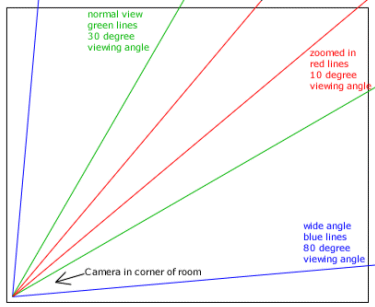
You should use a wide angle camera if you
want to watch an entire room. If you mount the camera in a corner and use
a nearly 90-degree viewing angle (blue lines), the camera will cram everything
going on into the picture. You can get cameras with an 86-degree viewing
angle, almost the full 90-degrees. (The full 90 degrees would, in theory,
put literally everything into the picture.)
Remember that because you can see the entire room
all at once, you can't see any particular part of it in much detail.
The human eye has about a 30-degree viewing angle
(green lines). If you set the camera to 30 degrees, the video you get will
look the same as if you were standing there. If you use larger than 30
degrees (wide angle), the video will show some curvature around the edges.
This is because of the difference between the viewing angle of the camera
and your eyes. If you use less than 30 degrees (red lines above show 10
degree viewing angle), then you will get a close-up, or "zoomed-in"
view.
The choice of viewing angle ultimately depends
on what you want to view. Suppose you want to view a safe. Do you want
to view only the safe, or the safe and the area around it, or the whole
room that the safe is in? If you want to view only the safe, you want a
narrow field of view (probably around 10 degrees). If you want to view
the safe and the area around it, you want an approximately normal field
of view (probably 30 degrees). If you want to view the whole room, you
want a wide field of view (probably near 90 degrees).
The field of view is determined by the focal length
and the CCD chip size of the video camera that you use. You can even get
cameras with an "ultra-close-up" field of view, for looking at stamps or
dollar bills, coins, or other objects of very small size.
Colour, Black & White, or Infrared
The next decision you need to make is whether
the camera should be color, black & white, or infrared.
If the camera's purpose is to watch a door
that people use to enter and exit the building, the camera should always
be colour. This is because being able to see the colour of a person's
hair, skin, clothing, anything that they're carrying, and so on, helps
to identify the person. With a black & white camera, you can
only say, "A person wearing a coat and hat entered the building, went to
the back, and stole a box of microchips." With a color camera, you can
say to the police, "A person wearing a blue coat, and a white
hat..."
If the camera needs to operate in near darkness,
then it should be a black & white camera. Although the sensitivity
of color cameras has improved a great deal in the last few years, they
are still not as good as black & white cameras. A good black &
white camera can see in 0.1 lux light at the camera or better. Lux
is a measurement of light intensity. Every camera has a lux rating that
tells you what light it can handle. 0.1 lux is about the equivalent of
moonlight if there is a full moon. So, what this means is that a good black
& white camera can see clearly using only the light from a full moon.
In the past, people used to buy black & white
cameras because they were cheaper. In fact, they used to be much cheaper.
Today, the price difference is very small. So you should never buy a black
& white camera if you want color. Your choice should be based on the
question: Does the camera need to operate in low light? All black &
white CCD cameras are infrared sensitive (infrared is explained below).
This is a side-effect of the way CCD electronics works. It means they work
well in exceptionally low light. Color cameras filter out all infrared
light, for proper color matching.
If the camera needs to operate in total darkness,
then it should be an infrared camera. Infrared cameras are "night
vision" cameras. "Infra-red" means "more red than red". Infrared light
is light that is of longer wavelength than red light. It is essentially
light that is so "red" that the human eye cannot see it. In addition to
the camera, you can now get infrared illuminators, which are basically
lamps, but they make infrared light instead of visible light. With an infrared
illuminator, the image will look the same through the camera as if it were
lit up with a normal light (and black & white camera). There are two
types of infrared illuminators, 850-nm LED infrared illuminators, and 940-nm
LED infrared illuminators. The numbers are the length of the light wavelength
(in nanometers) but you don't need to know what they mean. What you need
to know is that the 850-nm LED infrared illuminators give off a slight
reddish glow. The 940-nm LED infrared illuminators are completely invisible,
but the view through the camera is not as bright.
Here's a secret for you: infrared cameras are
not the true "night vision" cameras that the military uses -- like the
glowing green scopes that you saw on television during the Iraq War. Those
are light amplification systems that use an intensifier tube to convert
the small number of photons (light particles) to electrons and then amplify
the electric signal. They cost $2000-$3000 each, and last 2-3 years before
they need to be replaced. Infrared CCD cameras, on the other hand, cannot
actually see in true total darkness -- what they do is use infrared light
which is invisible to the human eye. This is why infrared illuminators
can "light up" a scene for the infrared camera, even though it just looks
like total darkness to you.

The image on the left is color with the lights
on. The image on the right is infrared, in complete
darkness, with an infrared illuminator directly
over the woman's head.
Infrared cameras don't cost much more than black
& white cameras, so if you need one, don't worry about the cost.
If the camera needs to operate in a combination
of normal light, low light, and total darkness, you need a camera that
combines more than one mode described above. For example, it is possible
to get cameras that have both color and infrared. These cameras are more
expensive.
Here's another secret for you: Infrared illuminators
can cause blindness. Because they are used at night, the irises
in people's eyes open completely. Because infrared light is invisible,
the iris doesn't close when the infrared light is shined into their eyes.
But the infrared light can still cause damage to the retina and cause blindness.
This usually happens to someone inches away from
the infrared illuminator -- usually the technician installing or repairing
it. This is why work with infrared illuminators should only be worked on
during the daytime when they are off!
But, and here's another secret for you: Cameras
should be focused at night. The reason is the depth of field of the cameras
changes when the iris changes. The depth of field is the amount of depth
of the image where it is in proper focus. If the camera is focused during
the day, when the iris of the camera is nearly closed, then it can go out
of focus at night when the iris opens. But if the camera is focused at
night, it will still be in focus during the day.
So infrared illuminators should be worked on during
the day and cameras should be focused at night. One solution to this is
to do installation work in late afternoon, so you get some of both.
You can also get halogen and laser
infrared illuminators. Stay away from these. The halogens get extremely
hot and burn out quickly. With lasers, broad illumination is not an appropriate
use for lasers, and the laser systems are expensive. If you want infrared
illuminators, you want the LED (light emitting diode) illuminators.
Auto-Iris Camera

Make sure any camera you get has auto-iris
capability. The iris of the camera, like the iris of the eye, opens or
closes to control the amount of light that can get into the camera. This
enables the camera to adjust automatically to whatever light level is present.
There are two types of auto-iris lenses on the market: the video driven
auto-iris and the DC driven auto-iris. We recommend the DC driven
auto-iris. This is because the video-driven auto iris has a problem where
the auto-iris competes with the automatic gain controller in the CCD electronics.
You don't need to understand why. What you need to know is that this results
in a phenomena called hunting, where the camera increases and decreases
the light level, "hunting" for the proper light level. The DC driven auto-iris
does not have this problem.
Note: If you need to watch something dark in front
of a bright background (such as a person in front of a window), then the
auto-iris will not be smart enough to get the light level right. You will
additionally need to adjust the automatic light compensation setting,
or ALC. The ALC will force the iris to open a fixed amount more
than it otherwise would.
You can now get cameras with something called
a DSP. DSP stands for digital signal processor. What the
DSP does is it enables different parts of the image to have different light
levels. The DSP will process each of them separately, and produce an image
where the light levels are good everywhere. This would enable you to see
a person clearly as they approach your building in the sunlight, and continue
to see them clearly after they have entered and are indoors and in a dimly
lit part of the image. There are also Pixum CCD chips, which is
a very new technology that does a superb job of handling images that are
partly sunlit and partly dark. Important note: The Pixum chips don't work
very well in dim light.
Pan Tilt Zoom (PTZ)

A Pan-Tilt-Zoom, or PTZ camera is a camera that
can move around and change what it is looking at. Pan means to move
from side to side. Tilt means to move up and down. And zoom
means to magnify the image to get a "close-up" look at something. Casinos
are a good example of how PTZ cameras are used. Typically, the casino will
put a PTZ camera in a dome in the ceiling above a game, such as blackjack.
The security officer will use the camera to "zoom out" and look around
the entire room, or to "zoom in" and look closely at people's cards, or
the money on the table. If people try to cheat the casino, a camera operator
with a sharp eye will catch them.
PTZ cameras can be used with color, black &
white, or infrared cameras. They can be used indoors or outdoors. If they
are used outdoors, they will require more expensive mounting and housing.
Indoors, PTZ cameras are usually mounted inside domes which prevent people
from being able to see where the camera is looking. PTZ cameras can come
with preset positioning, which enables the camera to jump directly
to a preset position.
Some PTZ systems let you control the focus and
iris of the camera, as well the pan, tilt, and zoom.
If you get a PTZ camera, you will want to be
able to control it from your DVR. This will enable you to control your
PTZ camera from the DVR monitor. In addition, you will be able to control
your PTZ camera remotely, with the remote viewing capability of your DVR.
So you could control your PTZ camera from home, if you are watching from
home with the internet. Unfortunately, there is no standard protocol from
controlling PTZ cameras. Every vendor has their own system. If you don't
want to use us to install your DVR system, make sure your DVR is compatible
with your PTZ system.
If you go into a big store, like a Wal-Mart, you
will see row after row of PTZ domes on the ceiling. However, not all the
domes are PTZ cameras. Some of them are just empty domes. From the ground,
you can't tell which is which, because you can't see inside the domes.
You can also get fake cameras. Here is another
secret for you. Fake domes and fake cameras can be useful, but there is
a legal problem you need to know about. If you had an employee who was,
for example, assaulted, and there was no video footage of the event for
him to show in court, the employee could sue you. He could do that on the
basis that he believed the cameras were real and were there to help protect
him. If the cameras turn out not to be real, then the courts will consider
you at fault. If the employee knew the cameras were fake, however, then
you are fine. We recommend that you don't use fake cameras, use real ones.
And we recommend that you only use fake PTZ domes after you have enough
real ones to see everything.
Anyway, of all the camera types, PTZ cameras are
the most fun. With PTZ cameras, you can look around in any direction just
as if you were actually there. You can zoom in and out. It is very much
like being there and being invisible.
Wired vs. Wireless
The next decision is whether you want wired
or wireless. By "wired" we mean that the video signal travels by
a wire from the camera to the DVR. By "wireless," we mean that the video
signal is transmitted by radio from the camera to the DVR.
If your cameras are overt, then you want
them to be wired. This is because if you use wireless cameras, your
video signal will be detectable by people outside your business. You don't
want to create a situation where criminals can use your own cameras to
spy on you and determine how to rob your business. By the way, we know
that wireless systems exist that can encrypt the signal, but the
majority of inexpensive wireless systems don't do encryption. Even when
they do, nobody ever installs them correctly, so we advise you to
just use wires.
If you are a very small shop and aren't worried
about people using the cameras to look inside, then you might use wireless,
to make the installation easier.
Another reason why you want to use wires is that
your video signals degrade (get worse) when sent wirelessly over
any distance, and suffer from interference with other radio signals.
These degraded signals will make a grainy, poor quality picture. If there
are too many wireless cameras, the environment will become very polluted
with radio signals and the distance the video can be transmitted will become
too short. However, using wires, a standard coaxial cable can transmit
a video signal for about 200 meters for color or 300 meters for black &
white. A twisted pair cable can transmit a video signal for about 1000
meters for color or 2000 meters for black & white. (A fiber optic cable
can transmit a video signal for kilometers, but it is unlikely you will
need it.) You can do this with any number of cameras, without worrying
about interference.
If your cameras are covert, then it might
make sense to use wireless signals. Using a wireless transmitter
would enable you to move the covert cameras around, and you can install
the cameras in areas that are hard-to-reach from the DVR monitoring location.
In addition, you could hide the DVR itself, if you feel it is necessary.
For example, you could put the DVR upstairs in the attic, and keep the
attic locked. Nobody would be able to follow the wire connecting the DVR
to the camera. Keep in mind that the covert camera still needs power.
You can get wireless cameras, or you can get
wireless transmitters that can work with any camera.
Camera Resolution
The easiest decision that you have to make is
the camera resolution.
Get cameras with 640 by 480 resolution.
The resolution indicates how "detailed" the image
is. The numbers indicated how many pixels, or picture elements,
the image has. A 640 by 480 image has 640 x 480 = 307,200 pixels. (The
actual image that you get will have fewer pixels, because you will lose
some pixels around the edges.)
If you get low-resolution cameras with 320 by
240 resolution, your picture will not be very clear. It is important to
be able to identify people in video images. This is hard to do with
low-resolution

The same hallway with different resolution cameras.
The image on the left is taken from a high-resolution camera. The image
on the right is the same image, but pixelated to simulate the way it would
look from a low-resolution camera. (most noticeable along hall border)
By the way, the "eyeball" logo that you see at
the top of every AllAboutDVR webpage may look like a pixelated, a low-resolution
image, but in fact, the picture that that eyeball came from is a high-resolution
image. We believe in high resolution imaging. We just "zoomed in" until
it pixelated. We wanted a "digital eyeball" just for fun, to represent
the idea of watching digitally
Camera Costs
All prices are in CDN $ are estimates
only and subject to change without notice.
Contact CWS
Home Security for actual updated prices
If you have existing cameras, you
can use them as long as they use BNC connectors.
 BNC to RCA connections shown
You may wish to upgrade to newer cameras that
have a high-resolution picture. That's up to you.
Here we'll give you some estimates
of the costs of the different types of video cameras. These are just examples.
Actual products and availability are subject to change.
|
ESTIMATED COST
|
TYPE OF CAMERA
|
Black & White
$165
Colour
$230 |
Tube Cameras
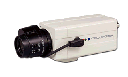
|
Black & White with Audio
$120
Colour with Audio
$180 |
Indoor Bullet

|
Black & White
$100
Black & White with Audio
$130
Color
$150
Color with Audio
$190 |
Hawkeye Camera
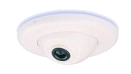
|
Black & White
$ 79
Black & White with Audio
$ 95
Colour
$150
Colour with Audio
$175 |
Pinhole Camera

|
Black & White
$ 89
Black & White with Audio
$ 99
Colour
$135
Colour with Audio
$145 |
Outdoor Bullet Camera
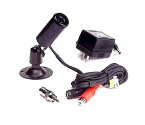
|
Black & White
$199
Color
$255 |
Outdoor Cup Camera

|
| Colour
$145 |
Waterproof Out-door
Tube Camera
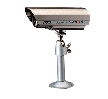
|
| Infrared
$189 |
Infrared Camera

|
| Color with Audio
$165 |
Ultra-Mini Wireless Camera
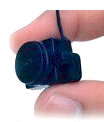
|
| Infrared
$125 |
Bullet Infrared Camera

|
Black & White
$145
Colour
$180 |
Wireless Palm Camera

|
Black & White
$120
Colour
$200 |
Covert Motion Sensor Camera

|
| Black & White
$400 |
Covert Ceiling Speaker Camera

|
Black & White
$ 95
Black & White with Audio
$120
Color
$165
Color with Audio
$185 |
Covert Smoke Detector Camera

|
| Black & White with Audio
$799 |
Covert Wireless
Shirt Button Camera

|
Installation Costs
Please note that CWS
Home Security does not do installations
but we have a list of independent Installers that will do the job for you,
or
DO-IT-YOURSELF and
$ave
Installation costs depend on:
o How many cameras you need installed.
(If you have existing cameras, there is no charge for them.)
o Complexity of installing cameras. Sometimes
the wiring requirements increase the costs. If wires need to be run
through walls and through ceilings, and it requires a lot of work,
it results in a higher installation cost.
Here is an estimate of typical installation costs:
o To install 4 cameras, the cost
is about $350 - $450
o To install 8 cameras, the cost is about
$750 - $900
o To install 12 cameras, the cost is about
$950 - $1200
o To install 16 cameras, the cost is about
$1100 - $1350
CWS Home Securityhas
a strict no-pressure policy: you are only charged for work you actually
need. For example: if you only need a 4-camera system, we install a 4-camera
system, no more and no less. Sometimes
the technician recommends that you reposition your cameras in such a way
that you can cover the same space with fewer cameras, and save money. We're
explaining all this so when you decide to buy, you'll know you made the
right decision.
For a refundable $35.00 fee, refunded at your
time of purchase CWS Home Security
will come to you location and upon consultation will recommend the number
and location of cameras required. If the customer then wishes a quote on
the purchase of equipment then one will be drawn up.
How To Order
Getting your DVR and cameras self installed takes
2 steps.
| 1 |
The Contact Request
|
CWS Home Security
at 519-919-2506. Or fax 519-736-7626 or email info@cwshomesecurity.com
Describe the system that you want. The better you describe what you want,
the better we will be able to give you what you want.
NOTE: If you only want to buy a DVR and
want to install it yourself, this is the only step you need to do! Just
say you want a DVR only and don't want
installation services in the box where you describe
what system you want. It's easy.
If you wish an independent contractor to contact
you to for installation to install the DVR and/or security cameras, Please
contact CWS Home Security
for references at 519-919-2506. Or fax 519-736-7626 or email
instalcontactor@cwshomesecurity.com
|
| 2 |
Technician's Visit
|
CWS Home Security
will, at pre-arranged time, visit your site for a refundable $35.00 fee
This fee is refunded upon placing order from CWS
Home Security.
A nonrefundable deposit of 40% is required prior
to any ordering of non-stock “ items. CWS
Home Security will talk with you, learn
and listen as to understand what you need, what you want, and any extras
that you would like to have. CWS Home Security
determines the amount of work that will need to be done, and the cost,
for
a) Purchase of security/surveillance
equipment required
b) Contact an Independent Installer
c) Discusses with you the various options and
prices for "extra" features that you'd like to have but don't necessarily
need.
|
info@cwshomesecurity.com
DISCLAIMER
All products sold by CWS Home Security
are intended to be used for security purposes only. They are not to be
used for illegal or immoral use. All X10 products purchased and guarantees
from the X10 link are between X10 and the buyer. Refunds and disputes between
X10 and the Buyer are between X10 and the Buyer if purchased from the X10
directly. All recommendations given are recommendations and it is the Buyers
responsibility for the final choice. All returns must be in factory sealed
box and not used. A 20% restocking charge will be applied to all material
returned.
Web Page Designed by Bob at
Debby's C & W Boutique
Need
A Website? Click Here For Info
Hit Your Back Button To Return
Here
|