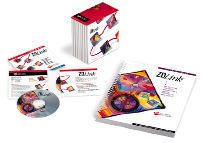
ONE INTEGRATED SYSTEM |
Today, there's one system that helps you do it the right way.
And it connects all the critical components you need to create, manage, and measure training programs. | 
Until now, administrators have been the lone integrating force behind successful technology training initiatives. Using a variety of tools, they've had to:
- Track the students.
- Determine skill requirements.
- Conduct pre-assessments.
- Group students appropriately.
- Customize courses.
- And train.
| 
| Often, it was easier to give everyone the same basic training and hope for
good results. TeachCenter.com presents an integrated training system that gives you the power to assess, customize, train, and save.
| top | |
|
CUSTOMIZATION Create the tools you need to train for results. | - Consistent
- Reliable
- Instructionally sound information technology content
| | That's what TeachCenter.com has built its reputation on. Now you can select from our proven content based on the assessment information you gather before class. Our unique, award-winning content and procedures ensure that every lesson is technically correct and consistent in design.
- DESIGN AND CUSTOMIZE A COURSE
First, choose your lesson from our courseware library of more than 2500 lessons and 300 titles. Drag-and-drop the lessons in the order you want. Change titles and names as needed. Tailor the content to your needs using the advanced customization tools built for Microsoft Word for Windows. Customized lessons may be used in any new
courses you build. - VIEW YOUR OUTLINE
Once your course is designed, view a task-level outline on screen or print it. Outlines are automatically updated every time you change your course design, so you can easily confirm course details with your customers or students. - GENERATE YOUR COURSEWARE, ORDER YOUR CUSTOMIZED MANUALS
You create instructor-led material including, a student manual, instructor's edition, data disks, overheads, QuickSkill CBT tutorials and/or a custom print order.
Avoid the hassle of printing and binding your own
books. Generatean electronic Custom Print orders, and TeachCenter.com Custom Production Services will print, bind, and ship your books to any location. Use this integrated system to create: - Student manuals
- Instructors' edition manuals
- Data disks
- Instructor overheads and slides
- Training skills assessment
- Course setup information
- QuickSkill computer-based training tutorials (CBTs)
- Interactive Training Companion™ for ActiveLearn users
No matter which customization options you choose, TeachCenter.com always provides you with a topic and task-level outline, table of contents, and index,
plus intelligent pagination of your content. So all your output has a consistent, professional look.
| top | |
|
ASSESSMENT Find out exactly what your students need to learn.
| The key to effectiveness is assessment. Too often, though, assessment results identify specific skill gaps that are difficult to address using traditional courseware. | | The TeachCenter.com difference:
Questions that correspond directly to courseware lessons. - TeachCenter.com creates customized courseware recommendations based on skills assessment results. It uses color to highlight which lessons your students need and those they don't.
- Performance-based questions give students the opportunity to demonstrate what they know using the actual software applications.
- Helpful reporting. Score reports show you individual performance. Summary results let you see how your company, division, or group is doing.
| top | |
|
TRAIN More effective training.
Choose instructor-led, technology-based training, or a combination. Develop within each student the specific skills he or she needs to be more confident, more efficient, and more productive on the job.
| 
|
Instructor-led Training
| Computer-based Training | 
|
| Interactive Multimedia |
|
| top | SOLUTION EXAMPLE Here's one way TeachCenter.com can work for you. - You get a call -- 300 students need to be trained in Excel (or any other
Windows application).
- You distribute an electronic pre-assessment via email, internal network, or disk.
- Students complete and return the assessments.
- Using TeachCenter.com's database capabilities, you collect the
assessments and process them. Based on pre-assessment results, TeachCenter.com groups students in classes according to common needs.
- TeachCenter.com will recommend custom courseware for each group of students.
- For those individuals with just a few skill gaps, you may want to use
TeachCenter.com to direct them to the appropriate QuickSkill tutorials. Conduct your highly focused training events.
- Follow up training with post-assessments based on the course each student attended.
- Use individual and group reports to demonstrate the effectiveness of your
training, as well as identify needs for any additional training.
| top | . SYSTEM REQUIREMENTS - PC with Pentium processor
- Microsoft Windows 95, Windows 98, or Windows NT 4.0
- (Limited feature set available under Windows 3.1 and Windows NT 3.51)
- 16 MB RAM (32 MB preferred)
- 50 MB free storage space needed to customize and generate course
materials
- VGA or SVGA display
- CD-ROM drive
| top |
| |