 !dType allows you to set the filetype of multiple files in one go via recursive drag and drop of any combination of files and directories.
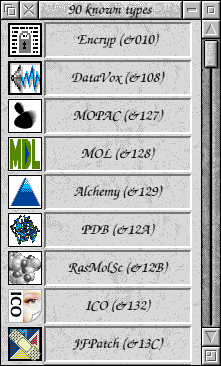
Choosing the filetype can be either by typing in the name/hexcode as with the Filer, or by clicking on the filetype from a window showing all the filetypes that have been 'seen' by the Filer up to that point. An example is shown to the left.
Dragging a selection of files and/or directories onto this window, or the iconbar icon, will set the filetype (including files in sub-directories).
The default type is text and the iconbar icon for dType is the file icon with the hex filecode underneath as shown below: