
Getting a Hotmail Account Lesson 1
HOTMAIL HISTORY
This lesson will show how to setup an Email account at the Microsoft web site called Hotmail. com. I have been a personal member of this Web Emailing system since it's begging, long before Bill Gates and his team purchased this company from two other who originated the site. Why did Microsoft purchase this Web base Email site? It was due to the Millions (1,000,000's) of people using this service daily. So Mr. Gates just had to have the site and well you know the rest of the story. There is one positive note, this site has sure gained a lot of new features in the past couple of years.
 Place
this information into your browsers URL and then press enter.
Place
this information into your browsers URL and then press enter.
 You
will next want to select the Signup link show within the graphic at the beginning
of the line 2. I will use a college account as an example of the process
that will need to be taken to set up one Email web mailbox.
You
will next want to select the Signup link show within the graphic at the beginning
of the line 2. I will use a college account as an example of the process
that will need to be taken to set up one Email web mailbox.
Once you have selected the link from the signup page at http://www.hotmail.com a page will be loaded asking for Registration information
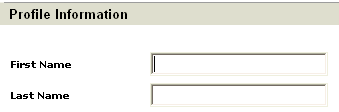
Now information related to your personal data will need to be added to this Form field page. This information will be submitted to the Hotmail Email server, so be very careful what you place of your personal data into these fields. It is not uncommon to enter Alias information when it has to do with an Web Email account. Think of this question, do you want everyone to know your real name, address and phone number? NO, should be your definite answer! I will use a fictitious account information, you may do what you wish but be forewarned.
When you start to enter the data and select Canada as the country, the page will jump to a Canadian information form page. Don' t be alarm if you should note this happening.
Please fill your own information related to you, this is only for demonstration purposes.
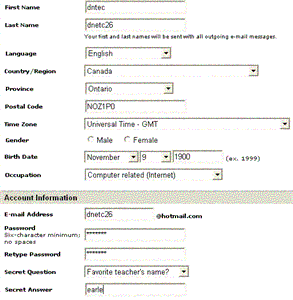
You may if you wish to fill out the following information about your newly created Hotmail account. Please be very careful and make sure you want to share the information listed below with the entire Hotmail community?
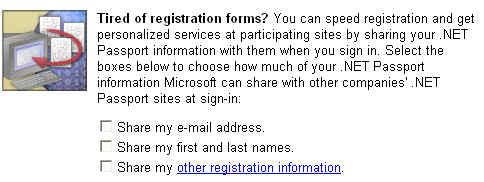 I omitted these options at this point. I just want to practice using my new
Hotmail account and do not need any distractions while I practice.
I omitted these options at this point. I just want to practice using my new
Hotmail account and do not need any distractions while I practice.
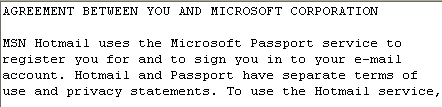 Please Read the Agreement from
Microsoft completely, if you violate your email account they will shut you
down. Have a look at the Netiquette
link here or from the home page menu list.
Please Read the Agreement from
Microsoft completely, if you violate your email account they will shut you
down. Have a look at the Netiquette
link here or from the home page menu list.
 If
there is any information missing, you will get a message asking you to fill
out the missing components.
If
there is any information missing, you will get a message asking you to fill
out the missing components.
Now this is what we have been waiting for! Great Job -Well Done! But the account information is not quite finished.
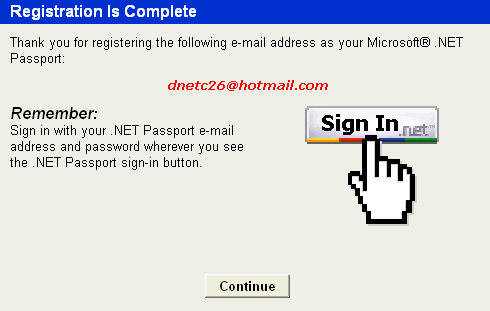
 A
few more question and we will be done. Here comes some junk email right from
our host? Well this may be an area to bypass for now and possibly setup this
section later.
A
few more question and we will be done. Here comes some junk email right from
our host? Well this may be an area to bypass for now and possibly setup this
section later.
 NONE, you may select if you wish to
receive information about any of these subjects.
NONE, you may select if you wish to
receive information about any of these subjects.
 Next
you will see more information gathering,
which you may or may not wish to fill out.
Next
you will see more information gathering,
which you may or may not wish to fill out.
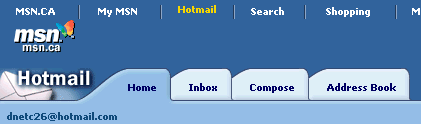 The
account is complete an this is our first
view of our Inbox, that strange only one message (Welcoming from Hotmail) - NO
other email yet? Don't worry they will be arriving shortly as many as we
care to handle.
The
account is complete an this is our first
view of our Inbox, that strange only one message (Welcoming from Hotmail) - NO
other email yet? Don't worry they will be arriving shortly as many as we
care to handle.

Utilizing your New Hotmail account Lesoson2
Home 
 Lesson2
