|
|
|
Lots of Useful Code:
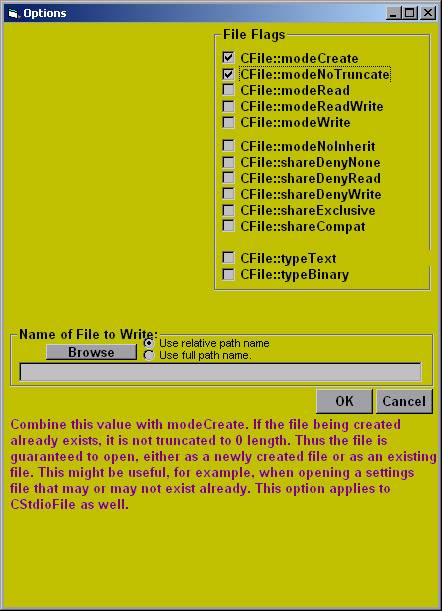
There is a lot of code in Code Assistant. A partial list of the code it can generate follows. Most of this code has extensive error checking so that I don't have to think about it as much when coding. I have included links to images of some of the more interesting special forms.
Visual Basic:
Decisions (user chooses number of nests):
----"If...Then"
----"If...Then...Else"
----"If...Then...Else If...Else"
----"Select ...Case"
Lists:
----"Add strings to a sorted list (Sub)"
----"Add strings to two sorted lists (Sub)"
----"Find out if a string is in a sorted list (Function)"
Loops (user chooses number of nests):
----"Do... Loop While"
----"Do While...Loop"
----"For...Next"
Reference (not code per se):
----"ASCII Characters List"
----"Error Codes" This is a good thing to have handy when debugging.
----"Files and Folders information (FileSystemObject)" This and the next two listings provide condensed (and concise) information about working with files and folders. The VB Studio seems to try to obfuscate this information, so it has been collected here. These sections help me save lots of time when working with files and folders.
----"Folders information".
----"Files information"
----"Keycode Constants"
Common Dialog: Lets face it. Using Common Dialog boxes (correctly) is complicated. The following five listings make it super simple and error-free (not to mention that they save lots of time).
----"Open File"
----"Save File"
----"Color"
----"Font"
----"Print"
Strings:
----"Parse substrings from a string (subroutine)."
----"Find a string in a TextBox control (subroutine)."
----"Find a string in a RichTextBox control (subroutine)."
Controls:
----"Color all controls in a form." This and the next 3 listings use the same interface. It is extremely fast and easy for setting up the color scheme for a form or a project.
----"Color all controls in a form (Form Sub)."
----"Color all controls in a form (Module Sub)."
----"Color all controls in all project forms (Module Sub)."
----"Resize all controls in a form (to scale)." There's no fancy user interface for this one, but it sure is a fantastic chunk of code. In just the few seconds it takes to add this code to a form, the form is modified so that when the form is resized, all the controls will resize in proportion with the original layout. Text fonts scale as well, making for a polished result.
----"Allow for the user to press the 'Enter' Key."
Read File:
----"Read a text file into a variable"
----"Read a text file into a variable (function)"
----"Read a text file line by line"
Write File:
----"Write a string variable into a text file (function)"
Files and Folders:
----"Test to see if a folder exists (Function)"
----"Create a folder (Sub)"
----"Delete a folder (Sub)"
----"Rename a folder (Sub)"
----"Copy a folder (Sub)"
----"Move a folder (Sub)"
----"For each file in a folder..."
----"For each subfolder in a folder..."
----"For each file in each subfolder in a folder..."
----"Create a complete file path (Function)"
----"Test to see if a file exists (Function)"
----"Copy a file (Sub)"
----"Move a file (Sub)"
----"Delete a file (Sub)"
Java:
Decisions (user chooses number of nests):
----"if..."
----"if...else"
----"if...else if...else"
----"switch...case"
Lists: The following 7 listings use a smart search so that long lists are handled quickly.
----"Add a string to a sorted list."
----"Add two strings to two (matched) sorted lists." One list is the key for the other.
----"Create a sorted list from a text file."
----"Create two sorted lists from a text file."
----"Create two sorted lists from two text files." One list is the key for the other.
----"Test to see if a string is in a sorted list."
----"Test to see where a string is in a sorted list."
Loops (user chooses number of nests):
----"do...while"
----"while..."
----"for..."
Reference (not code per se):
----"Data Types"
----"Escape Sequences"
----"Global variables"
----"Java Naming Conventions"
----"Methods needing Permissions"
----"System Properties"
----"Unicode Characters"
----"Virtual Key Codes"
Dialog Box:
----"Confirmation dialog box."
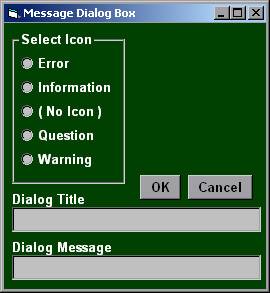
----"Message dialog box."
----"Text field input dialog box."
Conversion:
----"Format a number"
----"String to byte"
----"String to double"
----"String to float"
----"String to int"
----"String to int, conditional"
----"String to long"
----"String to short"
----"Boolean to String"
----"double to String"
----"char to String"
----"float to String"
----"int to String"
----"long to String"
----"short to String"
Miscellaneous:
----"Swing Timer"
Read File:
----"Read File Complete (method)"
----"Read File Line by Line"
----"Read File using Stream Tokenizer"
----"Read File using String Tokenizer"
----"Read File using Custom Tokenizer" This is my own Java tokenizer and is much better than the String or Stream tokenizers that come with Java. It is easy to understand and customize.
----"Read serializable object"
Write File:
----"Write File Line by Line"
----"Write serializable object"
Security (not code per se):
----"Methods needing Permissions"
Graphics Methods:
----"Create graphics in a control or form"
----"Create a color"
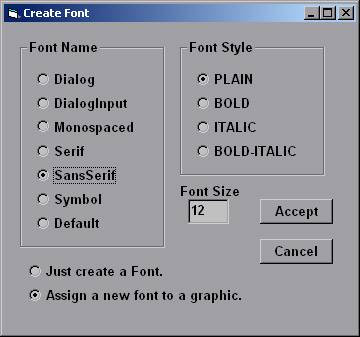
----"Create a font"
----"Draw a string"
----"Draw a line"
----"Draw a rectangle"
----"Draw an oval"
----"Clear a selected graphics area"
----"Clear the entire graphics area"
----"Add double-buffered graphics (awt)"
Images and Graphics:
----"Construct code using a flowchart" This is a very sophisticated tool which allows the user to create a flowchart of what the program is to do (related mostly to buffered images; creating, modifying, saving, etc.). Then with one click, all the code is created to accomplish the flowchart tasks.
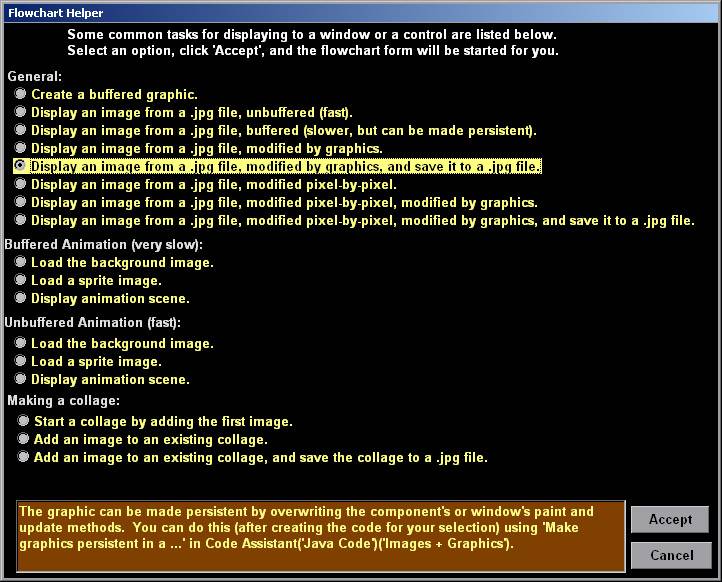
----"Construct code using a flowchart, include helper" This sets up the flowchart form by the user clicking on one of several common tasks.
----"Make graphics persistent in a window"
----"Make graphics persistent in a component"
----"Show a buffered image in a component, pixelated"
----"Show an unbuffered image in a component, pixelated"
----"Add an image to a JTextPane (from file)"
----"Add an image to a JButton (from file)"
Windows:
----"Create and show a frame or applet"
----"Maximize another frame or applet (awt or Swing)"
----"Close this frame or applet (awt or Swing)"
----"Close another frame or applet (awt or Swing)"
----"Close all open frames or applets"
----"Enable 'Close' button (awt method)"
----"Enable 'Close' button (Swing method)"
C++:
Decisions (user chooses number of nests):
----"if..."
----"if...else"
----"if...else if...else"
----"switch...case"
Loops (user chooses number of nests):
----"do...while"
----"while..."
----"for..."
Reference (not code per se):
----"Data Types"
----"Escape Sequences"
----"Hungarian Notation"
----"Unicode Characters"
----"Virtual Key Codes (System)"
----"Virtual Key Codes (Windows CE)"
Read File:
----"Read text file, line by line"
----"Read text file, line by line (function)"
----"Read text file, line by line (MFC)"
----"Read text file, line by line (MFC function)"
----"Read text file into one string"
----"Read text file into one string (function)"
----"Read text file into one string (MFC)"
----"Read text file into one string (MFC function)"
----"Read binary file, struct by struct"
----"Read binary file, struct by struct (function)"
----"Read serialized file (MFC)"
----"Read serialized file (MFC function)"
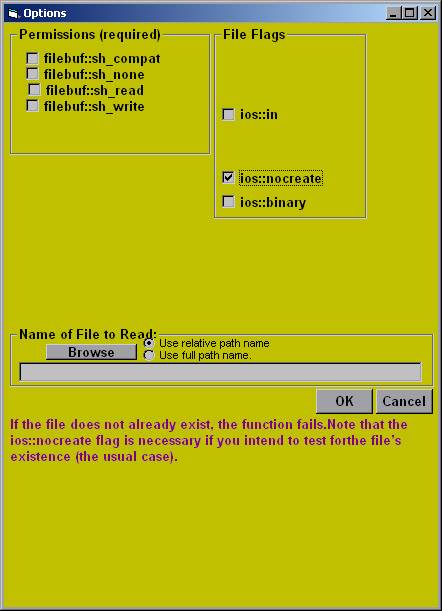
----"Custom read" Includes lots of mouse-over information.
----"Custom read/write (MFC)" Includes lots of mouse-over information.
Write File:
----"Text, line by line, create file"
----"Text, line by line, create file (function)"
----"Text, line by line, create file (MFC)"
----"Text, line by line, create file (MFC function)"
----"Text, line by line, existing file"
----"Text, line by line, existing file (function)"
----"Text, line by line, existing file (MFC)"
----"Text, line by line, existing file (MFC function)"
----"Text, line by line, append existing file"
----"Text, line by line, append existing file (function)"
----"Text, line by line, append existing file (MFC)"
----"Text, line by line, append existing file (MFC function)"
----"Text, line by line, insert into existing file (MFC)"
----"Text, line by line, insert into existing file (MFC function)"
----"Struct, overwrite/create file"
----"Struct, overwrite existing file"
----"Serialized, overwrite/create file"
----"Serialized, overwrite/create file (MFC)"
----"Serialized, overwrite/create file (MFC function)"
----"Serialized, overwrite existing file"
----"Serialized, overwrite existing file (MFC)"
----"Serialized, overwrite existing file (MFC function)"
----"Custom write" Includes lots of mouse-over information.
----"Custom read/write (MFC)" Includes lots of mouse-over information.
Other:
----"Rename File (MFC code)"
----"Delete File (MFC code)"
Back to top. |
|
|