|
|
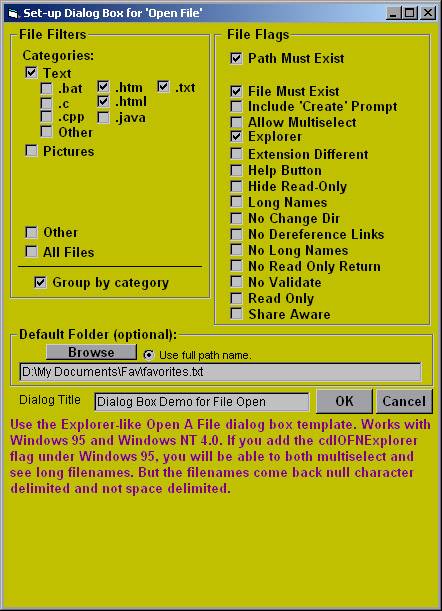
In this second example, Visual Basic source code is created from a custom form designed to quickly create code for generating Common Dialog Boxes. Typically, the most difficult aspect of Common Dialog boxes is setting up the filters due to the exacting syntax requirements. This form does it perfectly with only 4 clicks of the mouse (see checkboxes below). In this example, three kinds of text files form the (one) filter in an "Open File" Common Dialog Box, although this form will handle many filters, plus it handles all 5 Common Dialog types (Open File, Save File, Color, Font, and Print, although its appearance changes for each type). At the bottom of the form, text explains the various checkboxes when the mouse moves over them. The example below shows the explanation for the "Explorer" checkbox. |
|