
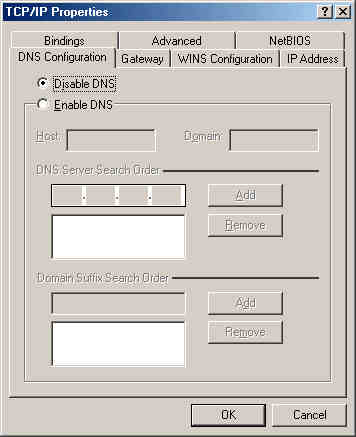
Normally you would want to disable DNS because it will get that information from the router if set up correctly (later in this guide).
Under some circumstances, the DNS addresses are not passed on to the computers. (Click here for the DNS troubleshooter) In those cases you want to enter this information manually. Just select Enable DNS and type the address(es) in the DNS Server Search Order box one by one and click Add. Make sure you have a Host and Domain entered. These can be anything unless otherwise specified by your ISP.
Now that the configuration of the main PC is done why not do the rest? Just go back to the IP Address page to help you out.

 Previous Page
