|
 Yeah
you think your good enough, But you aren't, not yet at least. Yeah
you think your good enough, But you aren't, not yet at least.
"Houston we have lift-off" "roger that
don't SNAFU the mission again"
"....expletives..."
|
First off you will need all the proper
space craft, unfortunatly the only place to get NASSP 4 is in the orbiter
forum the direct link to the thread that contains NASSP 4 is here: http://orbit.m6.net/v2/read.asp?id=7739for this particular mission you can find all the required
stuff there. Make sure to install overwriting
everything in the process. Now that you've got everything installed launch
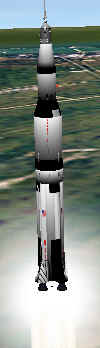
orbiter (make sure limited fuel is on) and select NASSP Apollo 11 launch.
If everything loads correctly you should be about 500 feet away and
slightly underground from the Saturn 5, Don't worry small bug. Zoom in and
rotate your camera so it looks kind of like it does here. When your ready
press and hold the + key (on the keypad) and then hit right Ctrl, you can
let go after hitting Ctrl. Jump into the cockpit (F1) and wait for
the autopilot to shut off, when it does you will be in a low earth orbit
with roughly 67.2 fuel left. at this point I suggest you read our transfer
*MFD tutorial, you will need to know how to use it before you can make a *ejection burn* to the
Moon. (but until it is done I will explain briefly) As you can see the 2 MFDs that you should
have on are the *SFRC MFD and the Orbit MFD, the HUD can be either on Orbit
or SFRC as it makes little difference.
Page Two 

|
|

