If you want to print only a portion of a page using Windows 98 just place the cursor to the LEFT of what you want printed & hold the left mouse key down & drag the cursor to the RIGHT & DOWN to highlight the stuff you want to print.
Release the left mouse key.

Click on "File".

Below is the printing options Window.
Check the "Selection" radio button.
Choose the number of copies to be printed.
Click on "OK".
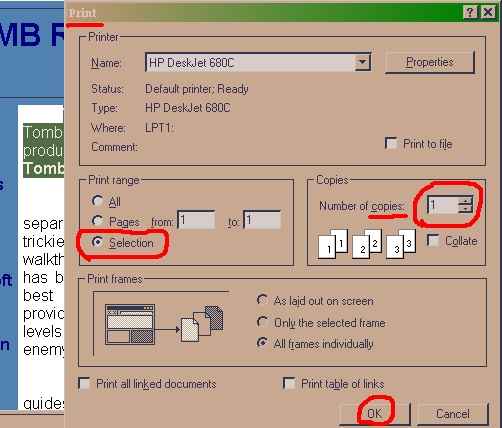
The portion of the page you selected will be printed.
This works for selecting images as well as text to be printed.In ordinary printing where you want to print the entire page -
To save ink - disable the print background images function.
Click on START
Click on SETTINGS
Click on Control Panel
Click on Internet Options
Click on Advanced
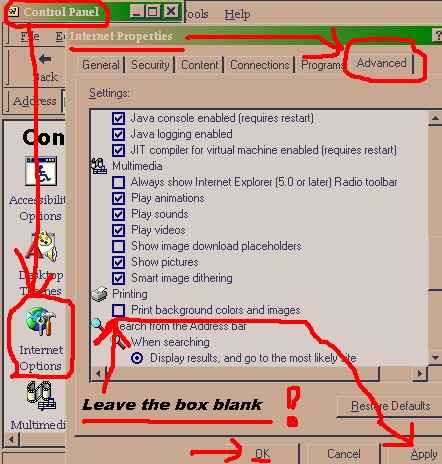
Hit "APPLY"
Hit "OK"