Before I even begin putting it all together I begin to realize a simple
mistake...
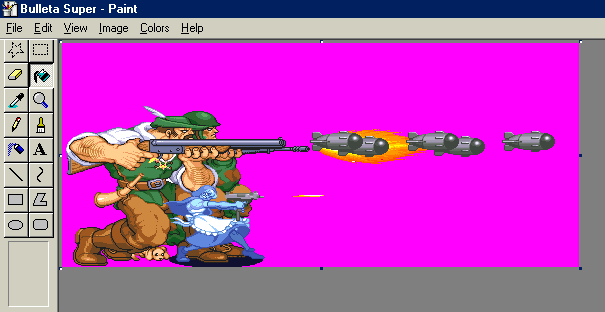
I go back to my B.B. Hood sprite and refill the background with pink, I
decide to do this because I notice there is a large amount of white in the
aprone as well as in the woodcutter's shirt. I then rethink my sprite and
remove the bombs farthest right.
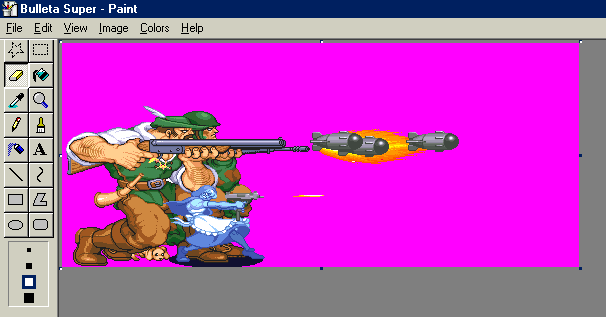
However to remove the second bomb I had to remove half of the third... lucky
for me I had ripped a spare before hand.
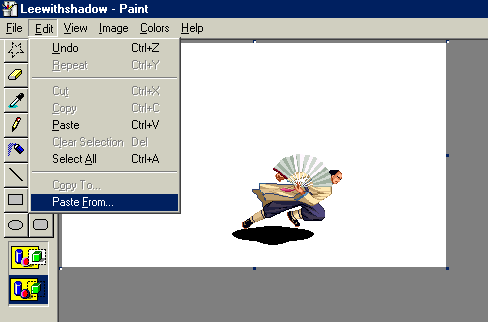
Now that my issues the B.B. Hood Sprite are done it's time for me to add
the effect on Lee, I take the Lee Sprite and put in a shadow... I select "Paste
From"...
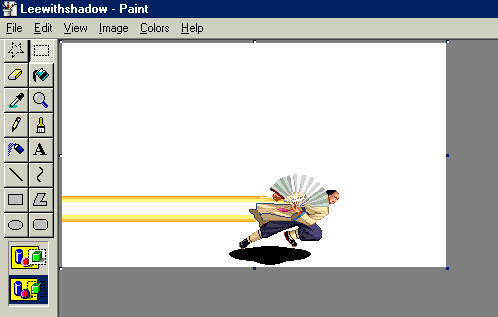
And put Lee in front of a zoom effect to make look like he's launching forward
in a fast pace.
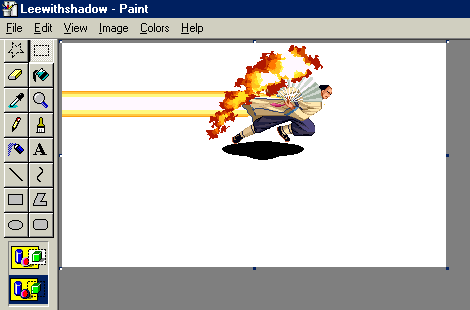
I then paste a flame effect to the back of the fan, since he is about to
do a "super powerful move".
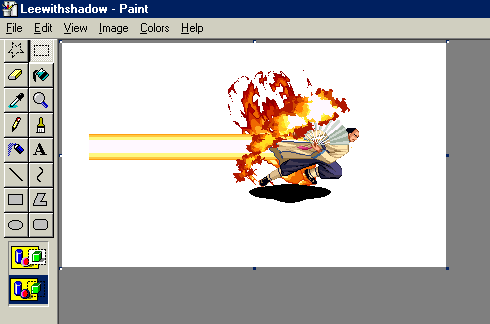
Then I move Lee onto another flame effect making sure the fire is near his
foot upfront.
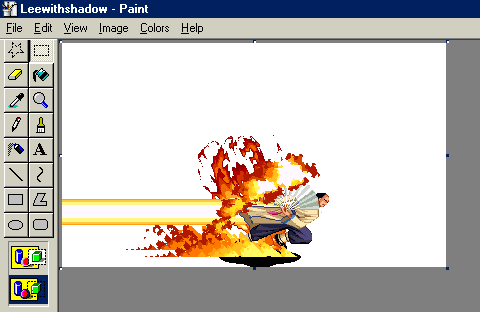
I then put some line fire effect near both of his feet reminiscent of Back
to the Future.
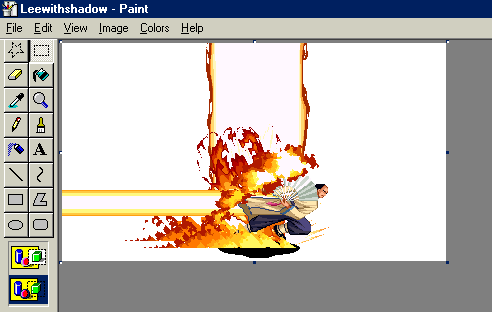
And then I add the obligatory "big pillar of fire" effect, since this is
probably where all the fire came from... or not. *shrugs* I consider the ide
of putting fire effects near his shoulders... but then decided I overkilled
enough as is and just consider myself done with this sprite.
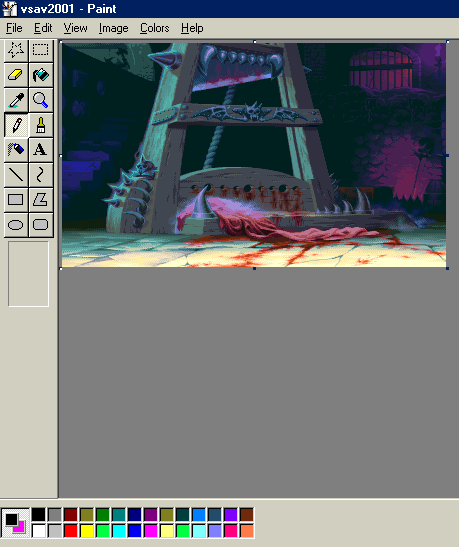
Now that my Lee Sprite is completed I load up my background and before I
paste anything decide that my B.B. Hood sprite should come first. Since
I change the backgound to Pink I right click the pink color.
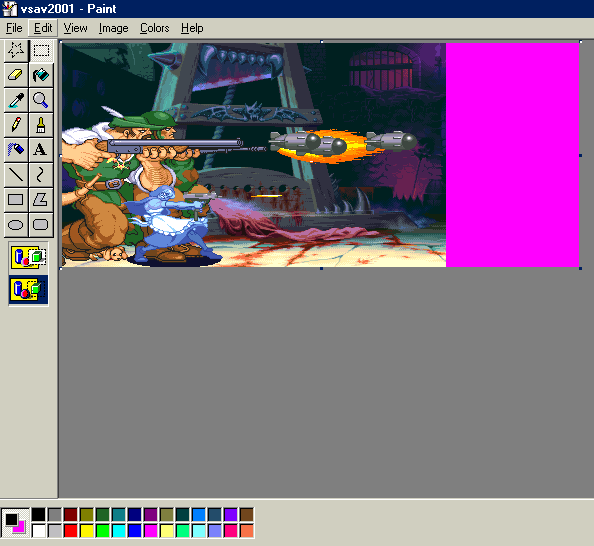
I then past the sprite on and move it around to make sure I get enough space
to put Lee on there. I also recropt the bg, so I don't think I have
as much space as I believe I do.
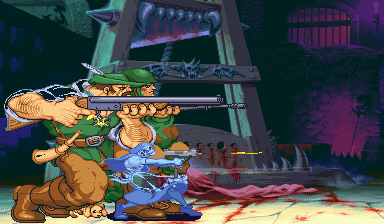
Were I not to refill the sprite with pink before hand it would of come out
looking like this because to much white was used in the sprite and became
transpartent with the background. Which is a new rule to me (but is
an old rule to most sprite makers and fakeshotters), never use a common color
as you transparent one... on bright side most Neo Geo sprites don't use plain
white when they have to... they sometimes use an off-white.
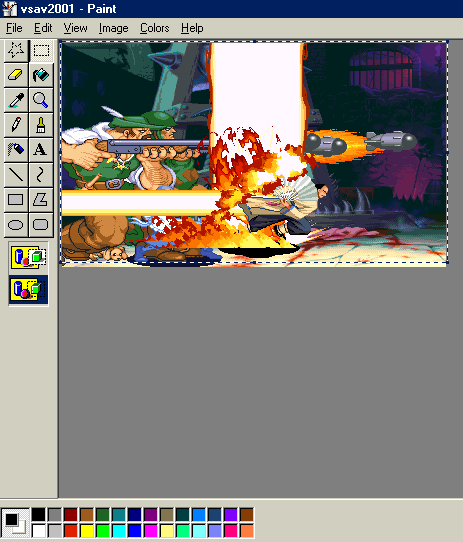
Once I recropped the screen I change the background back to white and paste
my Lee sprite.
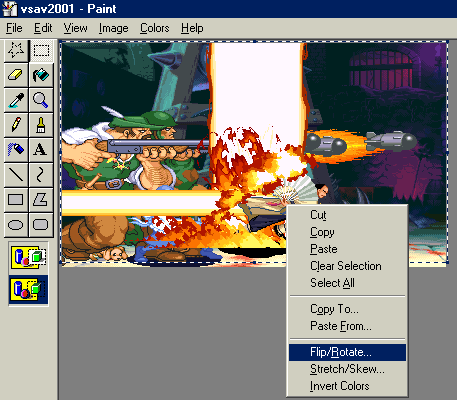
But since it is going in the wrong direction I right click and then select
"Flip/Rotate".
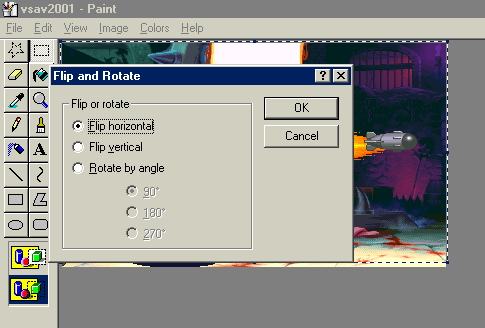
I then select "Flip Horizantal" and press Ok.
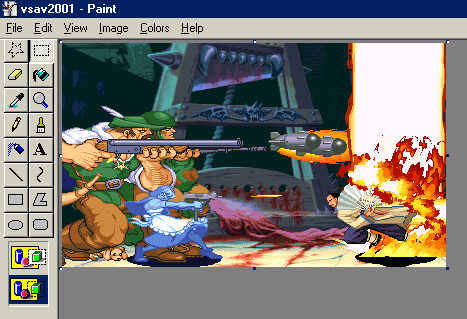
Now that the sprite is turned properly I move it to the far right to make
it look like both moves practically started at the same time.
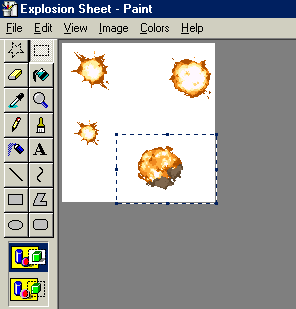
I decide to put a bit of realism in my picture and decide that if the bombs
were touching the fire they would presumably explode... so I go back to my
explosion sheet and select one of the explosions and the copy it.
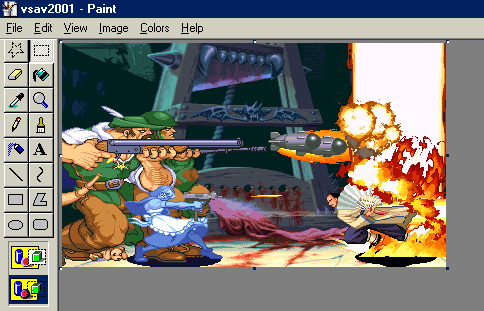
I then paste the explosions where the bombs would be. (note: I bet
you're asking if it's possible of making fakeshots out of sheets that have
sprites... well, you could if you want to, sprites sheets can be found all
over the internet, just be sure to ask proper permission for use of the sheets
since they are not yours. Also you can make your own sprite sheets if
you want! It would be less illegal then holding the Roms.) And next
thing I know... I'm done! The shot is almost complete!
Click to Proceed to the final part of this tutorial, "WHAT DO YOU MEAN I'M
NOT DONE?!"

