

@ Ha Kung's Secret Headquarters
Here I will have information concerning certain mobile devices which I have had experience with including Palm PC's, Pocket PC's, PDA's and Cellular Phones.
Contents
Audiovox Maestro 1032C (Pocket PC 2002)
Cassiopeia E-100 Palm PC (WinCE 2.11)
TRENDnet TE-CF10 Ethernet Compactflash Card
StarTac ST7867W Cellular Phone
NEW!!! Palm OS vs. Pocket PC: Which one to get? Click here!
Audiovox Maestro 1032C Pocket PC

Processor: Intel StrongARM 206 MHz
Memory: RAM 32 MB (SDRAM) / ROM 32 MB (Flash ROM)
Display: Reflected Type Color TFT (65,536 colors / 240 x 320 pixels)
Interface: CF Card Slot (Compact Flash Memory), SD Card Slot (SD Card or SDIO Card), Infrared Port
Sound: Stereo Headset Jack, Mono Speaker, Built-In Voice Recorder
Dimensions: 4.92 inches x 3.05 inches x .69 inches
5 Preset Program Keys: Calendar, Tasks, Home, Contacts, Voice Recorder
128 MB Sandisk Secure Digital Card

512 MB Mr. Flash CompactFlash card
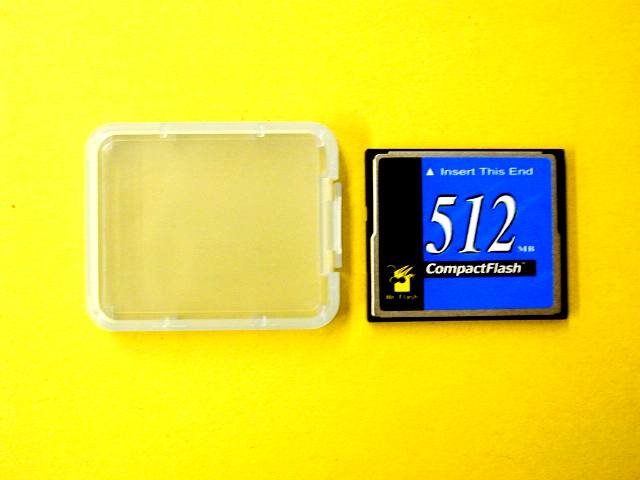
Connects to CDM-9100 Phone Using Included CC-1032 Connector Cable for Remote Access to Microsoft Pocket Internet Explorer or Email
Review:
The Audiovox Maestro is practicaly the same Pocket PC as Toshiba's E-570. In fact, if you turn the Audiovox around, you'll see that the label says it was manufactured by Toshiba. The only difference is in the internal memory (32 MB instead of Toshiba's heftier 64 MB). Of course, this is of little consequence since the Maestro has, as does the Toshiba, both an Secure Digital / Multimedia Card slot as well as a CompactFlash Type II slot. Thus, with a 32 MB SD/MMC card (for around $30), you'll have the equivalent of 64 MB internal while keeping you compactflash slot free for other things (e.g. Ethernet Cards, Modem Cards and Digital Camera Cards) at a significant savings ($300 at CompUSA and $30 for the card versus $570 for the Toshiba, only available directly from Toshiba). Personally, you might as well get the largest SD/MMC card you can get so you have plenty of room for those Ethernet or Modem downloads (128 MB available at Computers 4 Sure for a measly $104).
A Type II Compactflash slot also gives you a wealth of additional options (options which basically only Casio users and Compaq Ipaq users with an additional sleeve have gotten use to) such as the ever famous Microdrive. Available in 170 MB, 340 MB, 512 MB and 1 GB from IBM - www.ibm.com - and 340 MB and 1 GB from Iomega - www.iomega.com -- these provide large storage space for minimal cost. Compare 1 GB with PC Card adaptor from Iomega for $229.95 from Iomega direct to a 512 MB Compactflash card $190 -- the best price I could find -- from this Yahoo Store. That's 23 cents per MB versus 37 cents per MB, a significant savings. However, the Microdrive will reduce your battery life, particularly for constant read programs (such as MP3s and Video MPEG) by up to 30% (at least from my experience with my Casio E-100). For normal everyday users though, it won't make much of a difference.
The 206 Mhz StrongARM processor is the fastest Pocket PC processor now available (although Toshiba has annouced a new Pocket PC with an Intel 400 Mhz processor to be released later this year). And it runs on Pocket PC 2002 operating system, the newest operating system. And the screen is as good as the Casio E-200 and top of the line Compaq Ipaq with 65,000 colors. The backlight leaves something to be desired. It's about the same as the Ipaq but nowhere near as bright as the Casio. Just like the Ipaq, it's easier to see in daylight than the Casio though. It does have more battery life than the Casio (including the new E-200) but has less battery life than the HP Jornada Pocket PC.
One last plus to note is the inclusion of a connection wire for an Audiovox CDM-9100 cellphone. This wire enables you to surf the web wirelessly at up to 56,000 bps using BlueKite technology compression. Works great, all you need the cellphone with wireless web access (only $5 from Sprint PCS). It's also available through Verizon. Of course, you don't need to use the CDM-9100, you could use any phone with an IR port (as long as you don't mind 9600 bps connections - yikes!).
I use an Audiovox Maestro with a 128 MB SD/MMC card and a 512 MB CompactFlash card.
I addition, for trips, I always carry a BatPak Portable Battery Extender (uses 4 AA batteries to recharge or power the Maestro, Casio or Ipaq anywhere you are) and an Aurora Solar Pocket Pal Compact Folding Solar Charger (so you can recharge your Maestro, Casio or Ipaq using the power of the sun or a strong lamp!!!).
Click Here for the Official Audiovox Maestro Page!!Casio Cassiopeia E-100 Palm PC

Processor: 131 Mhz CPU (can be overclocked to 168 Mhz)
Memory: 16 MB Internal RAM / 16 MB Internal ROM
Interface: CF Type II Card Slot (Compact Flash Type II), Infrared Port
Screen: Backlit Color Touch Screen (65k colors)
Audio: Stereo headphones in, Mono out speakers, Microphone in
340 MB IBM Microdrive Type II CF Card

32 MB Sandisk CompactFlash Card (which I usually use in my Kodak DC3200 Digital Camera)
Review:
I've been using the Casio E-100 for over two years and have never been disappointed. For the most part it does everything I need and more. However, I recently "retired" it to move to the Audiovox Maestro (a faster, smaller and newer Pocket PC). However, everything I did with the Casio E-100, I've smoothly transitioned to my Maestro (although several programs were lost since the Maestro is a 206 Mhz StrongARM processor while the Casio is a 133 Mhz MIPS processor).
Now for what you could do with a Pocket PC. I keep all appointments, tasks and contact information in the E-100 and sync with ActiveSync to my desktop. This keeps everything together on Microsoft Scheduler and also syncs Microsoft Outlook (so you can read and send e-mail offline). It also syncs well with Lotus cc:Mail. I also use a spreadsheet program to keep track of all my expenses and to catalog a lot of my belongings. This is also synced with Microsoft Excel on my desktop.
With the use of Peacemaker or Palm@Hand, I also can sync these items with Palm and Psion users via the Infrared port (and of course you can always sync with other Palm PCs and Pocket PCs). But of course, this is just the practical stuff.
With the addition of additional memory via the CompactFlash Type II slot, the possibilities are almost limitless. Keep in mind that only the Cassiopeia E-1XX series comes standard with a CF II slot, which will also accommodate CF I cards. The HP Jornada's only take CF I cards (excluding such great additions as the IBM Microdrive) and the Compaq IPAQ's require an additional attachment to take CF cards (although IPAQ's also allow an attachment to take PC Cards, something that Cassiopeia's do not).
With the 340 MB IBM Microdrive (which also comes in the 170 MB, 512 MB and 1 GB varieties) I had enough room to store 40 minutes of MPEG video, over and hour of MP3s, 3 complete novels, and over 30 programs and games with almost 100 MB to spare! Using PocketTV, one can watch high quality MPEGs on the go. PocketTV even has optimization for Microdrive usage to extend your battery life (but you have to have at least 10 MB of free Program Memory to use it)! MP3's are readily accessible from Microsoft's Media Player. Don't forget to try all the different skins for the player, make it fit your personality! You can also read books on the go with Mobile Pocket Reader. And don't forget other great uses such as using your E-100 as a translation dictionary for over 50 languages! And get synced with free daily news and other great information at AvantGo.
And you want to have some fun you say? How about all the great games? Try the MAME Arcade game emulator for all the classics such as Ms. Pacman and Centipede. Also try the Commodore 64 Emulator for all thos egreat Commodore 64 games. Need newer more advance games? Try Jimmy Software (for Turjah, Doom and more!!) or Zio Software (for Zio Golf and many others).
And if you feel that 133 Mhz is too slow, try overclocking it to 168 Mhz (with only a screwdriver and a pencil!).
Basically, I can't recommend this unit enough. The only thing I can recommend more is the Cassiopeia E-125, but why not click below to figure out why?
Cassiopeia Case Review
You might also be wondering what type of case you should use to carry such a device in. Well, you're in luck because I have three different cases which I have bought and tested so you can decide which is best for you.
The Original Casio Pouch
The original pouch limits bulk and is fully functional. Although not particularly asthetically pleasing, the small amount of padding is sufficient to withstand drops of up to 5 feet without disturbing the unit or the microdrive (I got a little scared after that so I didn't test anything further). I've used this the longest.
The Targus Universal Leather Palm PC Case (Model No. CH075)
This case has excellant quality leather, but requires you to remove the unit from the case when using it, which is a real hassle. Also, there's no belt clip or loop and it increases bulk by a good .5 inches on the sides and .25 inches on the front and back. Although its minimal, its enough to make it too big to carry in a pant pocket or inside jacket pocket. However, it is the most professional looking case of the three I have and has a nice velcro strap to close the case. It also sports three sleeves for business cards and credit cards as well as compactflash cards. Two loops in the middle hold two AAA batteries, which is useless for the E-100, but I've found it handy as a pen holder. So for the professional who will be keeping the unit in a briefcase, this is the one for you.
The Casio Leather Flip Case
This case adds about .25 inches to the front and back, but adds practically nothing to the sides. The major plus for this case is the ability to use the unit while still in the case. Just snap open the snap button top and flip the front over to use. All the ports are completely accessible from the case. Plus, one can remove the unit with the leather cover from the full case thus adding nothing to bulk while adding a touch of luxury! However, the leather quality is not as high as the Targus case, and there is only one card slot (more of sleeve for a business card or id). Plus, the belt clip is not removeable, so it doesn't look as professional if you're going to carry it around. Besides all that, this is my case of choice.
Misc. AdviCE
I've also used Casio's screen protectors, but I think they're only so-so. They slide around a bit sometimes making it difficult for the screen to accurately recognize pen taps. It also traps dust and dirt between the screen and the screen protector. I still use one though since its better than have a scratched up screen.
I recommend carrying a spare Li-ion battery, especially if you use a microdrive. You only get about 1 hour and 15 min. of continuous power with the microdrive running (e.g. continuous MP3s or movies). The battery case is easily accessible and batteries are relatively small (the size of two match books). However, if you're just using it here and there, it'll last you much longer since power is only significantly drained while the microdrive is reading (such as during MP3 playback). With a CompactFlash card instead of a microdrive, you have about double the time with continuous play. For casual use, I've had no problems going two full days with the microdrive without a recharge. With a compactflash, I normally could go a week without a recharge during casual use. But for those of you who like MP3s and movies...
Click here for More Information on the Cassiopeia E-100.
NEW!!! Palm OS vs. Pocket PC: Which one to get? Click here!
TrendNET TE-CF10 10Mbps Ethernet Compactflash Card
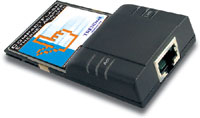
Standards: IEEE 802.3 10Base-T, NE2000 compatible
Data Transfer Rate: 10Mbps
Compatibility: Type I CompactFlash I/O card
Dimensions: 88 x 42.8 x 3.3 mm
Weight: 30 grams
Review:
It's not the fastest ethernet card, and 100Mbps cards and networks are becoming increasingly accessible and affordable, but for the price ($36) I couldn't resist. It works just fine in any Compactflash Type I slot with WinCE 2.0 and greater (I tested it with WinCE 2.11 and Pocket PC 2002 as well as with Windows 98 with a PC Card adapter on my laptop). SO works great for Pocket PC's as well as Laptop and Notebook computers that don't have built-in ports. Load times are adequate and the form factor is about as small as you can get with an ethernet card. Although, if you have the cash, I would recommend a 100Mbps ethernet card.

8 MB Memory
Size: 4.66" x 3.12" x .72"
Weight: 4.4 oz.
Powered by 2 AAA batteries
Advanced Grayscale LCD with indigo backlight
Expansion through Serial Port
Palm OSŪ Version 3.5
HotSyncŪ via Serial Cradle
Infrared Port
Review:
The Palm m105 is basically the same as the older Palm IIIxe except with a smaller screen (and thus a smaller size and lighter feel), a slightly better resolution screen, and changeable faceplates (for all you people concerned with looks -- OK, so I have three faceplates of my own, I admit it!). It runs on Palm OS 3.5, so most everything will run on it, but keep in mind that this unit is not flash upgradeable meaning you can never improve your operating system. But hey, for the price, who cares? The Palm m105 runs about $139 - $149, but if you shop around you can get them closer to $100 or less (even lower if its a used item). It's still part of Palms current line, but the economy model so to speak.
Unlike Pocket PCs, many programs for the Palm OS are very small and compact, however, very basic with no frills. If you're not concerned with that, then you're probably OK with the 8MB which comes installed in the m105. At all costs, avoid the m100. That unit is the same as the m105 with only 2MB. With only 2 MB, you can hardly do anything!!! (Serious Sam, a 3D shooter, takes 1.5 MB on its own!!! And just forget about any big databases!). Especially for grayscale screen models, such as the m105, 8MB is plenty due to the fact that grayscale applications and games take less room than color applications and games. So for color Palms, I highly recommend a Palm with expandability (the Sony Clie being the best of the bunch).
Don't expect anything great from the sound department. With only blips and bleeps, similar to a digital watch or alarm clock, you won't be dancing to any tunes anytime soon. Plus be aware that that a good third of the screen space is taken up by the Graffiti pad for writing. So your screen gets pretty small (and that's true for all Palms).
All in all, its a good no frills organizer. I bought three faceplates for it (dark blue, light blue and silver) to add a little panache and also invested in a Pentopia stylus, which adds a hidden ballpoint pen and reset pin in your stylus. Very convenient since you can't reset the Palm without a pin, and who carries one of those? If you like the basics, it's not bad, but for people who want more for your money, try the Maestro for $249 after rebate. Much much better than any palm, even the Sony Clie (but the Clie is slightly smaller).
Click here for More Information on the Palm m105.

COMPATIBILITY: PALM m100 and m105 Handheld
RESOLUTION: Color VGA CMOS sensor
IMAGE RESOLUTION: 640 x 480 (better) / 320 x 240 (good)
INTERNAL MEMORY: In appliance, enough to take one picture.
OPTICAL VIEWFINDER: Preview video mode on the handheld LCD >3 frame/sec refresh (review mode 16-level gray scale)
LENS: Fixed focus
DIGITAL ZOOM: 2X
APERTURE RANGE: Fixed (f / 2.0), 6.1 mm focal length lens
FOCUS RANGE: 36 inches to infinity
EXPOSURE CONTROL: Auto 1/15 to 1/500 second with automatic white balance
ISO EQUIVALENT: 100
SELF TIMER: 10 seconds
FILE FORMAT: BMP/JPEG for Windows JPEG/PICT for MAC (24-bit color VGA)
POWER: One AAA alkaline battery
DIMENSIONS: 1.9" (w) x 0.9" (d) x 3.3" (h)
WEIGHT: 1.6 ounces without batteries
Review:
So you want to take pictures do ya'? And you don't want to lug around a camera? Or maybe you want to take snap shot of something exciting but just never seem to have a camera on you? Well, you're not the only one, and Kodak evidently felt the same way. Enter the Kodak PalmPix. Yeah, it's small, it's light, and its great for those spur of the moment shots. But how good is it? In my experience, you have to stand relatively still to get a good shot. And indoor pictures will normally look a little grainy. Each picture (in best quality) will take around 150 to 200K. So plan accordingly depending on how much memory you have left on your Palm. m100 user will be hard pressed to take more than a few pictures with the limited 2MB of memory. m105 user will find their memory adequate for quite a few pictures. I wouldn't plan on printing these pictures any larger than 3 x 5 and certainly only ones taken in best mode with adequate lighting. Outdoors in sunlight is the best circustance for using this camera. Anyway, it's fun to have and will always get a couple of oohs and aahs from your friends. So why not grab one? Who knows who or what you might run into today?
Click here for More Information on the Kodak PalmPix for m105.
Wizcom Technologies Quick Link Scanner/OCR Pen

4 MB Memory (Upgradeable) - Captures up to 1000 pages of data
Recognizes 6-22 point size text (in 8 languages), bold, italic, underlined, inverted text (Optical character recognition at 97%)
An Opticard and built in Character Bar allows manual input
Auto detects text for instant scanning
Uses either infrared (IrDA) or the Serial Port (9 pin) to transfer data. (USB Optional)
Can Sync with Microsoft Windows, Palm PC/Pocket PC and Palm:
Notes and Data -- a free form information database with file management features
Address Book -- allows you to scan business cards and synchronize your records
Tables and Charts -- maintains integrity of individual cells with direct input into a spreadsheet
Internet Links -- collects Internet addresses and transfers them directly to your browser or bookmark
Bitmaps -- scan signatures and small pictures as a bitmap file (.BMP).
Review:
Although a bit larger than I had hoped for, this pen is a completely effective portable scanning device. The OCR, although it claims to be 97% accurate, I find to be more like 85% accurate without practice. With practice (i.e. after extensive use) my experience shows about a 95% accuracy. This, of course, is plenty good for quickly scanning information into text. I find the business card / address book tool to be useful as well. However, the small print (less than 8 pt.) which is often found on business cards can sometimes pose a problem (especially if multiple small lines are right next to each other. The chart feature is a nice touch and basically allows one to scan items into different cells for import into MS Excel or Lotus 1-2-3. And now with the new bitmap scanning application (which is available as a free upgrade through the Wizcom webpage) you can scan small pictures and signatures, as well other non-OCRable things, directly to a BMP file!
Now some of the short comings. First of all, to transfer files to my Cassiopeia E-100 via Infrared, I needed to purchase Peacemaker Pro from Conduits. As far as I'm concerned, Wizcom should have either licensed this software or developed their own to allow transfer of files via Infrared to Windows CE and Pocket PC devices. It says right on the package "Compatible with ... PDA's ...". But the purchase price is only $15 and Wizcom did send me a nice softcase with beltclip and spare battery holders (with spare batteries!) to compensate for the price (you can also get a Wizcom T-shirt instead, just email them!). Secondly, you can only IR beam Notes and Addresses. What about those great charts and bitmaps? Hopefully someone will look into this and correct it (I've already inquired with Wizcom and will let everyone know when I find out). For now, you need to use the serial cable to transfer charts and bitmaps. Also, too bad there's no cradle, the wire just keeps falling on the floor.
There's also other possibilities for the QuickLink Pen. You can scan in multiple languages, and the list is getting larger. In addition, you can upgrade the Flash RAM to 4MB (~$59-$69) and add translation dictionaries. There are at least 6 two-way translation dictionaries and about a dozen one-way translation dictionaries currently available. You can also add software to make your pen a barcode reader ($19.99).
In short, this is a very useful product with high potential. If you ever do ANY research or writing, you'll love it.
Click here for More Information on the Quick Link Pen.
Motorola StarTac ST7867W Cellular Phone

Dual Band - Usable on CDMA 1900 and analog 800 MHz networks
Built-In Microbrowser for Wireless Web - access Directions, Stock quotes, and Airline information, all wireless!
Enhanced Phone Book - stores up to 4 phone numbers for 99 important contacts
TrueSync® Capability - allows phonebook synchronization (12) with optional TrueSync® software
Integrated Headset Jack
Caller Line ID- allows you to view information on incoming calls before answering
Data/Fax Capable - use cellular phone and optional data accessories to transmit data and faxes
Short Message Service - receive and store short text messages
Talk Time Features
Provides up to 175 hours of standby time (225 minutes of continuous talk time)
in digital mode, using standard Li battery.
Display
2 Line Back-Lit LCD Graphic Display
Calling Features
VibraCall® alert
Turbo Dial® keys
Review:
Coming Soon
Click Here for Information on the StarTac.

Dials any phone number from the organizer address book with the push of a button.
Can sync to phone, PC (via serial cable), or operate as a stand alone organizer.
Track appointments, organize activities, synchronize with your compatible Desktop or Notebook PC, and store more than 1,000 entries with or without the StarTac.
Access and store information by pressing the organizer's touch pad keys - Home, View, Select, Edit, Call, Back/Up, Next/Down
Review:
Coming Soon
Click Here for Information on the StarTac Clip-On PDA.
Audiovox CDM-9100 Cellular Phone

Review:
Coming Soon
Click Here for Information on the Audiovox CDM-9100.
Great sites to check:
Do you like my site? Do you hate it? Have any suggestions or comments? Want to contribute reviews on additional hardware or accessories? Let me know by clicking on the button below!!!


