
What is a pre test and a post test, and how do I take them?
The Pre Test is designed to test your knowledge of each IT module. It is a good starting point that will allow you to assess the areas at which you are weakest within each IT module. From your module page once you have chosen the pre test you will see a screen as below. You will need to first click on the Pre Test link as circled in red below.
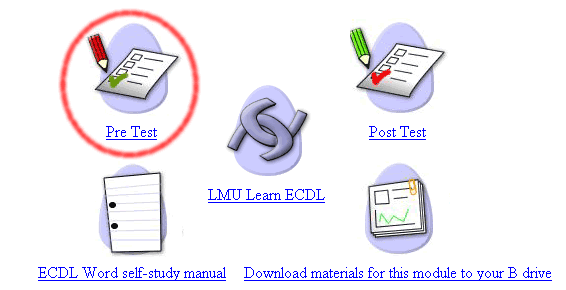
The screen shot below is using the pre test in the Word module as an example, to take the test you would click on the Word Pre Test as highlighted in red below.

This will take you to a multiple choice test of 50 questions (as below). Before you begin the test open up a copy of the program that this test relates to, so for example if you are doing the Word Pre test open up a copy of Microsoft Word. The idea of this is that if you are unsure of an answer to a multiple choice question you may test this by using the software itself. This is not cheating, as for the ECDL examination it is permissable to have a copy of the relevant software package open. You may move between the test and the software package by clicking on the tabs at the bottom of your screen, or by holding down the 'Alt' key on your keyboard and pressing the Tab button (the one with two arrows on it above the caps lock to the left of the keyboard).
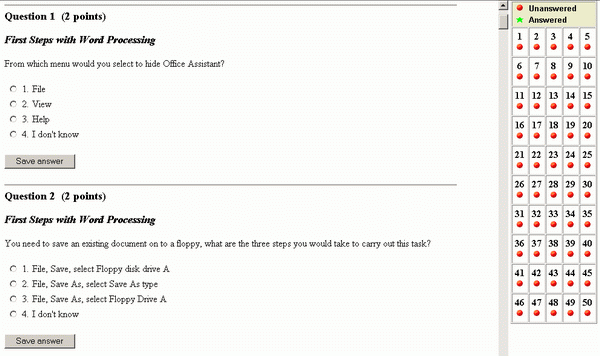
To complete the test click on an answer and press the 'Save Answer' button. This will turn the corresponding number on the right of the screen from a red circle to a green star. If you bypass a question and wish to return to it later simply click on the question number on the right of the screen. At the end of your test submit your test for marking. Afterwards check your score by scrolling down to the bottom of the test to see your score expressed as a percentage. If you have scored 80% or above then you may take the post test straight away, if you have achieved a score of less than 80% scroll through the test to identify the areas that you have got wrong, it would be best for you if you wrote these down. You may take as many pre tests as you like, although ordinarily you only need take one, before concentrating on your weaknesses in LMU Learn ECDL and then taking the post test (described below).
If you would like to know how to return to a previously completed test click here
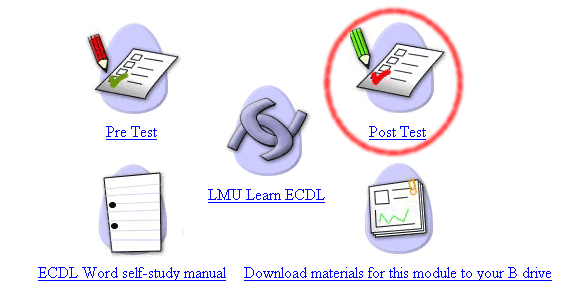
The post test works in exactly the same way as the pre test, except that it is the post test in which you must achieve a score of at least 80% to be considered for an ECDL examination. To take the post test you must click on the post test link from the Module page as circled in red below. You would only take the post test after you are confident that you can achieve a score of over 80% after studying the areas at which your knowledge was weak in LMU Learn ECDL. You can take the post test as many times as you like.
Again the post test is multiple choice in the same format as the pre test.
