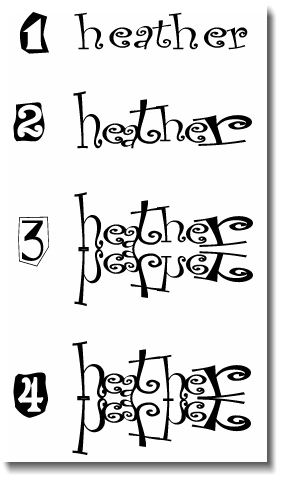
Instructions: Again, you will be required to work simultaneously using a Word Document and this page for instructions. Refer to the graphic on your right as you read the following information. Also, you may click on any of the underlined blue links for a word's definition.
1. Open a NEW Word Document. The page must be formatted in LANDSCAPE orientation.
1-a Type your first or last name* in any font (excluding Wing-Dings, Symbols, etc.). Your font size must not be any smaller than 72 points and no larger than 144 points. Please note that you may vary the size of individual letters.
*Choose a name that exhibits at least 5 letters.
2. Play with the special features (i.e. CHARACTER SPACING, SCALE, POSITION) to manipulate the letters within your name. In addition, you may also bold and italicize letters. While manipulating your font, pay special attention to the negative/positive space between and within your letters.
2-a You are to create 10 designs of your name utilizing Microsoft Word. All examples should be printed out with your first and last names handwritten in the bottom right-hand corner. Please make every effort for all examples to fit onto 3 sheets of paper. When you have finished ALL 7 examples, please staple and turn in for credit.