
Ok, now we put an our initial at the of the shield (Im putting mine - ML -
but you can put whatever you feel like). Lets rock. Click the 3D Text button  .
You'll get a dialogue:
.
You'll get a dialogue:

I've chosen: Font: "Gaze", Font Style: Bold Italic , Size: 24, but again, you may want something else. Click OK.
Next dialogue:

Type in your initials (I've typed "ML") and change the Depth value to 0.4. Click "Next >".
Next dialogue, we change nothing:

And clicking "Next >".
Next dialogue:
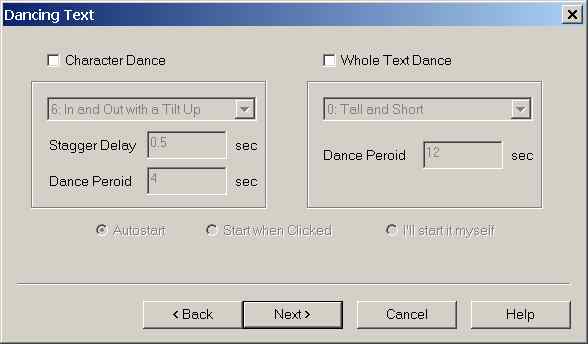
Uncheck the Character Dance checkbox, like in the picture and click "Next >". And we another dialogue:

Pick BLUE for material and click "Next >". One last dialogue for texture, we want none, so we leave it empty:

And click "Finish".
{ Previous Page - Next Page }
[ Home ]
