|
||||||||||||||||||||||
|
||||||||||||||||||||||
|
Required Software:- Bitrate
Calculator
|
||||||||||||||||||||||
|
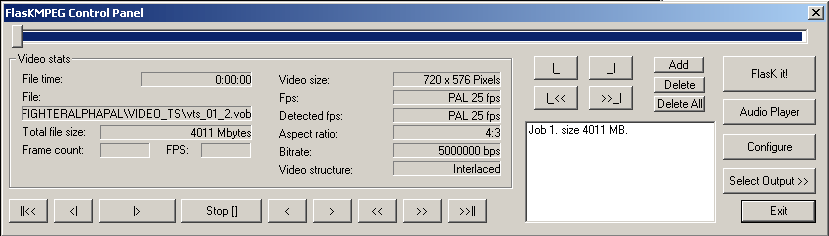
Step 3.Setting up FlaskMPEG Take special note to the Video structure and the
Detected fps |
||||||||||||||||||||||
 |
||||||||||||||||||||||
|
All you need to do here is to |
 |
|||||||||||||||||||||
|
Back in FlaskMPEG you will need to click on the Select
Output icon and select AVI Output |
||||||||||||||||||||||
 |
||||||||||||||||||||||
|
||||||||||||||||||||||