
|
|






Hardware: Cable Modems |
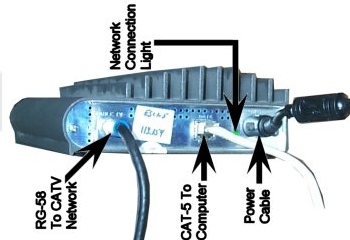
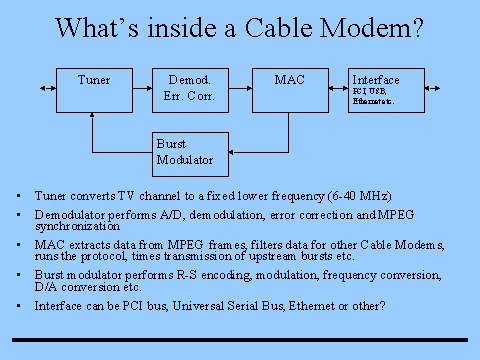
Starting from the home, a cable internet connection begins with, of course, a PC with an Ethernet card (most times) connected to a cable modem, usually through a router using 10 base T/100 base T, cat 5 or 6 networking cable. The cable modem performs two tasks. The cable modem sends and receives packets from the CMTS. Received data arrives at the cable modem in MPEG packets (strange, I know). However, data is sent from the cable modem in IP packets. So, now we begin to describe the equipment past the cable modem or transceiver. Cable Modem Termination System (CMTS) The cable modem communicates with the CMTS. The CMTS operates much like the DSLAM. It pools the connections of hundreds to thousands of cable subscribers. Current arguments suggest that cable Internet access limited to the number of users in a neighborhood. While it is true that the number of users in a neighborhood share the bandwidth of the neighborhood cable Internet connection the slowing of the Internet connection with additional subscribers is only partially true. The cable provider will only allow a particular CMTS to carry subscribers until the Internet connection drops off. When this happens the cable Internet service provider upgrades the CMTS to handle more subscribers while maintaining advertised speeds. Between the cable modem and CMTS is a network of hybrid coax-fiber optic (HFC) cables. The CMTS is located at the CATV head end. Head-End The Head-End is simply a facility where the cable company keeps the equipment like the CMTS. The Head-End is like the Central office of DSL except distance is not as important because cable Internet service utilizes amplifiers that are able to boost the signal over longer distances to the Head-end and into the CMTS. |

click me to go to ADSL hardware. |
