
EASY VECTOR BUTTERFLY or DRAGONFLY TUTORIAL~ PSP 7
ADVANCED INTERMEDIATE - SKILL LEVEL
Completion Time ~ Approximately 25 minutes.
Written by: Designs by Laela ~ 7/2/02
~ PAGE 2 ~
_________________________________________________________________________
8.
OK, basically, we are now going to just redo this tut again, for your bottom wing.
So... lets go back to Step 1 and draw our vector triangle shape once again
Repeat steps 1 thru 5, only this time name your layer LOWER WING 1.
Here is what my butterfly looks like now.

9.
DUPLICATE YOUR LAYER AND RENAME,
You should now have your butterfly shape, complete, minus the antennae.
Adjust anything you may want to with your moving tool, and then go up to
LAYERS > CONVERT TO RASTER LAYER.
Here is what my Butterfly looks like now.
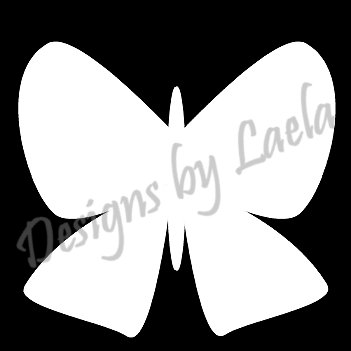
(BTW... For those of you who may not know, we convert each VECTOR LAYER to a RASTER LAYER,
when we are done so that our plugins will work on them. The average plugin/filter, won't work on Vector Layers, And, most of your tool options will be grayed out as well.
Now that wasn't so hard, was it???? *LOL*
10.
We are going to add our antennae now.
Feel free to do this any way you are most comfortable with.
Some of you may like to use bezier curves, or vectors, but, I am going to just go ahead and draw mine, free hand.
I am adding a NEW RASTER LAYER,
And with my drawing tool, set at size 3, free hand, straight line, antialias only checked.
I am going to draw my first antennae.
I have my foreground of course, set on white, and I have nulled my background color for now.
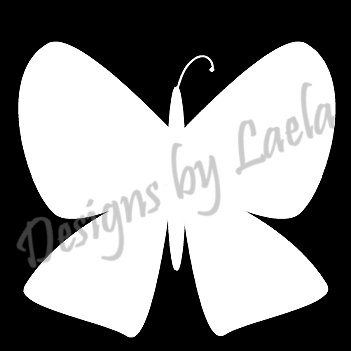
Here is what I have so far
11.
Now duplicate your antennae layer
and then mirror.
Adjust with your moving tool.
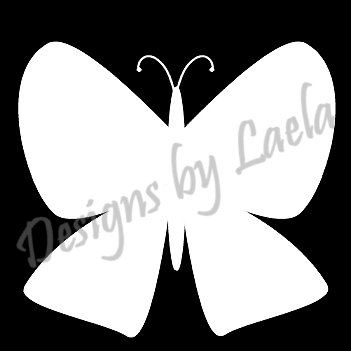
CONGRATULATIONS, YOU HAVE JUST COMPLETED YOUR FIRST
VECTOR BUTTERFLY
See......I told you it was painless... *LOL*
12.
Duplicate your image. (SHIFT + D)
You can delete your background layer now, and WITHOUT, MERGING.
SAVE YOUR IMAGE IN PSP FORMAT.
You now have a butterfly template that you can use over and over again.
Decorate your butterfly now, any way you want.
Remember, each part is still on layers.
Once you are happy with your butterfly,
Merge visible, and save.
I save all my work in PSP format, so that I can go back later and make changes should
I want to. ;o)
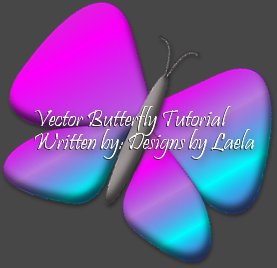


I hope you have learned a little bit about using simple vectors.
Keep practicing, 'Cause it only gets easier.


TERMS OF SERVICE
Please do not reproduce or add my tut to any other website or collection, And leave all file names and credits, in tact. PSP Groups are however, welcomed to share this tutorial with their membership by providing THIS LINK
(https://www.angelfire.com/zine2/dbl0/PSP101/BUTTERFLY/vectorbutterlytut.html)
to my tutorial in their mailings. DBL's original Vector Butterfly Graphic may be copied and used as an example for those mailings as long as the signature &/or watermark, is left in place.
Return to PAGE 1
..........
Return to PSP 101 Index
..........
Return to Home Page
|

