

::Home:: ::About:: ::Dolls:: ::Bases:: ::Graphics:: ::Links:: ::Tutorials::
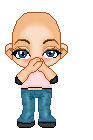
Step 1 : Get the base you want to use.
I got mine from www.dhaling.com.
Say hi to Anna. She's already
dressed . She's quietly awaiting
her hair now.
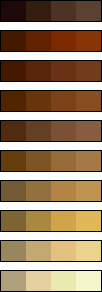
Step 2. Let's start off with a base color.
Here's a palette of hair colors.
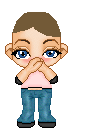
Step 3: Make a new raster layer called hair.
Draw outline of hair...Leave the pigtails for later.
Flood fill it that color.
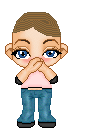
Step 4: Make highlights with the next two
colors in your palette.
Step 5: Okay the fun part. We're going to
shade with my favorite tool....................
the retouch tool! If you don't know what
it looks like it's the little hand...
Ok. Here's the settings I use.
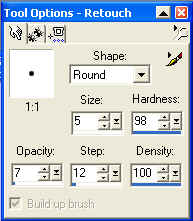
Retouch mode: Darken RGB
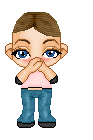
Outline the part in hair and draw lines
from the part out. Like this:
Step 7: Okay for my second favorite
part....Highlighting. Use the same settings
and switch the retouch mode to Lighten
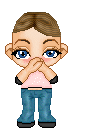
RGB. Just lighten it between dark spots.
Brush with sweeping motions. Like this:
Step 8: Ok now for the buns..
Draw buns on both side. Flood fill it the
darkest color. Highlight it like you did
before.
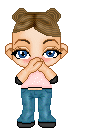
If you want, you can go over it with the retouch
tool again.
And finito! I hope you had fun on this tutorial.
Email me with your finished dolls and I'll put
you in my tutorial gallery.
