Getting Started
Note that all the images in this tutorial taken from
Visual Basic version 6.0.
If you using other version of Visual Basic, the
images that you will see may
be a little different.
Run the Visual
Basic program. The first thing you see is:
Figure 1
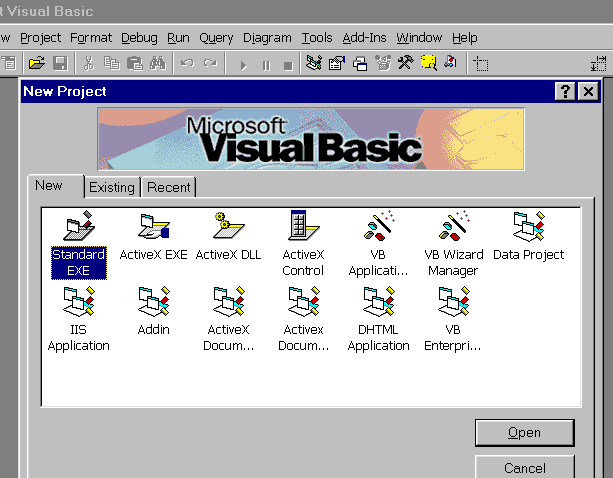
Here you choose what is the kind of the program you want to
create.
For creating a simple Visual Basic program, choose the Standart
EXE,
and press the Open Button.
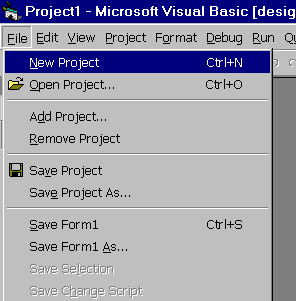
(If Figure 1 is not the first thing
you see when you run Visual Basic,
choose from the Visual Basic menu
File->New Project (Figure 2))
Figure 2
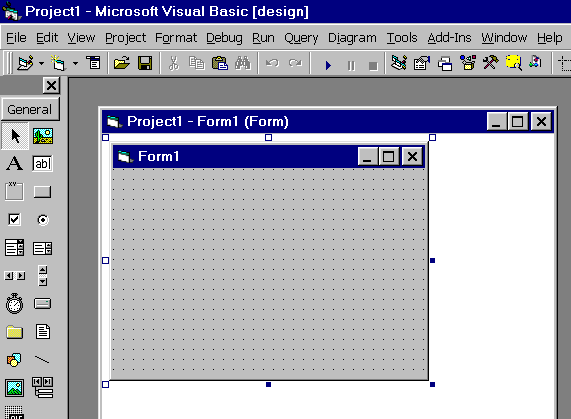
After you've clicked the Open button, you will
see:
Figure 3
[ Next ]
|

