Inserting and Deleting Cells, Rows, and Columns
Topics
to be Covered
Deleting
the Contents of a Cell
Deleting
the Contents of an Entire Row or Column
Deleting
a Cell
Inserting
a Cell
To
Delete an Entire Row or Column
To
Insert and Entire Row or Column
To
Delete More than One Row or Column

Topics
to be Covered
This page will cover two
topics deleting the contents of a cell, row, or column, and deleting or
inserting an entire cell, row, or column.
The former will only delete the data
inside the cell, row or column. After deleting the data the blank cell
will be left in place.
Before Data Deletion

After Data Deletion

The latter topic deals with deleting or
inserting an entire cell, row or column. After deleting or inserting a
cell, row, or column the other cells rows and columns will shift to create space
for the new cell, row, or column, or they will shift to fill in the space of the
old cell, row, or column.
Before Cell Deletion

After Cell Deletion

Deleting
the Contents of a Cell
If you want to delete the contents of a
cell but not the cell itself then see the instructions below.
- Click on
the cell you want to clear and then press the delete
key on your keyboard.
or
- Right-click
on the cell and move the cursor to Clear Contents.
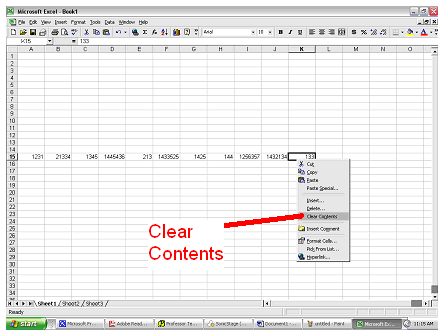
*Remember that this will
only clear the contents of the cell but not the cell itself.
Deleting
the Contents of an Entire Row or Column
If you want to clear the contents of an
entire row or column but not the row or column itself then do this:
- Highlight
the entire row or column by clicking on the row
or column heading.
- Press the
delete key on your keyboard.
or
- Right-click
on the row or column and then click on Clear Contents.
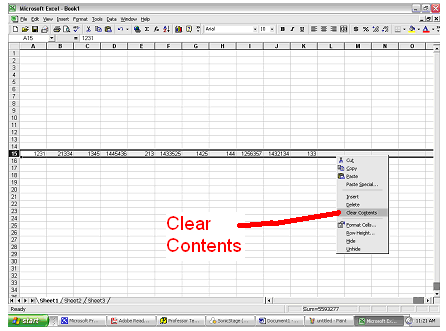
Deleting
a Cell
To delete a cell follow these
instructions:
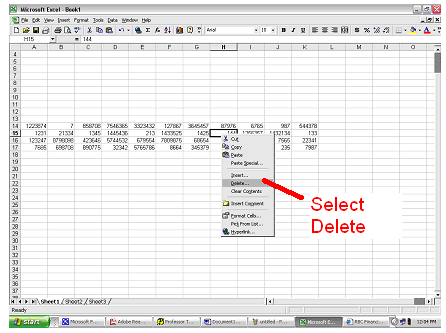
- Right-click on the cell you want to
delete and select Delete from the drop down menu.
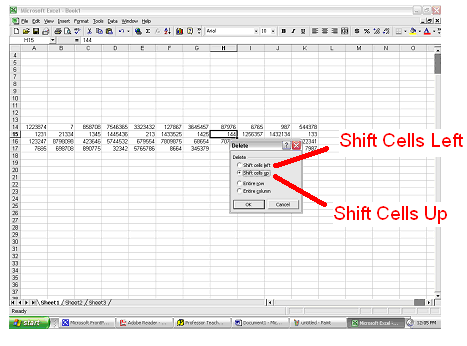
- Now decide if you want the remaining
cells to be shifted up or shifted to the left.
Select whichever option
you want from the
menu.
Inserting
a Cell
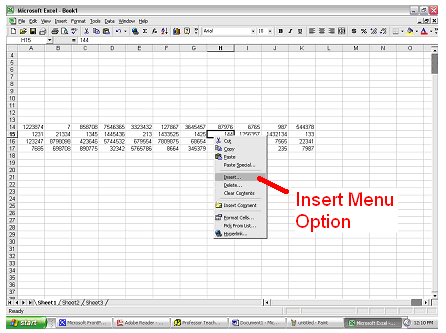
To insert a cell do this:
- Right-click on the cell where you want
a new cell inserted.
- Click Insert on the drop down
menu.
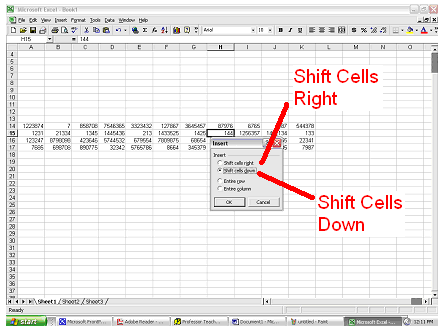
- Choose to
move the other cells down or to
the right.
To
Delete an Entire Row or Column
If you want to delete an entire row or
column:
- Select the row or column to be
deleted.
- Select Delete from the drop down
menu.
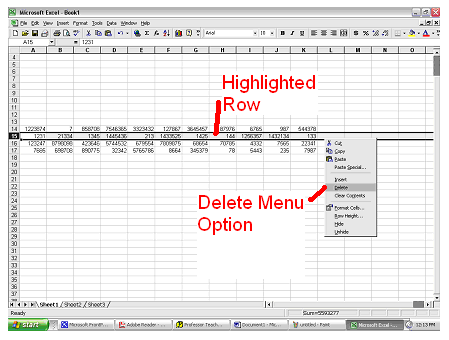
- The remaining rows will shift up or
the remaining columns will shift to the right.
To
Insert and Entire Row or Column
If you want to insert a new row or column
then:
- Highlight the row or column where you
want the new row or column to be inserted.
- Right-click on the row or column.
- Select Insert from the drop down
menu.
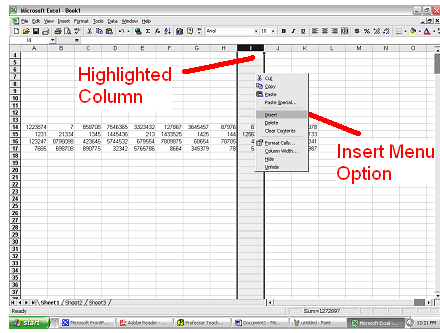
- The other columns will shift to the
left or the other rows will shift down.
To
Delete More than One Row or Column
- Click and hold you mouse button on the
row or column heading of the first row or column you wish to delete.
- Drag your mouse button until all the
rows or columns you want to delete are highlighted.
- Right-click on the highlighted rows or
columns and select Delete.
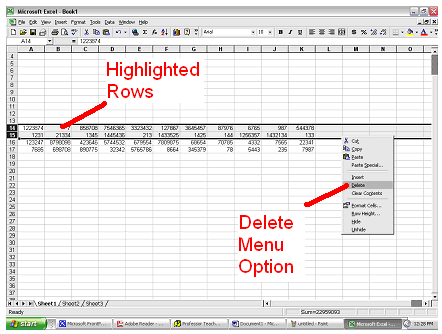
- Again the remaining rows will shift up
or the remaining columns will shift to the right.

