
Let's begin. Open paint. Use the paint bucket to fill in background to whatever color you want it to be. Then click on the text button.

Select a big area and make a box for your text. Be sure to click on this little box (shown at bottom of next picture) so that what you add is transparant and has the same background. Notice the text box that pops up. Select the font you want to use and the size.

Ok, at the bottom there are two small squares overlying each other. The top one is for your text and the bottom one I put on black for later (of course I forgot to do that for the picture, so just overlook my faults lmao). Left click on the color you want your text to be, and right click on the color of your background.

After you have typed your rules in, click on the "select" button and select all of your text.
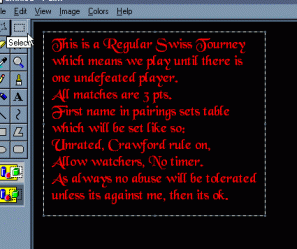
Now click on "edit" and then "cut".
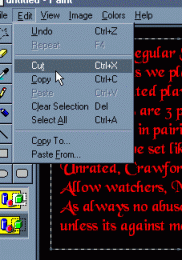
Use the paint bucket to fill in the empty space that is left once you cut this out. Now click on "image" then "attributes" and this box will pop up. Put a one in the width and height boxes (make sure under units it's on inches), and click "ok".
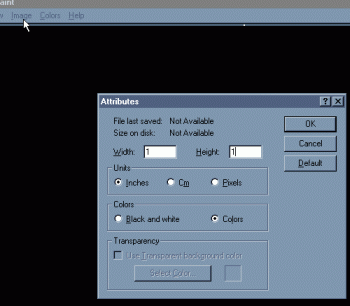
Next you go back to "edit" and then click on "paste" and this box will appear...
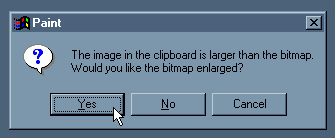
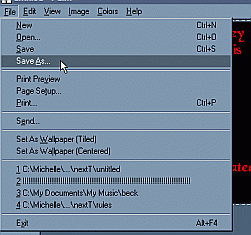
Click yes. Now go to "file" and "save as" and name your image and save it somewhere that you can find it.
Close down paint. This is where Irfanview comes in. If you have Frontpage you don't have to do this step, but Netscape Composer will not let you add .bmp's to a page. And if you change it to a .gif or .jpg it looks terrible. I still recommend changing it because .bmp's are huge!
Open Irfanview and go to "file" then "open" and find your image and open it. Then click on "file" and "save as". At the bottom is a box where you can change it to a .gif or .jpg. I find it easier to save as a .gif because everything recognizes .gif's.

Finally!! All you have to do now is add it to your table
that you made and you are set!!
Everyone will see the font that you want them to see,
even if they don't have it on their computer.
I've enjoyed making these pages for you, and now I had better see some colorful and imaginative tourney pages out there!! LOL
Ladedeth
