|
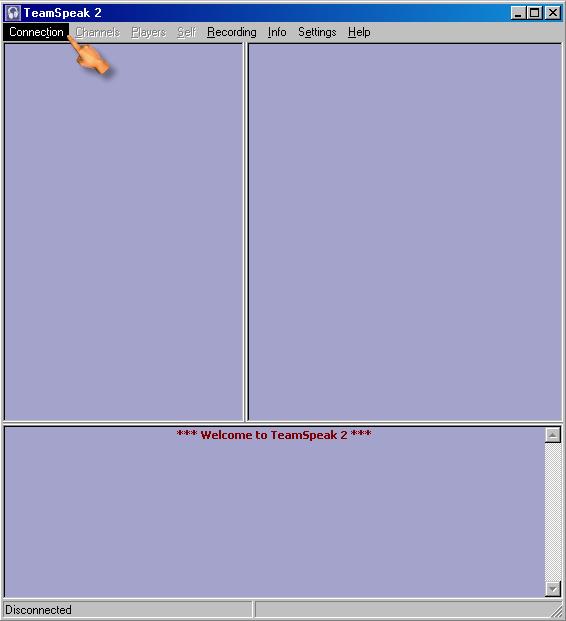
| Highlight 'Connection' |
|
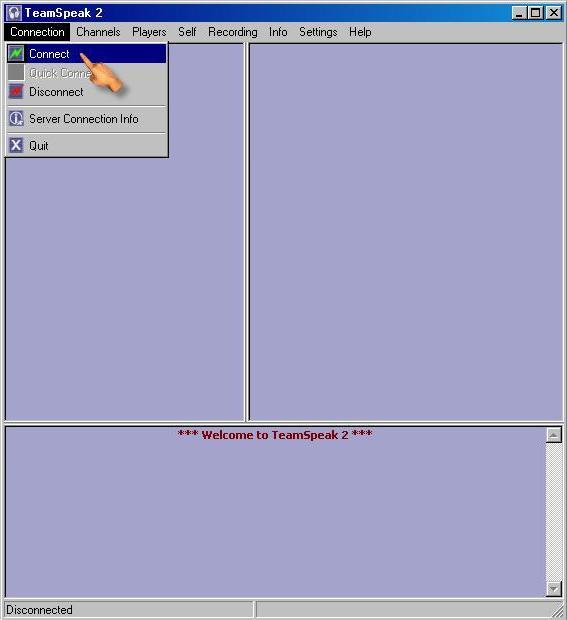
| Then choose 'Connect'. |
|
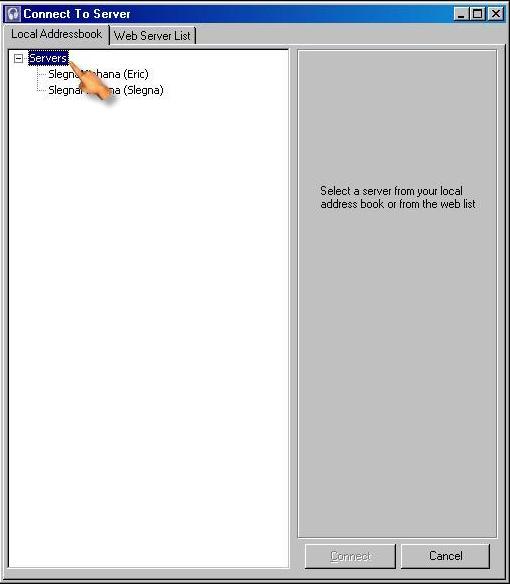
| From the 'Connect to Server' window and the 'Local Addressbook' tab, highlight 'Servers' in the pane on the left |

|
| Now, Right-click and choose 'Add Server' |

|
| You should now see a server called 'New Server' in the pane on the left. |

|
| The next step is to fill out the Server information on the right. In the Server Address field, enter the following number: 68.12.173.163 Now enter your name as you would like it to appear in Teamspeak. You are done. Hit the 'Connect' button at the bottom. |

|
| You will connect to the Deafult channel of my server. You may notice the 'U of P' channel. It is password protected. IM me for the password. |


